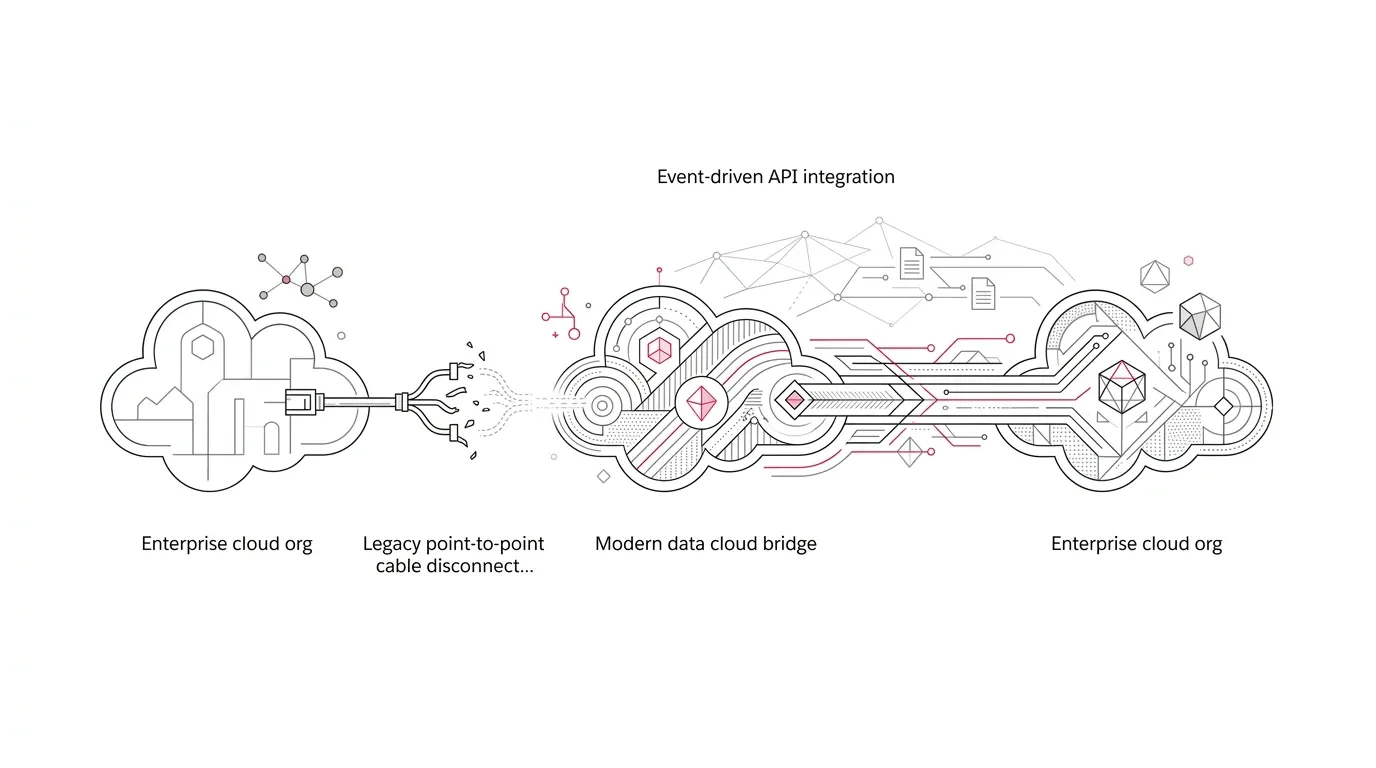
Salesforce-to-Salesforce is approaching a hard stop . Salesforce says the legacy record-sharing feature will be fully retired with the Spring ’27 release and will no longer function. Its current retirement list places that release window in February 2027.
For organizations that still use S2S, the risk is not limited to a broken integration. Shared leads may stop reaching a partner. Opportunity updates may no longer cross a regional boundary. A case handoff between related organizations may lose its status updates. An acquired business unit may continue working from a stale copy of a customer record.
The difficult part is that Salesforce does not prescribe one universal replacement. It names Partner Cloud, Data Cloud One, MuleSoft Anypoint, and MuleSoft for Flow. Those are not interchangeable products. The right choice depends on why records cross org boundaries, which system owns each field, how quickly changes must arrive, and what should happen when the transfer fails.
The safest response is therefore not “rebuild the sync.” It is: discover the business service behind every S2S connection, select an architecture for that service, and prove continuity before the relevant org receives Spring ’27.
What exactly is retiring?
Salesforce-to-Salesforce lets connected Salesforce orgs publish objects and fields, forward or automatically accept records, and synchronize mapped values. Salesforce documents support for objects including accounts, contacts, leads, opportunities, cases, products, tasks, attachments, and custom objects. Accepted records can also interact with assignment rules, validation rules, workflow, and Apex in the receiving org.
Salesforce’s phased retirement notice sets out three milestones:
- Spring ’26: New enablement was blocked.
- Summer ’26: Salesforce support for S2S ended.
- Spring ’27: S2S will be fully retired and will no longer function.
The final date is tied to the major-release upgrade for each instance. Salesforce advises customers to find their org’s specific timing in the maintenance tab on Salesforce Trust . Program plans should use that instance date, with an internal production cutover several weeks earlier.
First determine whether S2S is carrying a real business process
A Setup flag is only the beginning. An enabled feature can be dormant, while a small number of active records can support an important referral, sales, service, or member workflow.
Build a connection register for every production org. For each S2S connection, capture:
- The sending and receiving orgs, business owners, technical owners, and external partner contacts
- Published and subscribed objects, mapped fields, filters, and auto-accept behavior
- Active shared-record counts and recent update volumes
- Record ownership and the authoritative system for each shared field
- Assignment rules, validation rules, flows, workflow rules, and Apex triggered in the receiving org
- Related records, attachments, case comments, products, price books, and lead-conversion behavior
- Downstream reports, alerts, integrations, portals, and manual work that depend on the copied record
- Error handling, reconciliation, support ownership, and recovery expectations
The Connections tab provides useful evidence. Salesforce allows administrators to export connection history as CSV, including changes to status, ownership, published fields, communications, and some errors caused by validation rules or Apex validation. However, Salesforce notes that system errors such as code errors are not recorded there. Pair the export with record-level External Sharing data, automation review, user interviews, and operational reports.
Do not equate low volume with low importance. A foundation may share only a few high-value grant or referral records. A health insurer may transfer a limited number of escalated cases. A specialty insurance partner may exchange relatively few opportunities with significant premium value. Rank dependencies by business consequence as well as throughput.
Choose a replacement by job, not by product name
Salesforce’s alternatives address four different jobs.
| Primary need | Strongest candidate | Why it fits | Questions to resolve |
|---|---|---|---|
| Co-selling and partner lifecycle management | Partner Cloud | Designed for recruiting, onboarding, enabling, and co-selling with partners; Partner Connect can synchronize lead and opportunity data | Does the relationship need deal registration, enablement, incentives, or partner access beyond record sync? What licenses are required on each side? |
| Governed, shared customer context across internal Salesforce orgs | Data Cloud One | Gives companion orgs access to data and metadata from a central Data 360 home org through shared data spaces | Which org should be the home org? Are regional, residency, governance, latency, and consumption requirements compatible? Does the use case require write-back or only access/activation? |
| Complex, reusable, multi-system integration | MuleSoft Anypoint | Supports orchestration, transformation, API management, multiple patterns, and centralized integration operations | What service-level objectives, transformations, retries, replay, monitoring, and API governance are required? Is an existing enterprise integration platform already the better standard? |
| Lower-code flow with a supported Salesforce connector | MuleSoft for Flow | Can use an external Salesforce org as a trigger or target for actions such as syncing contacts or transferring opportunities | Can the connector support the required objects, volumes, direction, and failure behavior? Who will operate the flows, and is the add-on licensed? |
This is not necessarily a one-product decision. A partner-sales process may use Partner Cloud, while enterprise customer context is delivered through Data Cloud One and a transactional handoff is orchestrated through middleware. The goal is the smallest coherent architecture that meets the actual requirements.
Salesforce’s integration decision guide also advises against unnecessary replication. Before copying a record into another org, ask whether the user needs a local record, read access to governed data, or an outcome from a business process. Those needs lead to different designs.
Avoid four common migration mistakes
1. Reproducing every field because S2S shared it
Legacy mappings often outlive their purpose. Classify each field as required for a business decision, required for a downstream process, useful for context, or obsolete. Then define the source of truth, permitted direction, transformation, and conflict rule. This reduces exposure and prevents two orgs from competing to own the same value.
2. Testing record creation but not the complete outcome
A green API response does not prove that the business service works. Test assignment, duplicate management, validation, child records, notifications, reporting, error recovery, and user visibility. For example, a received case is not successful if it exists but routes to the wrong queue or lacks the context required for service.
3. Running old and new synchronization without duplicate controls
Salesforce says S2S and a replacement can run in parallel, but warns that duplicate data may result. Its retirement article recommends validation in a sandbox without S2S configured. Where production parallel running is unavoidable, use explicit source identifiers, idempotency rules, narrow cohorts, reconciliation, and a short overlap period.
4. Treating licensing as a late procurement task
Salesforce states that recommended replacements can have license or cost implications. Architecture, procurement, security, and operations should compare total cost early: licenses, implementation, consumption, monitoring, support, and the continuing cost of replicated data all matter.
A six-phase plan for migration
Phase 1: Confirm the deadline and ownership
Find the Spring ’27 maintenance date for every affected production org and its sandboxes. Name one executive owner, one business owner per connection, and one technical owner per replacement service. Set an internal cutover date that leaves recovery time before the Salesforce upgrade.
Phase 2: Discover and classify connections
Create the connection register, export available history, inspect mappings and External Sharing activity, and interview the teams that send and receive records. Classify each connection as retire, partner collaboration, shared data access, transactional synchronization, or a combination.
Phase 3: Define the target contract
For every data flow, document the trigger, source and target, object and field contract, ownership, identity and matching rules, latency, volume, security, retention, error handling, retry, replay, reconciliation, and service-level objective. Include deletion and consent behavior where applicable. Obtain qualified privacy, compliance, and security review for regulated data.
Phase 4: Build and test without S2S
Use representative nonproduction environments and data. Salesforce specifically recommends a sandbox without S2S configured for replacement validation. Test normal transactions and adverse conditions: duplicate candidates, missing parents, invalid values, unavailable endpoints, delayed delivery, partial batches, permission changes, and replay after failure.
Phase 5: Cut over by controlled cohort
Freeze uncontrolled mapping changes. Establish a last-synchronized watermark, migrate open work where necessary, activate the new route for a limited connection or record cohort, and reconcile source and target results. Expand only after business owners validate outcomes. Stop the old sharing path deliberately; remember that stopping S2S sharing does not automatically delete the previously shared record from the other org.
Phase 6: Prove stability and retire the legacy controls
Monitor accepted, rejected, retried, and delayed transactions. Reconcile counts and critical values at the business-key level. Remove obsolete permissions, queues, reports, automations, credentials, and operating procedures only after the agreed stability period. Retain evidence of mappings, test results, approvals, and reconciliation according to organizational policy.
Industry-specific implications
For healthcare organizations and insurers, the key questions are authorization, minimum-necessary data, residency, auditability, and whether a copied record becomes stale outside its source system. A technical replacement does not by itself satisfy privacy, security, or regulatory obligations; qualified reviewers must validate the design.
For nonprofit foundations, cross-org sharing may sit inside referrals, collaborative funding, grantee relationships, or regional operating models. Migration should protect applicant and grantee experience as well as data movement. Test notifications, review handoffs, document access, reporting, and the manual steps staff use during active cycles.
For multi-entity European organizations, choosing a Data Cloud One home org or a middleware route can affect regional ownership and data-location decisions. Salesforce’s provisioning guidance makes clear that the home org determines the Data 360 region and central administration. Treat that choice as enterprise architecture, not a connection wizard task.
The decision leaders should make now
By the time S2S stops functioning, the replacement should already have passed production reconciliation. Leaders should ask for three artifacts now: a complete connection register, an approved replacement decision for each business service, and a dated cutover plan tied to each org’s Spring ’27 upgrade.
Yuniq’s Salesforce services include consulting, integration, migration, implementation, validation, testing, and ongoing support. A focused S2S retirement assessment can help identify active dependencies, compare replacement patterns, and turn the selected architecture into a tested migration plan before the release deadline.