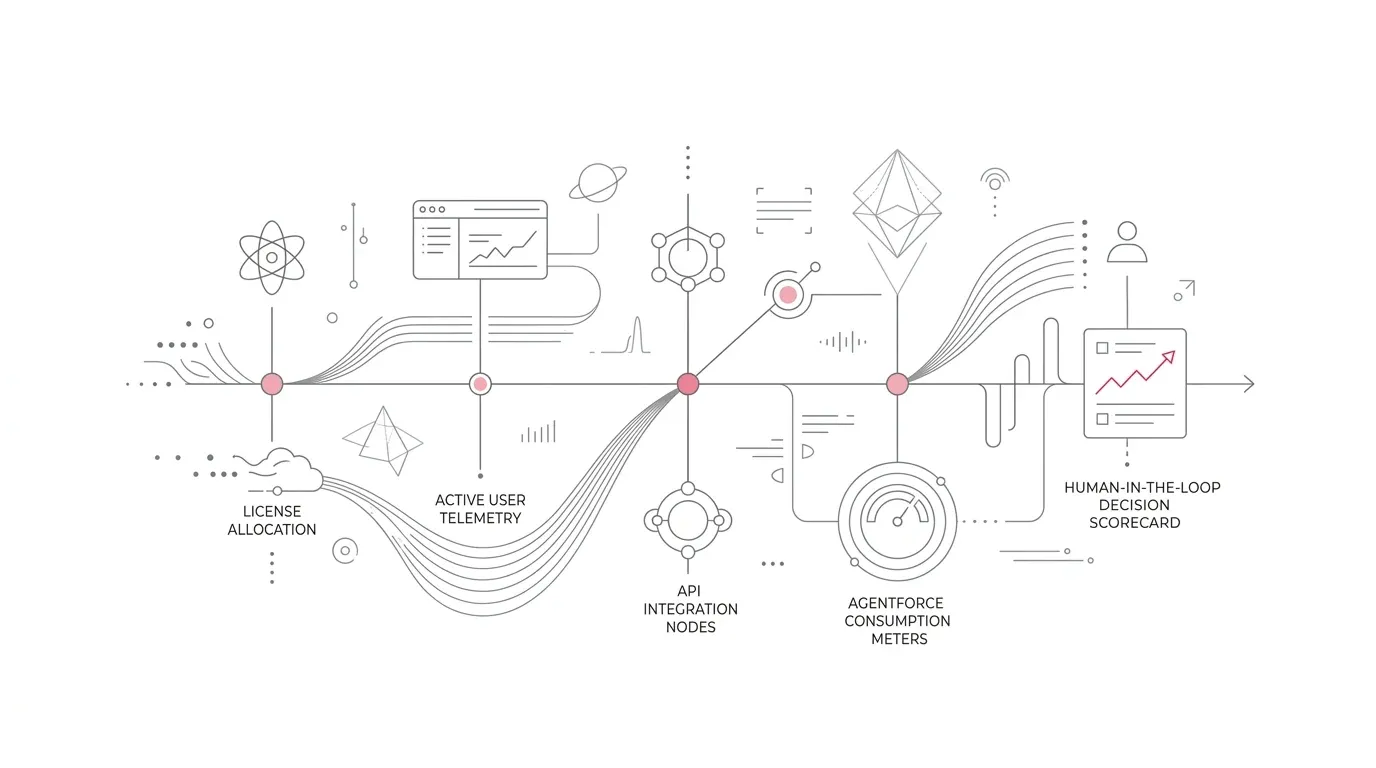
A Salesforce renewal can look like a commercial event: compare the new quote with last year's contract, negotiate terms, secure approval, and sign. For a mature enterprise, that sequence starts too late and asks the wrong first question .
The real question is whether the proposed Salesforce estate matches how the business operates now and what it intends to run next year.
That requires technical evidence. A single contract may span core user licenses, Service Cloud or Health Cloud capabilities, Experience Cloud access, permission-set licenses, storage, managed packages, sandboxes, integrations, and consumption-based services such as Agentforce and Data 360 . Some entitlements may be assigned but rarely used. Others may appear inactive while supporting a seasonal workflow, integration user, compliance process, or critical service channel.
Salesforce's Renewal FAQ, published September 11, 2026 , gives leaders a useful timing signal. It says the renewal window begins 90 days before the contract end date and that requests made during the final 30 days may be too late for some adjustments. Those are platform guidelines, not a substitute for the terms in your signed agreement. They do make one point clear: the evidence must be ready before the visible renewal workflow opens .
For most complex organizations, that means beginning at least 120 days before renewal.
Why an Invoice Review Is Not a Salesforce Optimization Review
An invoice tells you what you bought . It does not tell you:
- Who is actually using each entitlement across daily operations
- Whether the assigned license is the least costly suitable license type for that persona
- Which premium features or add-on clouds are actively leveraged
- What critical automated process depends on an integration, managed package, or licensed capability
- Whether low activity is expected because the process is episodic or seasonal
- How much Agentforce or Data 360 consumption will be needed across the upcoming fiscal year
- Which planned transformation depends on capacity that has been procured but not yet activated
Salesforce provides several useful administrative views, but they answer different questions. System Overview shows allocation and highlights licenses nearing capacity. The Lightning Usage App reports adoption measures, including daily and monthly active users and active license counts. Digital Wallet monitors supported consumption products and can trigger threshold alerts.
None of those views, by itself, proves business value or identifies the correct future product mix. The former Salesforce Optimizer app has also been retired , removing a familiar starting point for some administrators. Renewal readiness therefore depends on joining contract, configuration, usage, dependency, roadmap, and business-owner evidence.
Use Four Tests for Every Material Salesforce Entitlement
Build an entitlement register that covers each production org, sandbox, business unit, and associated contract. Then apply four tests to every material SKU or capability.
1. Capacity: What Is Bought and Assigned?
Record the purchased quantity, assigned quantity, available quantity, contract owner, org, renewal date, and commercial unit. Include core user licenses, feature licenses, permission-set licenses, community or portal access, managed-package licenses, and consumption entitlements.
This catches obvious mismatches, but assigned capacity is only the starting point . A fully allocated license pool may still contain dormant users. A lightly allocated add-on may be indispensable to a small specialist team.
2. Activity: What Is Actually Being Used?
Measure logins over several windows, such as 30, 60, 90, and 180 days. Add feature-level signals where possible: records created or updated, cases handled, dashboards viewed, flows invoked, community logins consumed, or agent actions executed.
Do not equate a login with value . A user can log in daily and never use the premium capability that justifies an expensive edition. Conversely, an integration account may not have a human login pattern but can still be essential.
3. Dependency: What Would Break If the Entitlement Changed?
Map licenses and products to technical dependencies before recommending removal or reassignment. Check:
- Permission sets and permission-set groups assigned across profiles
- Apex triggers, asynchronous jobs, Flow definitions, validation rules, and scheduled automations
- Integration users, middleware connections, and API clients
- Managed packages and package-specific license assignments
- Experience Cloud audience rules, member profiles, and authentication patterns
- Omni-Channel routing, digital engagement, telephony, and contact center queues
- Operational reports, executive dashboards, and downstream data pipelines
- Compliance retention, security monitoring, and field audit trail processes
This is where renewal optimization becomes architecture work . A cheaper license is not cheaper if it causes a failed interface, removes needed object access, or forces an emergency redesign.
4. Outcome: What Business Result Does the Capability Support?
Assign an accountable business owner and a measurable outcome to each significant product. Examples include case deflection, member-service response time, broker onboarding, fundraising conversion, care-coordination throughput, or seller productivity.
If a product has low adoption but supports a committed initiative, the answer may be an adoption and remediation plan rather than cancellation. If it has no owner, no dependency, no credible roadmap, and no demonstrated outcome, it is a strong candidate for retirement or restructuring.
Forecast Consumption Separately from Seat Licenses
Seat-based and consumption-based products behave differently. Treating them as one worksheet hides risk .
For Agentforce and Data 360, use Digital Wallet to establish the current run rate and configure alerts . Salesforce documents threshold examples such as 80% of Flex Credits and 95% of license allocation. However, Salesforce also states that Digital Wallet does not automatically block or throttle a service when an entitlement reaches 100%.
A renewal forecast should therefore model at least three distinct operational scenarios:
- Current state: observed volume, current architectural design, and present baseline adoption
- Committed growth: approved application launches, head-count expansions, new digital channels, and anticipated seasonality
- Stress case: higher autonomous interaction volume, inefficient action prompts, data reprocessing, payload growth, or delayed pipeline optimization
Connect the forecast to outcomes, not only transactions. For an AI service workflow, track the cost per successfully contained or resolved interaction alongside escalation, rework, and customer-experience measures. For Data 360, distinguish necessary ingestion and activation from avoidable reprocessing or unused data products.
That analysis supports a more useful decision than simply buying a larger pool because consumption increased last quarter.
A Practical 120-Day Salesforce Renewal Plan
Days 120–91: Build the Evidence Base
- Confirm contract end dates, renewal type, contractual notice provisions, billing contacts, and authorized decision-makers
- Create a complete contract-to-org-to-SKU inventory across all production and sandbox instances
- Export user, feature, permission-set-license, login history, and relevant feature-activity data via the API
- Capture Digital Wallet consumption curves and historical monthly growth trends
- Identify major integrations, managed packages, service channels, and strategic roadmap dependencies
- Interview business unit leaders regarding seasonality, planned initiatives, and minimum continuity requirements
The goal is a trusted baseline before the formal renewal window begins .
Days 90–61: Make Product and Architecture Decisions
Classify each material entitlement into one of five definitive decision buckets:
- Keep: active, appropriately licensed, and tied directly to a required operational outcome
- Rightsize: needed by the business, but current quantity or edition tier exceeds empirical utilization
- Remediate: valuable in principle, but adoption, data quality, workflow design, or executive ownership is weak
- Retire or replace: no longer required, duplicative with other tooling, or unsupported by a credible roadmap
- Defer: a proposed addition that has not met its business justification, security clearance, or architectural readiness gate
Validate any rightsizing proposal in a sandbox or controlled test where technical dependencies are uncertain. Bring finance, procurement, security, legal, architecture, and business owners into the same decision record.
Days 60–31: Validate the Future-State Plan
- Test proposed license modifications against representative end-user journeys and critical integration pipelines
- Reconcile the proposed future-state contract directly with the approved technical operating roadmap
- Model consumption headroom and credit run rates under multiple business scenarios
- Assign executive owners and firm delivery milestones to adoption or remediation commitments
- Document service-continuity risks, failure points, and operational rollback procedures
- Submit formal commercial change requests in accordance with the timeline required by the governing agreement
Do not assume a public help-page timeline overrides a negotiated notice term. Have the appropriate commercial or legal owner review the actual contract.
Final 30 Days: Close Evidence Gaps, Not Foundational Decisions
Use the final month to resolve exceptions, confirm the quote-to-inventory reconciliation, complete internal approvals, and preserve the decision record. It is a poor time to discover an unowned org , an unknown integration user, or a major product that has never been activated.
After signature, convert the renewal workbook into an ongoing operating cadence. Review allocation, adoption, consumption, and business outcomes quarterly so the next renewal begins with evidence rather than archaeology.
Industry-Specific Traps to Avoid
Healthcare
Low login activity does not prove that a license is unnecessary. Care coordinators, utilization teams, external providers, or emergency-response roles can have irregular patterns. Before changing Health Cloud , Service Cloud, or integration entitlements, validate patient- or member-service journeys, interfaces, security controls, and operational continuity with qualified owners.
Insurance
Claims, catastrophe response, renewal cycles, broker access, and open enrollment can create sharp seasonal peaks. Review Experience Cloud login models, service capacity, document workflows, and integration volumes across a full business cycle. A 30-day snapshot can be dangerously unrepresentative .
Nonprofits and Foundations
Fundraising campaigns, grant cycles, events, and volunteer programs can make usage episodic. The objective is not simply to remove inactive seats. It is to match the licensing model to real participation patterns while protecting donor, grantee, and program workflows. Restricted budgets also make named ownership and measurable outcomes especially important.
What a Renewal-Ready Decision Pack Should Contain
Senior leaders should be able to review the proposed renewal without navigating multiple admin screens. The decision pack should assemble these eight essential deliverables into a unified executive package:
| Timeline Phase | Operational Objective | Key Technical Deliverable | Critical Risk Signal |
|---|---|---|---|
| Days 120–91 | Evidence Base | Complete contract-to-org-to-SKU inventory; API export of active users and permission sets | Fragmented orgs with unassigned business owners; unknown integration API users |
| Days 90–61 | Architecture Review | Keep / Rightsize / Remediate / Retire / Defer classification matrix | Right-sizing seats without auditing Apex triggers, Flow dependencies, or package keys |
| Days 60–31 | Plan Validation | Sandbox testing of proposed license mix; multi-scenario Agentforce/Data 360 forecast | Missing contractual change cutoffs by assuming online guidelines override signed notice terms |
| Final 30 Days | Execution & Close | Quote-to-inventory reconciliation; executive approval record; quarterly cadence setup | Unresolved commercial exceptions forcing auto-renewal of unneeded capacity |
The point is not to minimize Salesforce at any cost. It is to ensure that every retained or added capability has a defensible operational purpose, an appropriate architecture, and a credible path to value .
Turn Renewal Pressure into a Cleaner Salesforce Roadmap
A good renewal process does more than remove unused licenses. It exposes inactive capabilities, duplicated tools, fragile integrations, unclear ownership, stalled programs, and unfunded ambitions. Those findings can become a prioritized optimization roadmap for the next contract period.
YuniQ provides comprehensive Salesforce consulting, implementation, customization, integration, migration, and managed support services . For organizations approaching renewal, YuniQ helps assess the technical estate, validate dependencies, and translate rightsizing decisions into a practical remediation roadmap.
Prepare for Your Upcoming Salesforce Renewal
YuniQ conducts pre-renewal Salesforce technical assessments to audit license utilization, dependency risk, and AI consumption models across complex multi-org environments. Identify rightsizing opportunities before commercial notice deadlines close.
Explore Salesforce Consulting & Audits