Salesforce's newest interface strategy changes a familiar question. The issue is no longer only who can log in to Salesforce. It is who can reach Salesforce data and trigger Salesforce actions from every AI interface connected to it.
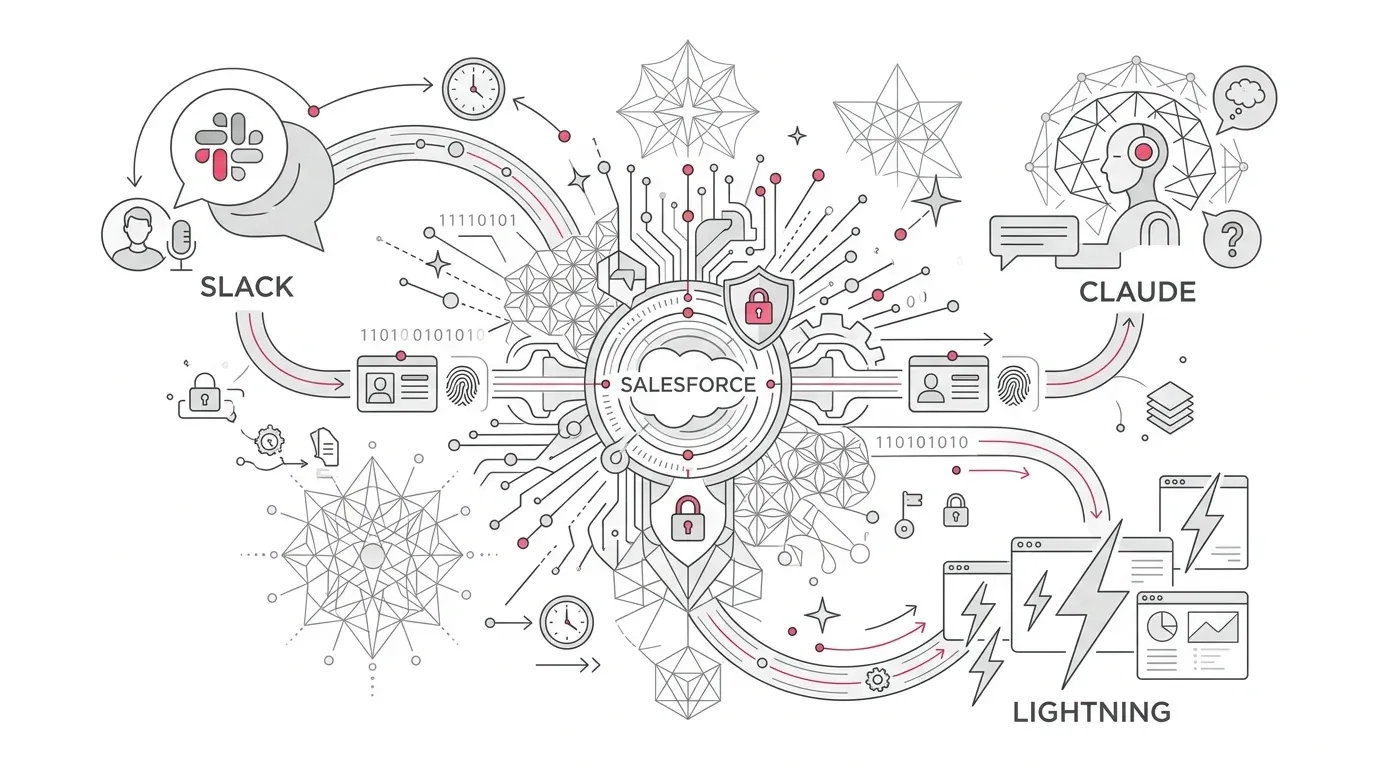
At Dreamforce 2026, Salesforce introduced AIforce, a live interface layer intended to bring the platform's data, workflows, business logic, permissions, and governance into tools such as Claude, Slack, and Lightning. Salesforce says users will be able to ask questions, update records, and trigger workflows without navigating the traditional Salesforce interface. The September 16 announcement also confirms that every request runs through existing permissions and business rules.
That is the promise. The implementation reality is that existing controls only help if they are accurate, deliberate, and tested for the new interaction model.
Core Architectural Reality: An overly broad permission set is still overly broad when accessed through a conversational interface. A fragile Flow is still fragile when an agent can invoke it at machine speed. A duplicate customer record does not become trustworthy because an AI system explains it fluently.
For healthcare organizations, insurers, nonprofit foundations, and other data-sensitive enterprises, AIforce readiness should therefore be treated as an access, process, and operating-model program. These seven controls provide a practical place to start.
First, Understand What AIforce Is and Is Not
AIforce is not simply a renamed chatbot. Salesforce positions it as an interface layer above its platform, with Data 360 providing context, Customer 360 providing application logic and permissions, and Agentforce providing digital labor and agent-building capabilities.
The first announced surfaces include:
- Claudeforce, including Salesforce in Claude and prebuilt sales skills;
- Slackforce, including live interfaces and Salesforce actions within Slack; and
- Agentforce Coworker, which brings reasoning and action into Lightning.
This is also not a signal to retire every conventional Salesforce screen. Fixed interfaces remain valuable when users need repeatability, dense record review, explicit validation, or a visible sequence of approvals. Conversational and generated interfaces are strongest when they reduce navigation around a well-defined task, not when they obscure a poorly understood process.
Availability also needs careful reading. Salesforce says Salesforce in Claude is available to customers in beta, while some service, marketing, commerce, and industry skills are planned for the future. Pricing, packaging, regional availability, and customer agreements may vary. Build a business case around capabilities available under your current contract, not a keynote roadmap.
1. Choose a Bounded Outcome, Not a General AI Assistant
Start with one measurable job. Good candidates have clear inputs, limited actions, an accountable owner, and an observable result. Examples include:
- Summarize an account's open service issues before a renewal meeting;
- Draft, but do not send, a donor follow-up using approved program information;
- Retrieve a member's case status and create a follow-up task for an authorized service representative; and
- Identify missing fields on a broker onboarding record and route it to the responsible team.
'Help employees with Salesforce' is not a pilot scope. It is an invitation to expose an undefined mix of data and actions.
For each use case, name the business owner, target users, allowed records, permitted actions, prohibited actions, success metric, and stop condition. If those decisions cannot be written down, the use case is not ready for conversational execution.
2. Map Identity Across Every Interface
When a request begins in Claude, Slack, Lightning, a customer portal, or an external agent, the architecture must preserve who is asking and whose authority is being used.
Salesforce's Agentic Enterprise Trust guidance distinguishes between agents that inherit a signed-in user's context and agents that run under a dedicated identity. It recommends purpose-built, least-privilege identities for system-initiated contexts and warns against using a system administrator as an agent's running user.
Create an identity map for each path to answer five essential architectural questions:
- Where is the person or system authenticated?
- Is the Salesforce user context preserved across the connection?
- Does the action run as the employee, an integration user, or a dedicated agent user?
- Which downstream system receives the action, and which identity does it record?
- Can auditors connect the request, decision, action, and outcome to the responsible person or service identity?
Do not let multiple interfaces collapse into one powerful shared account. It may simplify a proof of concept, but it weakens least privilege, attribution, investigation, and access removal.
For Salesforce-hosted MCP connections, Salesforce's June 2026 security guidance recommends a dedicated External Client App for each MCP client rather than one app shared by Claude, ChatGPT, and other tools. It also recommends restricting connections to pre-authorized users, exposing a limited set of safe operations, testing multiple permission profiles, and reviewing Event Monitoring logs. Apply those controls to the exact connection pattern in use; do not assume all AI interfaces authenticate or preserve user context in the same way.
3. Re-Certify Effective Access, Including Indirect Access
Salesforce says AIforce uses existing permissions. That is useful, but it is not the same as saying existing permissions are ready.
Review access at the organization, object, field, and record levels. Include permission-set groups, sharing rules, restriction rules, integration permissions, Apex behavior, Flow execution, named credentials, connected apps, and delegated agent actions. Salesforce access is largely additive, so a broad grant in one place can defeat careful restrictions elsewhere.
Then trace indirect paths. A user may not have direct permission to update a sensitive field, yet an available Flow, Apex action, subagent, or external integration may update it on the user's behalf. Salesforce's trust guidance recommends mapping permissions across complete orchestration chains because delegation can create privilege escalation that is easy to miss when components are reviewed separately.
Use a simple rule: if an action is not required for the pilot's defined outcome, it should not be reachable by the pilot.
4. Certify the Data and Semantics Behind the Answer
AIforce can make Salesforce easier to reach. It cannot make unreliable Salesforce data authoritative.
Before the pilot, identify every field, object, knowledge source, Data 360 profile, and connected system used in the answer. Assign an owner and test:
- Accuracy and completeness across production record samples;
- Freshness and synchronization delay from source enterprise repositories;
- Duplicate and identity-resolution behavior in Data 360 unified profiles;
- Definitions for ambiguous business terms such as member, active donor, open case, or at-risk account;
- Record and field visibility across representative user profiles;
- Consent, retention, residency, and purpose limitations where applicable; and
- Citations or traceability for answers that depend on knowledge content.
Salesforce's Well-Architected guidance for the Agentic Enterprise describes trusted context as accurate, permissioned, current, and traceable. Treat those four properties as acceptance criteria, not architectural aspirations.
5. Put Deterministic Gates Around Consequential Actions
Natural language is a useful interface. It should not be the only control protecting a high-impact transaction.
Agents should invoke established, tested workflows with typed inputs, validation rules, transaction limits, and explicit outcomes. Salesforce's architecture guidance recommends using proven business processes rather than allowing agents to recreate business logic in generated code.
Classify pilot actions into three distinct authorization tiers:
| Action Tier | Operational Scope | Enforced Control & Approval Mechanism |
|---|---|---|
| 1. Read & Summarize | Retrieve authorized information without modifying any records. | Enforce field-level security, record-sharing rules, and prompt-injection filtering. |
| 2. Prepare & Propose | Draft an update, recommendation, or communication for human review. | Require explicit user confirmation, preview state, and diff inspection before commit. |
| 3. Execute & Commit | Change records, send communications, approve transactions, or invoke downstream APIs. | Mandate multi-factor or human approval, transaction limits, audit logs, and compensation rollbacks. |
Require human approval for actions that are hard to reverse, affect eligibility or benefits, communicate regulated information, move money, disclose sensitive data, or materially change a customer relationship. Add transaction thresholds and duplicate-execution protections. Design compensation steps for partial failures across Salesforce and connected systems.
The right question is not 'Can the model do this?' It is 'What deterministic control makes this action acceptable when the model is wrong, the data is stale, or the downstream system times out?'
6. Test the Complete Conversation and Attack Surface
Traditional Salesforce testing often begins with a known input and a predictable screen or API response. Conversational interfaces add ambiguity, follow-up questions, retrieved content, tool selection, and multi-step actions.
Test the full journey from prompt to business outcome. Include:
- Expected requests from each operational role;
- Vague, incomplete, and contradictory instructions;
- Attempts to access or update another person's records;
- Prompt injection embedded in case descriptions, knowledge articles, files, emails, and web content;
- Requests that combine individually allowed actions into a prohibited outcome;
- Repeated, concurrent, and high-volume requests;
- Stale data and conflicting customer identities;
- Downstream service failures and network timeouts;
- Human escalation, cancellation, rollback, and recovery; and
- Consistency across Claude, Slack, Lightning, and any custom interface in scope.
Do not test only with administrators or clean demo data. Use representative permission profiles and masked or synthetic data that includes the awkward conditions found in production.
7. Monitor Actions, Outcomes, and Business Value
A successful demonstration proves that a path can work. A production control system must show what actually happened over time.
Salesforce recommends Event Monitoring and agent-specific observability for runtime analysis. Your monitoring design should connect:
- Requesting user or service identity;
- Interface and session identifier;
- Records and fields accessed;
- Tools, actions, and subagents invoked;
- Approvals and human overrides;
- Result, error code, and elapsed time;
- Downstream system outcome;
- Customer or employee impact; and
- Consumption and cost per completed business outcome.
Create alerts for unusual record access, unexpected action sequences, spikes in failures, repeated fallback behavior, anomalous volumes, and attempted permission-boundary violations. Route important events to the enterprise security and operations workflow, not only to a Salesforce dashboard that nobody owns.
Finally, set an operating cadence. Review incidents, false positives, low-confidence responses, escalations, user feedback, access changes, data drift, and realized value. Pause or narrow the pilot when the evidence falls outside agreed tolerances.
What Readiness Means in Healthcare, Insurance, and Nonprofits
The same platform controls produce different operational risks by industry:
Healthcare
A service agent may need enough context to explain a case status, schedule a follow-up, or route a member inquiry. That does not mean it should receive broad access to clinical notes or make a clinical determination. Separate administrative service workflows from clinical decision-making, minimize access to protected health information (PHI), and require qualified privacy, security, and clinical review for each use case.
Insurance
Conversational access can help service teams assemble policy, claims, billing, and broker context. Higher-impact actions such as coverage interpretations, claim decisions, payment changes, or regulated notices need deterministic rules, approved language, auditability, and human accountability appropriate to the jurisdiction and product.
Nonprofit Foundations
Lean teams often give staff broad access because people cover several roles. That convenience becomes more consequential when an AI interface can search across donor, grantee, beneficiary, volunteer, and program data. Segment access by purpose, distinguish fundraising data from program-service data, and test whether temporary staff and external partners inherit more visibility than intended.
These are operational design considerations, not legal or compliance assurances. Involve qualified legal, privacy, security, accessibility, and industry specialists before production use.
A 30-Day AIforce Readiness Sequence
An organization does not need a multi-quarter program to learn responsibly. A focused 30-day assessment can answer the most important operational questions:
- Week 1: Scope the outcome. Select one use case, one surface, a small user group, and measurable acceptance criteria.
- Week 2: Trace the architecture. Map identities, effective permissions, data sources, actions, integrations, and ownership. Remove unnecessary access before building.
- Week 3: Configure and test. Reuse proven workflows, add approval and rollback controls, and run functional, adversarial, permission, integration, and recovery tests.
- Week 4: Operate a controlled pilot. Monitor every action, review exceptions daily, collect user evidence, and decide whether to expand, remediate, or stop.
The deliverable should be a decision record, not just a demo: what the pilot may do, what it may not do, which evidence supports expansion, and which gaps must be closed first.
The Interface Can Move. Accountability Cannot.
AIforce points toward a Salesforce experience that is distributed across the tools where people already work. That can reduce navigation and bring useful context closer to a decision. It also makes hidden weaknesses in permissions, data ownership, and workflow design easier to activate.
The organizations that benefit will not be those that connect the most interfaces first. They will be those that define a valuable job, preserve identity, narrow access, certify data, constrain actions, test failure modes, and monitor real outcomes.
Modernizing workflows and data foundations for AI-enabled operations requires rigorous engineering and security alignment. YuniQ's enterprise AI practice helps organizations establish trustworthy data pipelines, model safeguards, and automated verification.
YuniQ's certified Salesforce consulting practice supports implementation, customization, integration, and ongoing platform operations. A focused AIforce readiness assessment can help your team map one candidate workflow, identify access and integration gaps, and produce a controlled pilot plan tied to a measurable business outcome.
Assess Your Salesforce AIforce Readiness
Moving Salesforce actions into Claude, Slack, or Lightning requires airtight permissions and deterministic gates. Partner with YuniQ to map your architecture, test edge cases, and run a safe, governed AI pilot.
Explore Salesforce Consulting