Executive summary
Microsoft Fabric's OneLake Catalog now gives enterprise teams a central place to understand governance health, review tenant-wide insights, and act on recommended improvements. That is an important advance, but it does not remove a familiar operating problem: a finding visible to everyone can still be owned by no one.
The risk is governance theater. Leaders see a score, a backlog of unlabeled or uncurated items, and a list of recommended actions. Teams discuss the dashboard, make a burst of corrections, and return a month later to find the same conditions. The report measured the estate, but the organization never built the control loop that changes it.
The solution is to treat OneLake Catalog Govern as the detection layer in a broader governance operating model. Each material signal needs a defined risk threshold, an accountable domain owner, a remediation workflow, evidence of correction, a verification step after the next data refresh, and a preventive control. The model also needs complementary telemetry because Govern refreshes daily and has documented coverage limits. It is not a real-time incident console, a complete forensic record, or a substitute for workload monitoring.
This article presents a practical architecture and 90-day roadmap for converting Fabric governance insights into durable enterprise control.
The enterprise problem: visibility without remediation
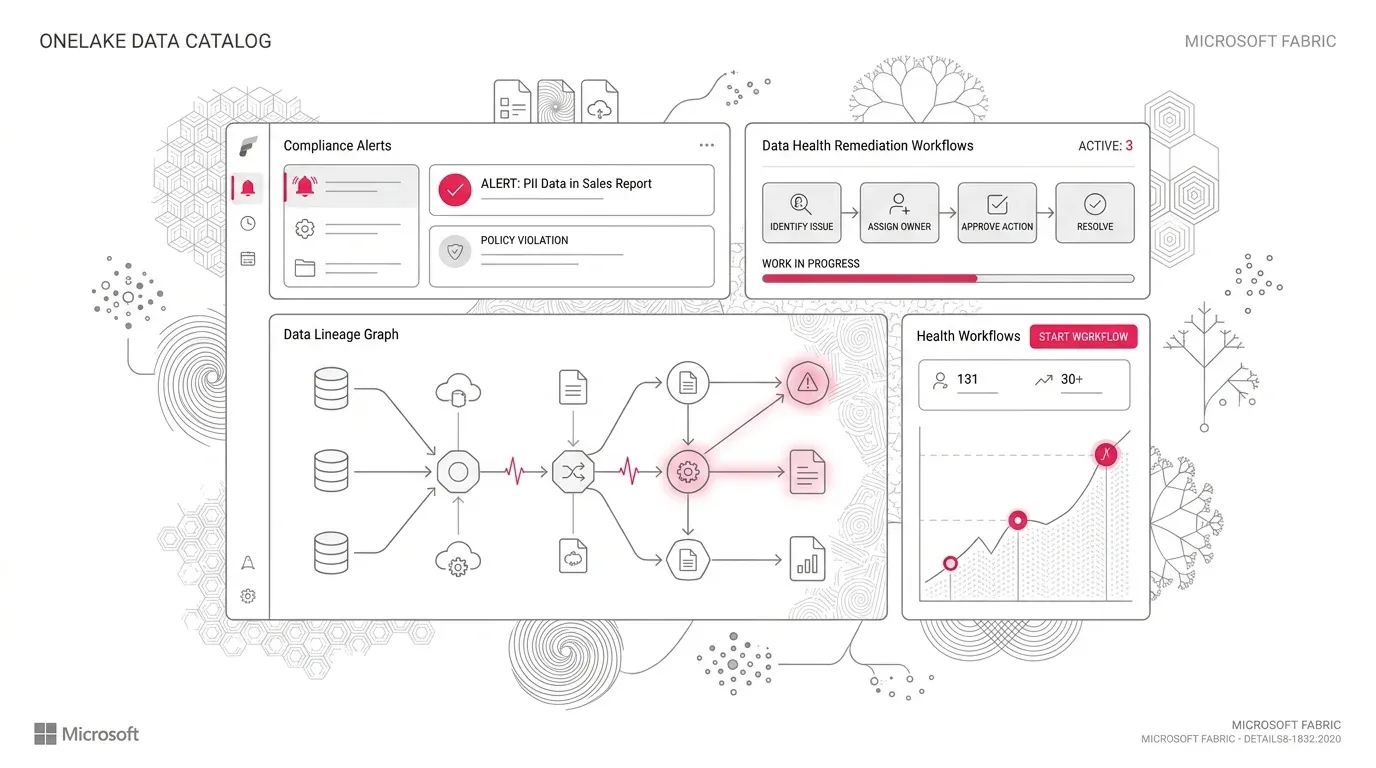
Microsoft describes the Govern section of OneLake Catalog as the centralized destination for governing and managing a Fabric data estate. Its estate view surfaces governance insights, recommended actions, and signals across domains, subdomains, capacities, workspaces, and item counts. The expanded report covers estate management, protection and compliance, and discovery, trust, and reuse. It can reveal sensitivity-label gaps, DLP evaluation status, content sharing, curation, descriptions, endorsements, and freshness indicators ( Microsoft: Govern and manage your Fabric data estate ).
At the same time, Microsoft now directs administrators to the generally available Govern report for tenant-wide governance and administration insight. The older Feature Usage and Adoption report remains in preview, will not become generally available, and will not receive additional data ( Microsoft: Feature Usage and Adoption report ).
This creates a decision point for enterprise platform owners. They should not merely replace one dashboard bookmark with another. They need to decide how the new governance signals will change ownership, work intake, evidence collection, and management decisions.
Without that redesign, four business risks persist:
- Sensitive data remains inconsistently protected. A report can identify unlabeled items, but protection improves only when the right owner assesses the data, applies the correct label, checks downstream behavior, and confirms the change.
- Users continue to discover untrusted content. Missing descriptions and endorsements make it harder to distinguish authoritative data products from experiments, increasing reconciliation work and the chance of conflicting decisions.
- Unused and ownerless assets accumulate. Inventory insight is not the same as a retirement decision. Deletion requires dependency review, retention decisions, approval, and evidence.
- Executives receive false assurance. An improving aggregate percentage can hide overdue high-risk exceptions or weak coverage in one critical domain.
The consequential problem is therefore not a lack of governance reporting. It is the absence of an operating system that turns governance observations into verified change.
A representative enterprise scenario
Consider a representative multinational services organization. This is a hypothetical scenario, not a YuniQ customer case.
The company has adopted Fabric across finance, customer operations, risk, and regional analytics teams. Its estate includes lakehouses, warehouses, semantic models, reports, notebooks, pipelines, and experimental workspaces. A central platform team manages the tenant, but business domains own the meaning and appropriate use of their data.
The new Govern report reveals three patterns:
- A significant number of items have no useful description or endorsement.
- Sensitivity-label coverage varies sharply by domain.
- Several workspaces are active but have unclear business ownership.
The platform team publishes these findings at its monthly governance council. Domain leads agree that the issues matter, but nobody can answer five operational questions:
- Which findings represent material risk rather than metadata tidiness?
- Who is accountable for each affected item?
- What evidence proves that remediation is complete?
- Which exceptions are legitimate, and when do they expire?
- How will the team prevent the same issue from returning?
The organization has visibility, but not control. Its next step is not another executive dashboard. It is a governance remediation system built around the Fabric signals it already has.
Root causes and consequences
Governance reports are treated as destinations
A dashboard is useful for detection and prioritization. It is poor at holding a distributed organization accountable unless it connects to owners, due dates, evidence, and escalation. When the report becomes the end of the process, people repeatedly review the same gaps.
The estate is organized around technology rather than accountability
Workspaces often reflect projects, teams, or historical capacity decisions. That makes a tenant-wide finding difficult to route. Fabric domains are intended to organize business data and support distributed governance; Microsoft recommends involving business, technical, security, and compliance stakeholders when designing them ( Microsoft: Best practices for Fabric domains ). If workspace-to-domain assignment does not reflect durable accountability, the dashboard cannot reliably identify the person who should act.
All findings are scored equally
A missing description on an experiment is not equivalent to an unlabeled, externally shared semantic model used for financial reporting. Flat backlog counts encourage teams to close easy items while material exposure remains open.
Metadata standards are disconnected from the data-product lifecycle
Teams create an item first and add its owner, description, tags, endorsement, and sensitivity label later. "Later" becomes a permanent backlog. Governance must be part of promotion into shared and production use, not a clean-up exercise after deployment.
The monitoring source itself has operational dependencies
The estate insights use Admin Monitoring Storage and refresh automatically once a day. Microsoft documents that a change can take a day to appear. The Admin monitoring workspace also has identity and refresh constraints: refresh can fail if the initiating administrator loses the admin role, and Privileged Identity Management access must be active at refresh time for the initiating admin ( Microsoft: Admin monitoring workspace ).
If nobody monitors the monitor, a stale governance view can appear authoritative.
Consequences spread beyond compliance
Weak metadata and ownership increase search time, duplicate engineering, and metric disputes. Weak label and sharing discipline raises data-protection risk. Poor lifecycle control increases storage, capacity, and support overhead. Most importantly, governance debt slows AI adoption because agents and copilots require authoritative, well-described, permissioned data products rather than an undifferentiated item inventory.
Why common approaches fall short
"Give every administrator the report"
Broad visibility does not create accountability and can introduce access risk. Microsoft states that access to the Admin monitoring workspace or its underlying content cannot be removed without reinitializing the workspace, although sharing links can be modified. The workspace is also read-only, and its semantic models cannot be used with Fabric data agents ( Microsoft: Admin monitoring workspace ). Access should therefore be designed deliberately, using least privilege and purpose-built report copies where appropriate.
"Use the governance percentage as the KPI"
One aggregate percentage hides criticality, age, and recurrence. A strong program distinguishes coverage metrics from control-effectiveness metrics. Ninety percent label coverage is not reassuring if the missing ten percent contains the most sensitive products.
"Automate every recommendation immediately"
Some remediation is mechanically safe, but many actions require context. A sensitivity label, endorsement, retirement decision, or ownership change can alter access, discovery, audit obligations, and downstream behavior. Automation should begin with inventory, routing, validation, and low-risk corrections. Destructive or policy-changing actions need approval and rollback paths.
"Keep the custom legacy adoption report forever"
The Feature Usage and Adoption report still offers a rolling 30-day view of audit activity and a current inventory snapshot, but Microsoft states that it will not become GA or receive expanded data. It also documents limitations such as incomplete information for items created and deleted inside 24 hours, name-collision behavior in some visuals, and removal of deleted inventory after 28 days ( Microsoft: Feature Usage and Adoption report ). Custom reporting that depends on this model needs an explicit keep, replace, or retire decision.
"Treat Govern as real-time security monitoring"
The estate data refreshes daily. Govern is appropriate for posture management, trends, and remediation queues. It is not appropriate for immediate incident detection. Security investigations and near-real-time operational response require separate audit, security, and workload-monitoring paths.
A detailed Microsoft Fabric solution
The target design has five layers. Each layer answers a different governance question.
OneLake Catalog Govern + Admin Monitoring Storage
                |
                v
      Risk classification and routing
                |
                v
    Domain remediation and exception workflow
                |
                v
     Evidence, verification, and escalation
                |
                v
  Preventive release gates and operating standards

Complementary evidence: metadata scanner APIs, audit logs,
capacity telemetry, security tooling, and service-management data
Use Govern as the posture signal
Start with the estate-wide Govern view for tenant-level insight and the My items view for owner-focused action. The All data view draws on tenant metadata and refreshes daily; the My items view is scoped to content the user owns. Domain filtering can focus many insights and recommended actions, although Microsoft notes that some actions are not affected by that filter ( Microsoft: Govern and manage your Fabric data estate ).
Do not modify the autogenerated report or semantic model. Microsoft warns that doing so can stop the Govern experience from working. Create a report copy or a new report connected to the autogenerated semantic model when the organization needs a tailored view.
Define and publish the timestamp of the last successful refresh beside every management view. A finding without data-age context is not decision-ready.
Build a risk and ownership contract
Create a control register that maps each governance signal to business risk, scope, accountable role, target response, acceptable evidence, and escalation path.
| Signal | Risk-based scope | Accountable owner | Completion evidence | Preventive control |
|---|---|---|---|---|
| Missing sensitivity label | Shared or production items containing classified data | Data product owner with security review | Correct label applied; downstream access and export behavior checked | Promotion gate requires classification decision |
| Missing owner or domain | Shared and production workspaces | Domain sponsor | Named accountable group; workspace assigned to approved domain | Workspace provisioning requires domain and owner |
| Missing endorsement | Business-critical reusable products | Authorized domain reviewer | Certification decision and review record | Release workflow requires certification for critical products |
| Stale or unused item | Items beyond the inactivity threshold, adjusted for business calendar | Workspace owner | Dependency review, retention decision, approval, and deletion or exception | Expiry date on temporary items |
| DLP finding | Items evaluated by an applicable DLP policy | Security and data owner jointly | Finding resolved or approved exception with expiry | Data minimization and label checks before publication |
Fabric endorsement supports distinct trust signals. Promotion indicates that a creator considers an item ready for sharing; certification indicates that an authorized reviewer has assessed it against organizational standards; master-data endorsement identifies an authoritative core data source. Certification and master-data endorsement require authorized reviewers ( Microsoft: Endorsement overview ). Use these distinctions deliberately rather than treating any badge as sufficient.
Route work through domains, not the central team alone
The central Fabric team should define the minimum control framework, operate tenant-level configuration, and assure consistency. It should not become the owner of every data-quality or metadata decision.
A practical responsibility model is:
- Fabric administrators: platform configuration, tenant-wide visibility, report health, and escalation.
- Capacity administrators: capacity health and resource controls within their scope.
- Domain administrators and stewards: domain structure, local policy interpretation, reviewer assignment, and backlog coordination.
- Workspace administrators: access, lifecycle, and item-level operational remediation.
- Data product owners: description, classification, quality, endorsement readiness, consumer impact, and evidence.
- Security and compliance teams: label standards, DLP policy, exceptions, audit, and high-risk review.
Use stable Entra groups for responsibilities where the platform permits, and maintain a documented deputy for critical roles. Do not make a single employee the durable owner of a production control.
Add evidence sources for gaps, history, and investigation
Govern should be the front door for posture, not the only source of evidence.
Use the Fabric metadata scanner APIs when the organization needs a durable inventory or custom measures. Microsoft documents that scanner APIs can return item names, owners, sensitivity labels, tags, and endorsement status; for semantic models, they can also return selected subartifact metadata. The APIs can authenticate through delegated admin access or a service principal, subject to the documented setup and mutually exclusive authentication paths ( Microsoft: Metadata scanning overview ).
Store periodic snapshots in a governed Fabric data product if trend history is required. Key records should use tenant, workspace, item, and domain identifiers rather than display names. Names change; identifiers support reconciliation.
Use audit logs for who-did-what investigation, capacity telemetry for consumption and throttling, and workload monitoring for pipeline or refresh failures. These sources answer different questions and should not be blended into one ambiguous "health" number.
Close the loop and prevent recurrence
Every material finding should move through a visible state model:
Detected -> Triaged -> Assigned -> Remediated -> Verified -> Closed
                    \-> Exception approved -> Review due -> Reassessed
Verification is essential. Because estate insights can lag actual state by a day, a team should record the change immediately but close the finding only after the source state and the next successful governance refresh confirm it.
Then turn recurring corrections into preventive controls:
- require domain, owner group, classification decision, and expiry at workspace creation;
- require descriptions, criticality, support contact, and intended consumers before an item is promoted;
- require test evidence and authorized review before certification;
- add metadata and protection checks to production release gates;
- review exceptions before expiry and automatically escalate overdue decisions;
- detect workspaces or items that fall out of compliance after organizational change.
A phased 90-day implementation roadmap
Phase 1: Establish trustworthy visibility, days 0-30
- Initialize and validate the Admin monitoring workspace and Govern report in each relevant region.
- Record the workspace initiator, refresh time, licensing or capacity placement, and recovery procedure.
- Confirm the last successful refresh and compare a sample of findings against source workspaces.
- Inventory custom reports that depend on the Feature Usage and Adoption semantic model.
- Document coverage boundaries, including subitems, third-party workloads, cross-tenant or guest scenarios, and Private Link constraints.
- Select three material controls for the pilot, such as ownership, sensitivity labels, and certification of critical data products.
Exit criterion: leaders trust the data enough to act and understand what it does not cover.
Phase 2: Define ownership and workflow, days 31-60
- Map production and shared workspaces to domains and accountable owner groups.
- Define risk tiers based on sensitivity, business criticality, sharing scope, and consumer reach.
- Create the control register, evidence requirements, service targets, exception process, and escalation path.
- Build domain-level work queues from report copies or a complementary metadata snapshot.
- Pilot remediation in one business domain with security, platform, and product-owner participation.
- Verify corrected states after the next successful refresh and record false positives or ambiguous rules.
Exit criterion: every pilot finding has an owner, state, due date, and verifiable closure rule.
Phase 3: Prevent recurrence, days 61-90
- Add required governance metadata to workspace and data-product onboarding.
- Add non-destructive checks to CI/CD and release approval.
- Delegate authorized endorsement reviewers by domain where appropriate.
- Create time-bound exceptions and automatic review reminders.
- Publish a risk-weighted executive scorecard with data age and coverage notes.
- Retire, contain, or document legacy custom adoption reporting based on actual dependencies.
Exit criterion: the organization reduces new governance debt instead of only closing old findings.
Scale continuously
Expand control coverage only after measuring false positives, remediation effort, business impact, and recurrence. Automate low-risk, repeatable actions first. Keep high-impact access, classification, certification, and deletion decisions under explicit approval until evidence supports further automation.
Governance, security, adoption, and cost considerations
Governance
Define the authoritative source for each field. For example, Entra groups may be authoritative for accountable teams, domains for business scope, labels for sensitivity, endorsements for trust state, and the service-management system for exceptions. Avoid maintaining parallel owner lists that drift.
Security
Treat the governance report as sensitive administrative content. It can expose item names, owners, sharing patterns, label coverage, and user activity. Apply least privilege, review sharing paths, and rehearse Admin monitoring workspace reinitialization before it is needed. Do not assume the report covers immediate threats or all cross-tenant activity.
Adoption
Measure whether owners can complete the work, not merely whether they opened the report. Provide domain-specific queues, clear definitions, office hours for ambiguous cases, and short evidence examples. A control that requires a specialist interpretation for every item will not scale.
Cost
Account for four cost categories:
- capacity or Power BI licensing for report consumers, because users viewing estate content require Power BI Pro unless the Admin monitoring workspace is assigned to capacity ( Microsoft: Govern and manage your Fabric data estate );
- compute and storage for periodic metadata snapshots and custom scorecards;
- Microsoft Purview licensing where advanced protection or compliance capabilities require it ( Microsoft: Governance and compliance in Microsoft Fabric );
- the human cost of remediation, certification, exception review, and control ownership.
Prioritize high-risk and high-reuse assets first. Improving every experimental item to production standards is expensive and can discourage exploration. Tiered controls align assurance effort with business consequence.
Success metrics that show control, not activity
Use a balanced set of leading and outcome measures:
| Metric | What it reveals |
|---|---|
| Critical products with accountable owner and domain | Whether findings can be routed |
| Critical products with approved sensitivity classification | Protection coverage where it matters |
| Reusable products certified by authorized reviewers | Trust and discovery readiness |
| Median and 90th-percentile remediation age by risk tier | Whether the process closes material gaps promptly |
| Overdue exceptions and exceptions without expiry | Whether risk acceptance is controlled |
| Recurrence rate within 30, 60, and 90 days | Whether prevention works |
| Admin monitoring refresh success and data age | Whether the governance signal is trustworthy |
| False-positive and rework rate | Whether rules are understandable and technically accurate |
| Duplicate data products retired or consolidated after review | Whether governance reduces operational complexity |
Report counts alongside denominators and coverage boundaries. A metric without scope can improve because the estate changed, not because control improved.
How YuniQ can help
YuniQ's published Microsoft Fabric services align with this operating challenge in specific ways.
- Fabric Strategy and Readiness: YuniQ describes current-state platform and workload diagnostics, capacity planning, workspace topology, and security, governance, and operating-model design. These activities support the initial control and ownership baseline.
- OneLake and Data Architecture: YuniQ's service page includes domain workspaces, medallion layers, OneLake information architecture, and reusable semantic models. This helps connect governance accountability to the architecture teams actually operate.
- Governance, Security, and DevOps: The documented capabilities include least-privilege Entra role design, Microsoft Purview integration and sensitivity labels, lineage and ownership tracking, CI/CD, and automated monitoring and capacity threshold alerts.
- Iterative implementation: YuniQ's delivery framework moves from discovery and architecture through proof, build, validation, launch, and continuous optimization. That sequence fits a governance-control pilot better than a tenant-wide policy rollout based only on assumptions.
These capabilities are described on the YuniQ Microsoft Fabric Consulting and Implementation Services page. The practical engagement is to establish the estate baseline, design the domain operating model, prove the control loop on real data products, and then scale the validated pattern.
Practical next steps
- Open OneLake Catalog Govern and confirm the timestamp and status of the latest estate refresh.
- Choose one high-consequence governance signal rather than a broad score, such as unlabeled critical data products.
- Trace five findings from detection to accountable owner, required evidence, and verification.
- Document every point where the process relies on a person, display name, manual handoff, or unmonitored refresh.
- Pilot a closed-loop workflow in one domain for 30 days.
- Convert the most common recurring correction into an onboarding or release control.
The goal is not a perfect dashboard. It is a governance system that repeatedly detects meaningful risk, routes it to the right owner, proves the correction, and makes recurrence less likely.