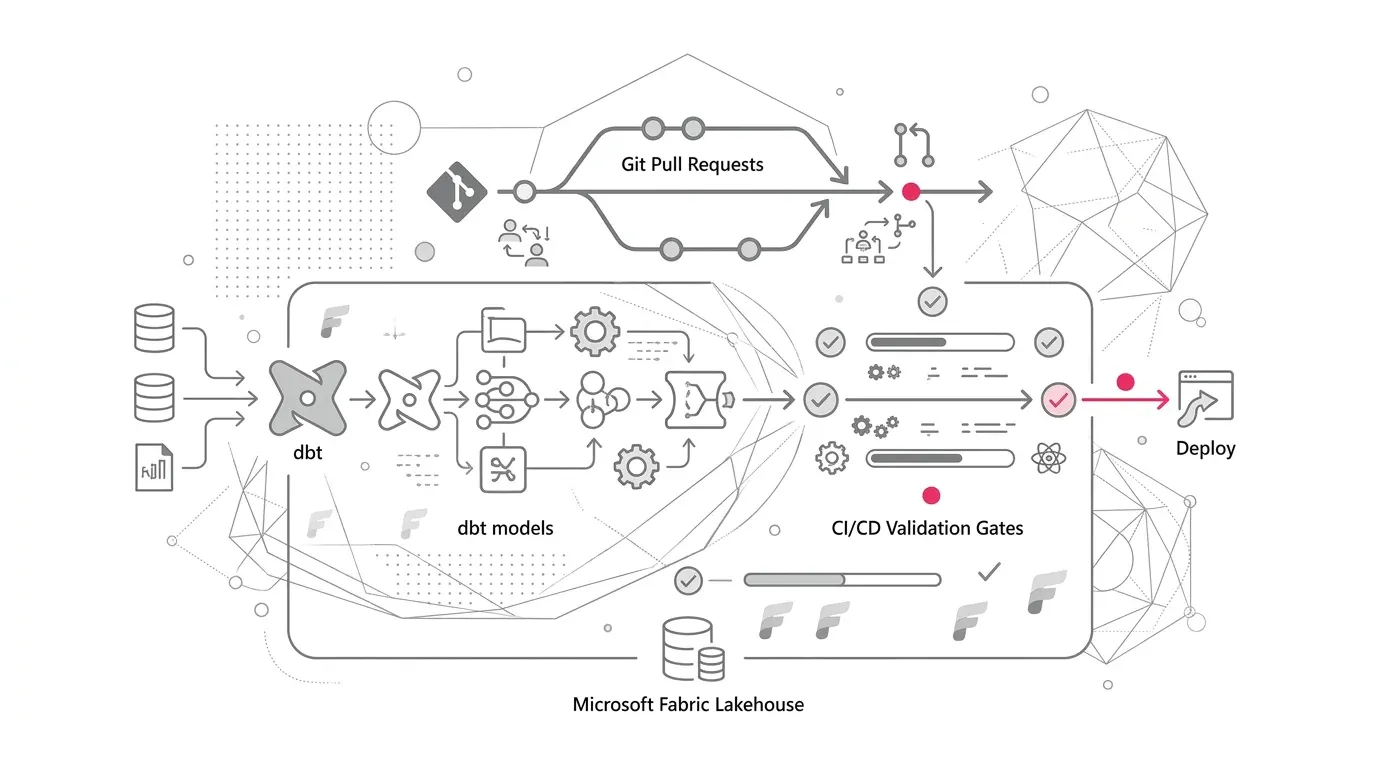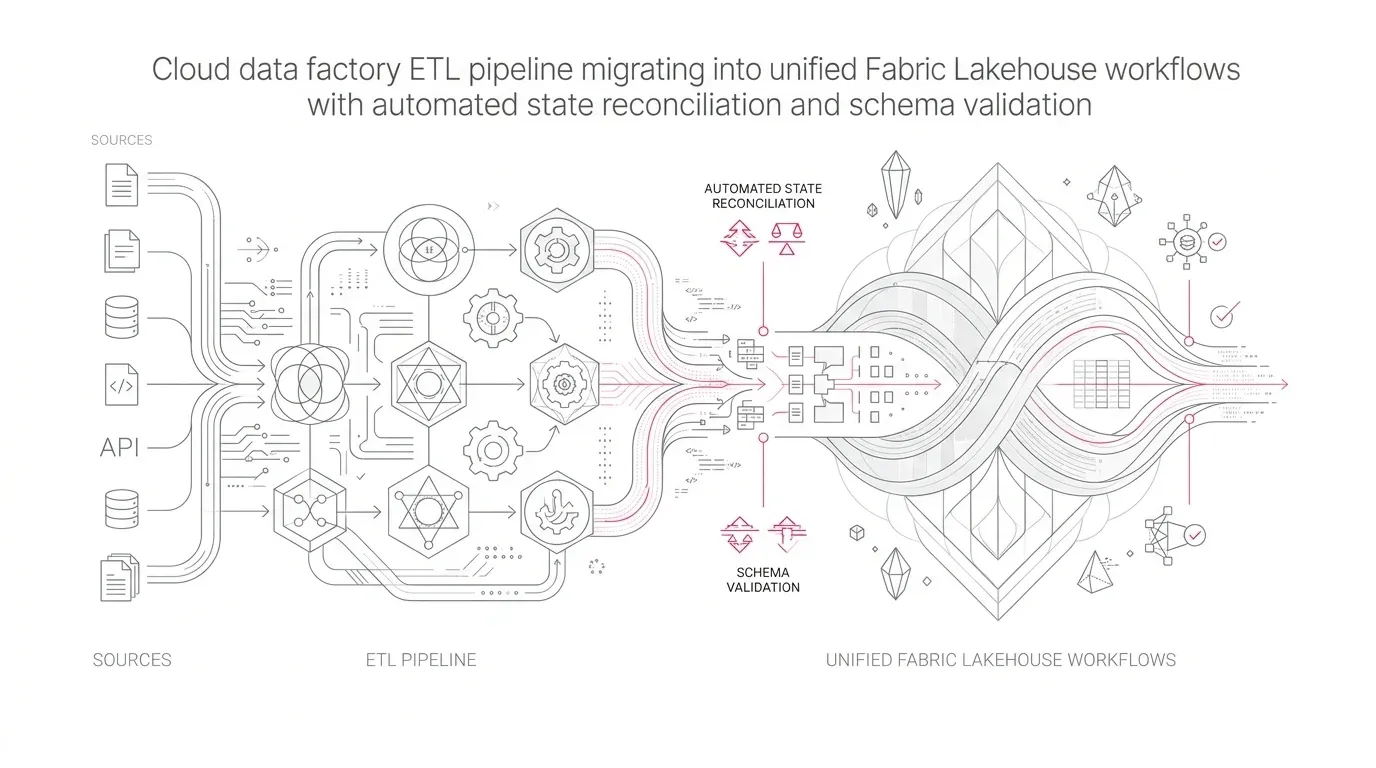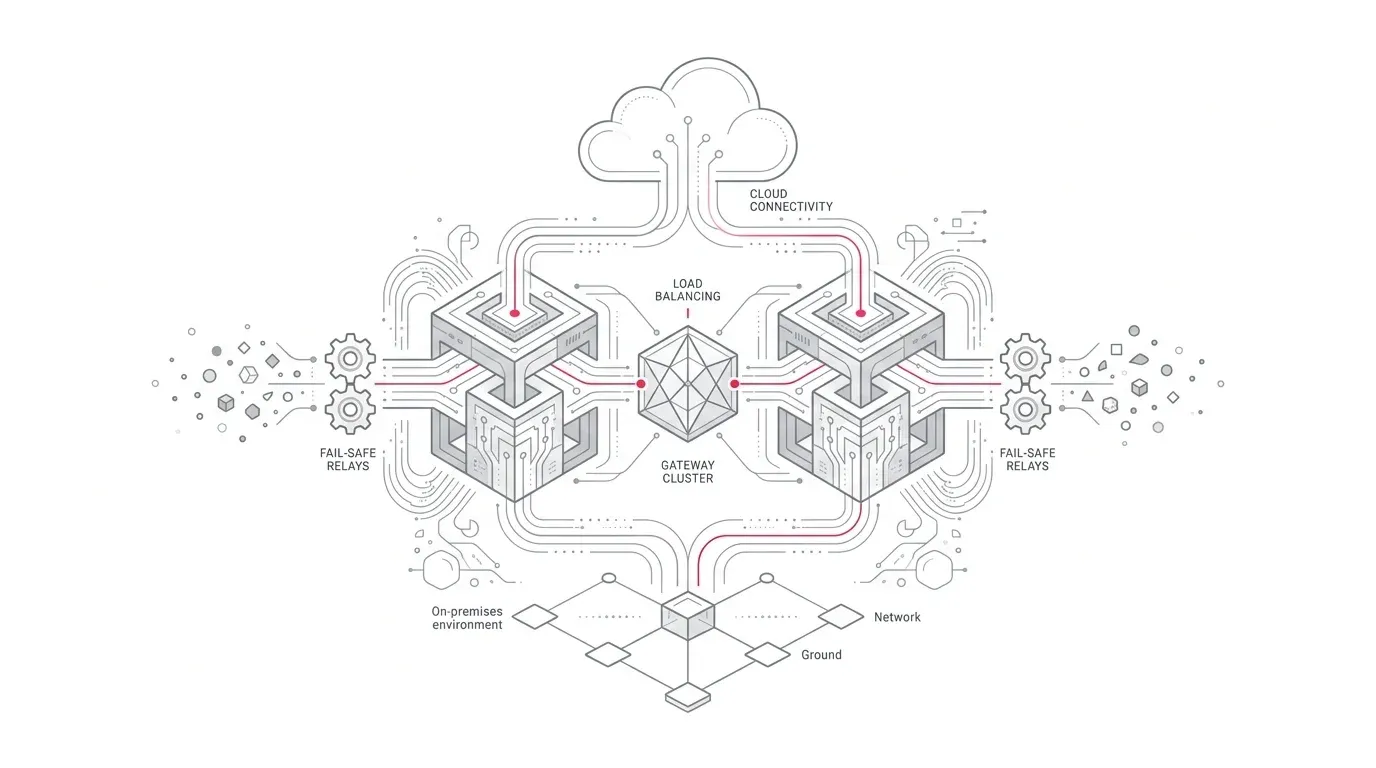
Executive summary
An enterprise can build a sophisticated Microsoft Fabric platform and still depend on one Windows server to deliver its most important operational data. When an on-premises data gateway is installed as a utility, owned informally, or monitored only through failed pipeline runs, a server outage, expired credential, firewall change, full disk, or unsupported gateway version can silently age the data behind executive dashboards and operational decisions.
The problem is not simply whether the gateway process is running. The real question is whether each critical data product can meet its agreed decision-age objective: the maximum acceptable age of the data at the moment a business decision is made.
Microsoft documents that an on-premises data gateway cluster can remove a gateway-node single point of failure and support up to 10 members. Microsoft also recommends keeping cluster members on the same version, and it supports staged member-by-member updates. Fabric provides pipeline monitoring, workspace monitoring, alerts, and capacity telemetry, but these signals need to be joined to infrastructure, network, credential, and source-system evidence to prove end-to-end freshness.
The practical response is to operate gateway connectivity as a production service:
- Inventory every dependent connection, Fabric item, source, owner, schedule, and recovery requirement.
- Classify workloads by criticality, locality, security boundary, throughput profile, and recovery objective.
- Deploy appropriately sized gateway clusters across independent failure domains.
- Establish explicit network, identity, version, recovery-key, and change controls.
- Monitor both Fabric execution and gateway infrastructure, then measure business data age at the published data product.
- Test node loss, network loss, credential rotation, update rollback, backlog recovery, and complete cluster recovery.
This design turns a hidden dependency into an owned, observable service and gives leaders credible evidence that Fabric can continue serving trusted decisions when infrastructure changes or fails.
The enterprise problem: cloud analytics with an on-premises choke point
Microsoft Fabric is delivered as software as a service, but many enterprise data paths are hybrid. ERP databases, manufacturing systems, clinical applications, file shares, legacy warehouses, and private APIs often remain inside corporate networks. Fabric Data Factory pipelines, Copy jobs, Dataflow Gen2, Mirroring, and Power BI can use an on-premises data gateway to reach those sources. Microsoft describes the gateway as the bridge between supported cloud services and data inside the private network.
That bridge can become a choke point. A single gateway node may carry unrelated finance, operations, customer, and regulatory feeds. Its dependencies can include:
- Windows compute, memory, local disk, service configuration, and patching;
- outbound network routes, proxies, firewalls, DNS, TLS inspection, and certificate validation;
- the gateway cloud service and the correct regional registration;
- source connectivity, connection credentials, drivers, runtimes, and connector versions;
- Fabric connections, pipeline schedules, downstream transformations, and publication controls;
- administrators who possess the authority and recovery material to restore service.
A green server health check proves little about this chain. A successful pipeline can also be misleading when it processes no new records, reloads an old extract, or publishes only part of a dependency group. Enterprises therefore need two layers of assurance:
- Technical availability: can Fabric execute the intended query through a healthy, supported gateway path?
- Business freshness: did the complete data product advance to the expected source watermark and remain fit for its decision?
Why this matters now
The operational surface is growing. Microsoft lists the on-premises data gateway as a supported connectivity option for Fabric pipelines, Copy jobs, Dataflow Gen2, and Mirroring, alongside its established use with Power BI and other Microsoft services. A gateway cluster can therefore become shared infrastructure for both analytical refresh and data movement.
At the same time, the gateway has an active maintenance lifecycle. Microsoft states that it releases a new gateway update every month and actively supports only the last six releases. Microsoft also documented identity-platform sign-in enforcement completed by 31 August 2026; older or unpatched gateway builds could fail during installation, configuration, recovery, update, or management. The lesson is broader than that particular deadline: a running gateway can accumulate management and recovery risk before routine data movement visibly fails.
Fabric monitoring is also becoming richer. As of 29 September 2026, Microsoft documents multiple pipeline-monitoring options, including the Monitoring hub, workspace monitoring, pipeline alerts, an operations agent, and the Fabric Capacity Metrics app. This makes it practical to centralize execution evidence, but the enterprise still has to define ownership, connect the signals, and test recovery.
Representative scenario: the refresh succeeded until the quarter-end change window
The following is a representative scenario, not a YuniQ customer case.
A multinational services company uses Fabric to combine on-premises finance and case-management data with cloud CRM data. A nightly pipeline loads the private sources through one gateway VM, transforms them into Silver conformed tables, and publishes a Gold profitability model for morning executive reporting.
The gateway was installed during the pilot. It is administered by one engineer, runs on a general-purpose VM, shares a disk with verbose logs and temporary files, and is patched through the standard server schedule. The firewall team owns outbound rules, the data team owns Fabric pipelines, the application team owns source credentials, and no one owns the complete data path.
During the quarter-end change window, the VM is restarted after patching and does not return cleanly. The 01:00 pipeline retries and eventually succeeds at 04:30 after the server team intervenes. Yet the Gold model has already refreshed from the previous Silver partition. The executive dashboard opens normally at 07:00 and displays yesterday's numbers without an obvious warning.
The incident exposes five failures:
- The gateway node was a single point of failure.
- infrastructure and Fabric changes were scheduled independently.
- A pipeline success state was treated as proof of business freshness.
- No owner was accountable for the end-to-end data service.
- Recovery depended on a person rather than a tested runbook and controlled recovery material.
The business consequence is not merely a late refresh. It is an unlabelled decision made against stale data.
Root causes and consequences
Root cause 1: the gateway is treated as middleware, not a service
Pilot deployments often optimize for first connectivity. Production requires service ownership: an inventory, criticality tiers, capacity limits, maintenance windows, monitoring, recovery objectives, and escalation paths. Without them, every team sees only its own component.
Consequence: incidents cross organizational boundaries slowly while data age continues to rise.
Root cause 2: shared clusters mix incompatible workload profiles
An interactive DirectQuery workload, a large nightly extract, and a long-running transformation can compete for the same CPU, memory, disk, and network. Microsoft supports gateway clustering and load distribution, but clustering is not a substitute for workload classification or capacity engineering.
Consequence: one noisy workload can degrade other data products, and random or round-robin distribution can expose differences between unequally configured nodes.
Root cause 3: node redundancy is mistaken for service resilience
Two gateway nodes on the same hypervisor, subnet, patch group, proxy path, or administrator account share failure modes. A cluster can protect against node loss while remaining vulnerable to a network-policy error, unavailable source, expired credential, regional misconfiguration, or lost recovery key.
Consequence: nominal high availability does not survive a realistic outage.
Root cause 4: version and dependency drift
Microsoft warns that different gateway versions in one cluster can produce unexpected failures based on supported functionality. Drivers, Java runtimes, custom connectors, proxy settings, and local service configuration can drift as well.
Consequence: the same request may behave differently depending on the selected node, making failures intermittent and difficult to reproduce.
Root cause 5: monitoring stops at job status
Fabric can report that an item started, completed, failed, or consumed capacity. That evidence does not by itself prove that the expected source watermark arrived, every downstream layer advanced, or the published semantic model is current.
Consequence: "green but stale" data reaches decision-makers.
Root cause 6: recovery keys and credentials are not operationalized
Microsoft explains that the gateway recovery key participates in protecting connection credentials and enables recovery or migration. If it is lost, inaccessible during an incident, known by only one person, or never tested, it is not a recovery control.
Consequence: a recoverable node failure becomes a prolonged service rebuild and connection-remediation exercise.
Why common approaches fall short
| Common approach | Why it fails | Better control |
|---|---|---|
| "The VM is monitored" | VM uptime does not prove source access, gateway registration, query execution, or published-data freshness. | Monitor infrastructure, Fabric runs, source watermarks, layer advancement, and decision age. |
| Add a second node to the same environment | Shared compute, network, proxy, patching, and administration can create correlated failure. | Place members in separate failure domains and test the loss of each shared dependency. |
| Put every workload on one large cluster | Different concurrency, driver, security, and latency needs create contention and a wide blast radius. | Segment clusters when criticality, trust boundary, geography, or workload profile justifies it. |
| Alert on failed pipelines only | Delayed, empty, partial, or stale-success runs can escape. | Alert on lateness, duration deviation, row-count or watermark anomalies, and missed publication objectives. |
| Update all nodes together | A faulty update or configuration change removes the entire service at once. | Drain, update, validate, and re-enable one member at a time. |
| Keep the recovery key in a team document | Broad access weakens security; limited access can make the key unavailable during an incident. | Store it in an approved secret-management process with dual control, access logging, and recovery exercises. |
| Retry every failure automatically | Retries can amplify source load, duplicate non-idempotent writes, or build an unbounded backlog. | Use bounded retries, idempotent ingestion, circuit breakers, and priority-based recovery. |
A resilient Microsoft Fabric gateway architecture
The target architecture has five control planes: workload, connectivity, publication, observability, and recovery.
Private data estate
  ERP DB      Case platform      File/API sources
     \              |                  /
      +------ approved network routes +
                         |
            +------------+------------+
            |                         |
      Gateway node A              Gateway node B
      failure domain 1            failure domain 2
      same approved version       same approved version
            |                         |
            +------ gateway cluster--+
                         |
              Fabric connections
                         |
       Pipelines / Copy jobs / Dataflows
                         |
        Bronze -> Silver -> Gold publication
                         |
          Semantic models and consumers

Control paths:
  Identity + secrets | Network policy | Version/change management
  Fabric run telemetry + gateway/host telemetry + data watermarks
  Recovery key + rebuild procedure + reconciliation + failover tests
1. Define a workload contract
For every critical data product, record:
- business owner and technical service owner;
- source system, Fabric connection, gateway cluster, and dependent items;
- schedule, expected volume, peak concurrency, and permitted runtime;
- source watermark and expected publication watermark;
- decision-age objective, recovery-time objective, and acceptable data-loss window;
- security classification, identity method, network route, and geographic constraints;
- retry, replay, reconciliation, and consumer-notification behavior.
This contract changes gateway design from "a server that connects" to "a service that supports a defined business outcome."
2. Choose the connectivity pattern deliberately
An on-premises data gateway is appropriate when supported Fabric workloads need to reach sources available to a Windows-hosted gateway inside the private network. It should not be selected automatically for every private endpoint scenario. Depending on the workload, source location, regional support, network design, and feature maturity, a VNet data gateway or a Fabric managed private endpoint may be more appropriate.
Microsoft's comparison is important: the on-premises data gateway is customer-operated, Windows-only, supports up to 10 cluster nodes, does not auto-update, and has no Azure Key Vault integration for its centrally stored credential model. A VNet data gateway is deployed into a customer-managed virtual network and has different scaling and service support. Managed private endpoints create yet another pattern for supported Fabric workloads. Treat these as architectural choices, not interchangeable labels.
Create a decision record for each source path. Include connector support, throughput, latency, identity, private routing, operational ownership, high availability, recovery, and cost.
3. Build clusters around failure domains and blast radius
For critical on-premises paths, use at least two appropriately sized members and place them so one maintenance or infrastructure event does not remove both. Verify separation across compute hosts, availability zones or data-centre zones where applicable, power, subnet and routing dependencies, proxy paths, patch rings, and administrative access.
Microsoft states that a gateway cluster can support up to 10 members and can fail requests over when the primary is unavailable. It can also distribute requests across active members. These are platform capabilities, not a sizing rule. Determine node count through production-shaped concurrency and failure-mode tests, including the requirement to meet the workload contract while one member is unavailable.
Separate clusters when one or more of these conditions apply:
- materially different security or data-classification boundaries;
- geographic or residency constraints;
- incompatible driver, connector, or runtime dependencies;
- workloads whose peaks would starve higher-priority services;
- different recovery objectives or maintenance windows;
- a need to bound the effect of credentials, administrators, or configuration changes.
4. Make every node reproducible
Maintain an approved node baseline covering Windows version, gateway version, service configuration, machine sizing, driver versions, Java or other connector prerequisites, proxy configuration, TLS policy, antivirus exclusions approved by security, local disk allocation, logging, and performance counters.
Use configuration comparison to detect drift. A node should be replaceable from the baseline rather than repaired indefinitely. Keep cluster members on the same gateway release, as Microsoft recommends.
Local disk matters. Microsoft documents that gateway spooling and Mashup Engine cache can exhaust disk space; it recommends solid-state storage for spooling and provides supported configuration guidance for moving spool and cache locations. Monitor free space, growth rate, and write latency rather than waiting for an out-of-disk error.
5. Treat the network path as part of the product
The gateway initiates outbound connectivity and does not require inbound ports for its cloud communication. However, required destinations extend beyond Azure Relay. Microsoft documents Fabric-specific endpoints such as OneLake, Fabric Data Warehouse, and the cloud data hub endpoint used for pipeline execution. When a query combines on-premises and cloud sources, Microsoft notes that the entire query can execute on the gateway, so it also needs line of sight to the relevant cloud sources and destinations.
Maintain a versioned network-flow matrix with:
- source and destination FQDNs, ports, protocol, and owner;
- DNS and proxy behavior;
- certificate and revocation-check requirements;
- the Fabric workload that needs each flow;
- the change ticket, approval, validation test, and expiry review.
Run the gateway network ports test periodically and after firewall, proxy, DNS, or TLS changes. Add a functional query test because a port test alone cannot validate credentials, source authorization, or business data.
6. Engineer identities, credentials, and recovery
Use least privilege for gateway administrators, connection owners, source identities, and Fabric workspace roles. Avoid personal accounts in production ownership paths. Document who can create connections, modify credentials, administer clusters, retrieve recovery material, and approve changes.
Store the recovery key through the organization's approved secrets process. Apply separation of duties and ensure authorized responders can retrieve it during an incident. Test recovery in a non-production environment, then perform controlled production exercises appropriate to the service risk.
Credential rotation must be an end-to-end change: update the source or identity provider, update the Fabric connection, allow for any documented credential-cache behavior, test every cluster member, execute a representative query, and verify publication freshness. Do not close the change on a successful "test connection" alone.
7. Monitor from server health to decision age
Use four correlated telemetry layers:
| Layer | Minimum evidence | Primary question |
|---|---|---|
| Gateway host | Service state, CPU, memory, disk, network, version, node availability, event and gateway logs | Can the node process work safely? |
| Connectivity | DNS, required endpoint reachability, source authentication, query latency, connection errors | Can the intended path reach and query the source? |
| Fabric execution | Item and activity status, start/end time, duration, retries, rows/bytes moved, run ID, capacity impact | Did the workload execute as designed? |
| Data product | Source and target watermarks, reconciliation totals, Silver/Gold publish status, semantic-model freshness, decision age | Is the business output complete and current? |
Fabric workspace monitoring can send supported telemetry to an Eventhouse for KQL analysis, including central collection from multiple workspaces in the same Azure region. Microsoft recommends consolidating to as few monitoring Eventhouses as practical and describes isolating central monitoring on its own capacity to reduce mutual impact between production and monitoring. The default monitoring-data retention is 30 days and can be changed through Eventhouse policies.
Use this telemetry to alert on conditions such as:
- a gateway member unavailable or outside the approved version;
- no successful source probe within the expected interval;
- a pipeline missing its start or completion window;
- duration materially above its rolling baseline;
- source watermark not advancing;
- row-count or control-total variance outside an approved tolerance;
- Gold publication delayed beyond the decision-age objective;
- accumulated recovery backlog exceeding available catch-up capacity.
Route alerts to an owned service queue with severity, business impact, runbook, and escalation. Alert volume is not coverage; each alert must correspond to an actionable failure mode.
8. Design backlog recovery before the outage
Availability planning must include what happens after service returns. A six-hour outage may create six hours of ingestion backlog, but replaying every feed concurrently can overload the gateway, source systems, Fabric capacity, or downstream consumers.
Define a recovery sequence:
- Stabilize the gateway and network path.
- Prove source connectivity with read-only probes.
- Resume tier-one feeds by business deadline.
- Replay from durable watermarks using idempotent logic.
- Reconcile counts, totals, duplicates, deletes, and late-arriving changes.
- Publish Silver and Gold only after their completeness gates pass.
- Notify consumers when decision-age objectives are restored.
- Recover lower-priority history within a controlled capacity envelope.
This prevents technical recovery from publishing a partially caught-up business state.
A phased implementation roadmap
Phase 1: Discover and contain (weeks 1-2)
- Export or document gateway clusters, members, versions, administrators, regions, connections, and dependent Fabric items.
- Map sources, identities, schedules, volumes, downstream products, and business owners.
- Identify single-node clusters, unsupported versions, unknown recovery keys, personal ownership, disk pressure, and unmonitored critical feeds.
- Establish immediate failure notifications and a manual decision-age check for tier-one products.
- Freeze uncoordinated gateway changes until owners and rollback procedures are assigned.
Exit evidence: every tier-one data product has a named service owner, dependency map, criticality, freshness objective, and current risk disposition.
Phase 2: Architect and prove (weeks 3-5)
- Select the appropriate gateway, VNet gateway, or managed-private-endpoint pattern per source and workload.
- Design cluster boundaries and independent failure domains.
- Create the reproducible node baseline and network-flow matrix.
- Define identity, credential, recovery-key, version, patching, and emergency-access controls.
- Load-test expected concurrency and volume with one member deliberately unavailable.
- Prove bounded replay, reconciliation, and downstream publication gates.
Exit evidence: an approved architecture and production-shaped test demonstrate that tier-one objectives remain achievable during one-node loss.
Phase 3: Build and migrate (weeks 6-9)
- Deploy cluster members, validate parity, and enable the chosen load-distribution behavior.
- Move connections in dependency groups rather than one pipeline at a time.
- Run old and new paths in parallel where risk warrants it.
- Compare row counts, business totals, watermarks, deletes, performance, and capacity use.
- Update operational documentation, asset inventory, and change-management records.
Exit evidence: migrated paths meet reconciliation tolerances and performance objectives for an agreed observation period.
Phase 4: Operationalize and rehearse (weeks 10-12)
- Enable Fabric workspace monitoring, alerts, and the required gateway/host telemetry.
- Build a service dashboard that shows node health, pipeline status, backlog, data age, and business impact together.
- Rehearse member loss, proxy or route failure, credential rotation, disk pressure, staged upgrade, and recovery-key restoration.
- Measure detection, diagnosis, failover, backlog clearance, and consumer communication times.
- Close gaps and obtain service-owner acceptance.
Exit evidence: a witnessed recovery exercise proves the runbook and records actual recovery against objectives.
Phase 5: Improve continuously
- Review versions monthly and keep all members within the supported window.
- Trend utilization, queueing, data movement, error classes, and decision age.
- Rebalance or isolate workloads when contention or blast radius changes.
- Revalidate network flows and recovery access after organizational or platform changes.
- Test recovery at a frequency proportionate to business criticality.
Governance, security, adoption, and cost considerations
Governance
Assign one end-to-end service owner even when infrastructure, networking, applications, identity, and Fabric are managed by separate teams. Use a RACI for design, change approval, monitoring, incident command, recovery-key custody, source coordination, and consumer communication. Record the gateway cluster as a dependency of each governed data product.
Security
High availability must not broaden access. Use least-privilege groups, separate administrator and runtime duties, controlled emergency access, audited secret retrieval, and explicit source authorization. Keep gateway hosts dedicated where feasible; Microsoft advises against installing a gateway on a domain controller and against placing it on a device that can be turned off, disconnected, or put to sleep.
Review outbound access as an allow-listed service dependency. Test negative paths to prove a gateway cannot reach unauthorized sources. Where a workload combines private and cloud sources, review the execution location and data movement implications described in Microsoft's communication guidance.
Adoption and operating model
Platform teams need a supported onboarding path for new sources. Require a workload contract, source-owner approval, connection test, sizing evidence, monitoring, and recovery classification before production. Publish standard patterns and a service catalogue so teams do not install unmanaged gateways to meet deadlines.
Runbooks should be executable by the on-call team, not only the original installer. Exercises build confidence and surface hidden manual steps before an incident.
Cost
Gateway resilience introduces Windows compute, operating-system licensing where applicable, monitoring, storage, network, and support effort. Segmentation can increase the number of nodes. Centralization can reduce infrastructure cost but increases contention and blast radius.
Model cost against the business objective, not an arbitrary node count. Include:
- steady-state node and monitoring cost;
- headroom required to meet objectives during one-node loss;
- source and network constraints on parallelism;
- Fabric capacity consumed during normal ingestion and backlog replay;
- engineering effort for patching, testing, incident response, and recovery exercises;
- the operational impact of late or unavailable decisions.
Optimize only after measuring production-shaped demand. A cheaper gateway tier that cannot clear backlog before the next business deadline is not economical.
Success metrics
Use a small scorecard that links component health to business outcomes:
| Metric | Definition | Why it matters |
|---|---|---|
| Tier-one decision-age compliance | Percentage of decision points where published data age is within objective | Measures the outcome leaders actually consume. |
| Gateway-path availability | Percentage of scheduled probe intervals in which a representative source query succeeds through an approved path | Detects more than process uptime. |
| Single-member-loss compliance | Percentage of critical workloads still meeting objectives during a member outage or maintenance | Proves useful redundancy. |
| Mean time to detect stale data | Time from missed watermark or publication objective to actionable alert | Exposes monitoring gaps. |
| Mean time to restore trusted publication | Time from failure to reconciled Gold availability, not merely gateway restart | Measures complete recovery. |
| Backlog clearance time | Time to process accumulated work within source and capacity guardrails | Tests recovery feasibility. |
| Version compliance | Percentage of active members on the approved release and within Microsoft's support window | Reduces drift and recovery risk. |
| Recovery exercise pass rate | Percentage of scheduled exercises completed within objectives with current runbooks and access | Verifies operational readiness. |
| Stale-success incidence | Runs marked successful where expected source or target watermarks did not advance | Reveals false confidence. |
| Capacity headroom under failure | Remaining gateway, source, network, and Fabric capacity with one member unavailable | Shows whether failover can carry real demand. |
Set targets by workload tier. A regulatory close, clinical-adjacent operational feed, and monthly departmental report should not inherit the same service objective.
How YuniQ can help
YuniQ's published Microsoft Fabric services align with the work required to make hybrid connectivity dependable. Its Fabric Strategy & Readiness capability includes current-state workload diagnostics, capacity planning, workspace topology, and security, governance, and operating-model design. Its Data Integration & Engineering services explicitly cover cloud, SaaS, on-premises, batch, API, file, and streaming sources using Fabric Data Factory pipelines and dataflows, with data-quality observability and exception handling.
For delivery and control, YuniQ describes dependency and data-flow mapping, phased migration, automated reconciliation, parallel validation, least-privilege Microsoft Entra ID design, Dev/Test/Prod separation, CI/CD, automated monitoring, and capacity threshold alerts. Its delivery framework moves from discovery and architecture through proof, build, validation, launch, and optimization. For ongoing operations, YuniQ lists 24/7 pipeline and refresh monitoring, capacity and cost optimization, DevOps release management, and continuous roadmap support as part of its Fabric Managed Services.
Applied to gateway resilience, that service scope can support a focused engagement to:
- inventory hybrid dependencies and define decision-age objectives;
- select and prove the right connectivity pattern for each source class;
- design cluster boundaries, monitoring, security, and the operating model;
- migrate connection groups with reconciliation and parallel validation;
- establish production monitoring, incident runbooks, and recovery exercises;
- optimize capacity and expand the pattern as new domains onboard.
These statements reflect the capabilities described on YuniQ's Microsoft Fabric consulting page; they are not a claim of a specific gateway-resilience customer result.
Practical next steps
In the next 10 business days:
- Identify every production Fabric connection that uses an on-premises gateway.
- Link each connection to its gateway cluster, member nodes, source, Fabric items, business product, and owner.
- Flag single-node clusters, mixed versions, unsupported releases, personal administrators, unknown recovery material, and unmeasured freshness.
- Choose the three data products whose staleness would cause the greatest business harm.
- Define a decision-age objective and source watermark for each.
- Run a controlled node-loss test and measure whether those products still meet their objectives.
- Use the evidence to prioritize cluster, network, identity, monitoring, and replay improvements.
The first milestone is not "deploy a second server." It is proving that a complete, trusted data product remains available and current when a real dependency fails.