Executive summary
Many enterprises can detect sensitive data in Microsoft Fabric but still depend on a person to interpret an alert, find the asset, identify who can reach it, and remove access. That delay matters when a lakehouse or semantic model is already shared with a broad workspace audience or external guests.
Microsoft Purview Data Loss Prevention (DLP) can now do more than notify. When supported Fabric items match a DLP rule, the restrict access action can automatically limit access to data owners or to members of the organization, depending on policy configuration. Microsoft listed the capability as generally available in its September 2026 Fabric feature summary. However, a Microsoft overview page last updated in July 2026 still labels the action as preview. Enterprises should therefore confirm availability, licensing, billing, regional support, and contractual terms in their own tenant before treating it as a production control.
The right objective is not to turn on the strictest policy everywhere. It is to build a controlled response system:
- Minimize sensitive data before it reaches broadly consumed Gold data products.
- Define high-confidence DLP rules tied to explicit business policy.
- Restrict the appropriate population when a match occurs.
- Preserve an accountable path to investigate, correct, override, and re-evaluate the item.
- Test downstream reports, identities, unsupported data paths, capacity impact, and recovery before broad enforcement.
This article presents that operating model for enterprise technology, security, compliance, and data leaders.
The enterprise problem: detection does not equal containment
A traditional DLP rollout often starts in alert mode. Compliance teams define sensitive information types, receive notifications, and ask data owners to remediate matches. This is useful for learning, but it leaves a dangerous gap: a detected item can remain accessible while the alert moves through a queue.
That gap is wider in a shared analytics platform. One Fabric item can serve several audiences and downstream experiences. A semantic model might support executive reports, operational dashboards, exported analyses, and an AI-assisted question-and-answer experience. A lakehouse might supply notebooks, SQL consumers, shortcuts, pipelines, and several semantic models. Broad workspace roles can grant access to more items than a user actually needs.
The core problem is therefore specific:
How can an enterprise automatically contain sensitive data discovered in Microsoft Fabric without turning every match into an uncontrolled analytics outage?
The answer requires both enforcement and operations. A policy that blocks access but has no tested investigation path creates a different kind of business risk.
Why this matters now
Microsoft's September 2026 Fabric feature summary states that DLP restrict access is generally available and can restrict guest users or all users when a supported item contains sensitive information. Microsoft also documents policy tips, administrator alerts, audit records, and remediation workflows around DLP matches.
The timing matters for three reasons:
- Fabric estates are becoming more connected. Lakehouses, warehouses, mirrored databases, semantic models, reports, and AI experiences can reuse the same governed data. A classification mistake or overshared field can propagate business impact far beyond one table.
- External collaboration is normal. Contractors, partners, suppliers, and acquired businesses may work in the same tenant. Fabric DLP defines an organizational member by the Microsoft Entra UserType value. An external identity configured as Member is treated as internal; only Guest identities are affected by the "block only people outside your organization" setting.
- Enforcement changes the incident. Alert-only DLP creates a remediation task. Restrict access can immediately change who can see an item and can cause downstream report tiles to display permission errors. The response process must therefore join security operations with data operations.
Microsoft documents that DLP supports structured Fabric item types including semantic models, lakehouses, warehouses, KQL databases, mirrored databases, SQL databases, and Cosmos databases. It does not scan every Fabric item, every storage mode, or every data type. That coverage boundary must be explicit in the control design.
Representative enterprise scenario
*The following is a representative scenario, not a YuniQ customer case or a claim about a specific organization.*
A healthcare services enterprise uses Microsoft Fabric to combine case-management events, CRM interactions, contact-center activity, and eligibility data. Its architecture includes:
- Bronze lakehouse tables that preserve source data;
- Silver Delta tables that standardize members, cases, contacts, and service events;
- a Gold semantic model for service-level, outreach, and operational-performance reporting;
- executive Power BI reports shared with internal leaders;
- restricted collaboration with an external service provider through guest accounts.
A source change introduces a government identifier and an unmasked clinical-adjacent note into a Silver table. The fields flow into the Gold semantic model during refresh. An alert-only DLP policy identifies sensitive information, but the compliance queue is not reviewed until the next business day. During that interval, the model remains accessible to its existing audience.
The security team proposes blocking all users on every DLP match. The analytics team objects because false positives could disable executive reports. The workspace administrator points out that service principals own some refresh processes and that several reports depend on the same model. All three teams are correct about part of the risk.
The enterprise needs a design that answers five questions before enforcement:
- Which sensitive data is prohibited, conditionally allowed, or expected in each data-product tier?
- Should a match block guests, block nearly everyone, or only notify?
- Who retains authority to investigate and repair the item?
- What happens to downstream reports and operational decisions while access is restricted?
- How will the organization prove that a corrected item was re-evaluated and safely restored?
Root causes and business consequences
Sensitive-data policy is disconnected from data-product design
Compliance policies may define personal, financial, health, or proprietary data at an enterprise level, while data engineers work from source schemas and report requirements. Without a translation layer, a rule such as "protect health identifiers" does not tell an engineer whether to drop, tokenize, aggregate, or retain a field in Bronze, Silver, and Gold.
The result is inconsistent minimization. Sensitive values reach consumer-facing products because the architecture never established which layer was allowed to hold them.
Workspace access is used as a substitute for data access design
Workspace roles are convenient, but convenience can widen exposure. Users often receive access for collaboration and incident support, then retain it after their responsibilities change. Item permissions, OneLake security, and workspace topology may not reflect the sensitivity of individual data products.
DLP can override existing access when a match occurs, but it should be a backstop rather than the primary way to enforce least privilege.
Identity classification does not match business reality
The "outside your organization" option depends on Entra UserType, not on contract status, employer, network location, or the email domain a person uses. An external collaborator represented as Member is treated as internal by this control. If identity governance does not maintain correct user types and access reviews, a guest-only restriction can leave unintended users unaffected.
Alerts lack an owner and service objective
An alert without a named responder, severity model, evidence requirement, and remediation target is only a signal. Sensitive data can remain accessible while security, compliance, and platform teams decide who should act.
Downstream dependencies are invisible during enforcement
Restricting a semantic model can affect reports and dashboards built on it. Microsoft notes that users may lose visibility of an item, receive permission errors, or see affected dashboard tiles fail. If impact analysis and critical-report testing are absent, containment can surprise executives and operational teams.
The scan boundary is mistaken for complete coverage
Microsoft documents several important limitations. DLP does not support semantic models using DirectQuery, live connection, or mixed storage. Semantic-model evaluation does not occur when the triggering event uses service-principal authentication or when the model owner is a service principal. For Fabric data items, scanning applies to Delta-format tables and excludes several complex types, compression codecs, and advanced classifiers. Unsupported paths need compensating controls.
The consequences include unauthorized exposure, regulatory investigation, avoidable report outages, delayed decisions, emergency access changes, audit gaps, and loss of confidence in the analytics platform.
Why common approaches fall short
"Sensitivity labels already solve access"
Labels communicate classification and can support protection, inheritance, and governance. But Microsoft distinguishes protected-label behavior, Purview protection policies, and DLP restrict access. A label on its own should not be assumed to revoke Fabric access. The control objective must state which mechanism classifies, which detects content, and which enforces access.
"Start by blocking everyone across the tenant"
This skips evidence gathering. Poorly tuned information types or thresholds can create false positives, while unknown dependencies can turn correct detections into unmanaged outages. Simulation, representative test data, and staged workspace rings are operating controls, not administrative delay.
"Block guests and the external risk is covered"
This is only true when Entra user types accurately represent the population. External identities configured as Member are treated as organizational members. Periodic identity reviews and explicit partner access groups remain necessary.
"DLP scans everything in Fabric"
It does not. A control inventory must mark supported items and paths, unsupported ones, and planned compensating controls. Otherwise executives receive a misleading assurance statement.
"Workspace admins can override, so recovery is handled"
An override prevents the policy from continuing to check that item. It is a consequential exception, not a repair button. Microsoft records response actions in the audit log, but the enterprise still needs approval rules, justification quality, expiration or review, and evidence that the underlying exposure was acceptable.
"The security team can run this alone"
Security owns policy intent, but data owners understand field meaning, platform teams understand dependencies, identity teams understand user classification, and operations teams understand business criticality. Effective containment is a cross-functional product capability.
A practical Microsoft Fabric solution
1. Create a sensitive-data contract for every governed product
Translate enterprise policy into a data-product contract before configuring DLP. For each sensitive data class, record:
| Contract field | Example decision |
|---|---|
| Sensitive class | Government identifier |
| Authoritative detector | Purview sensitive information type and confidence threshold |
| Bronze policy | Retain encrypted and tightly restricted for replay |
| Silver policy | Tokenize; clear text permitted only in a restricted identity-resolution product |
| Gold policy | Prohibited |
| Approved consumers | Named internal operations group |
| External sharing | Prohibited |
| DLP response | Block guests in restricted Silver; block all non-admin users in Gold |
| Remediation owner | Data-product owner |
| Recovery objective | Triage within 30 minutes; restore or reroute within two hours |
This is an implementation recommendation. Fabric does not create this business contract automatically. Its value is that the same decision guides ingestion, transformation, access, DLP configuration, incident response, and evidence.
2. Reduce exposure before DLP evaluates it
Use the medallion architecture as a control boundary, not merely a transformation convention:
- Bronze: preserve recoverable source data in tightly restricted workspaces. Limit broad human access and record source lineage.
- Silver: validate schema, remove unnecessary sensitive columns, standardize permitted fields, and tokenize or pseudonymize identifiers where use cases allow.
- Gold: publish the minimum attributes and aggregation grain required for decisions. Treat unexpected high-risk identifiers as a release failure.
Add deterministic data-quality tests before Gold publication. For example, fail a release when a prohibited column appears, when a free-text field is added without approval, or when tokenization coverage falls below the contract threshold. DLP then catches content-level problems that schema gates and engineering controls miss.
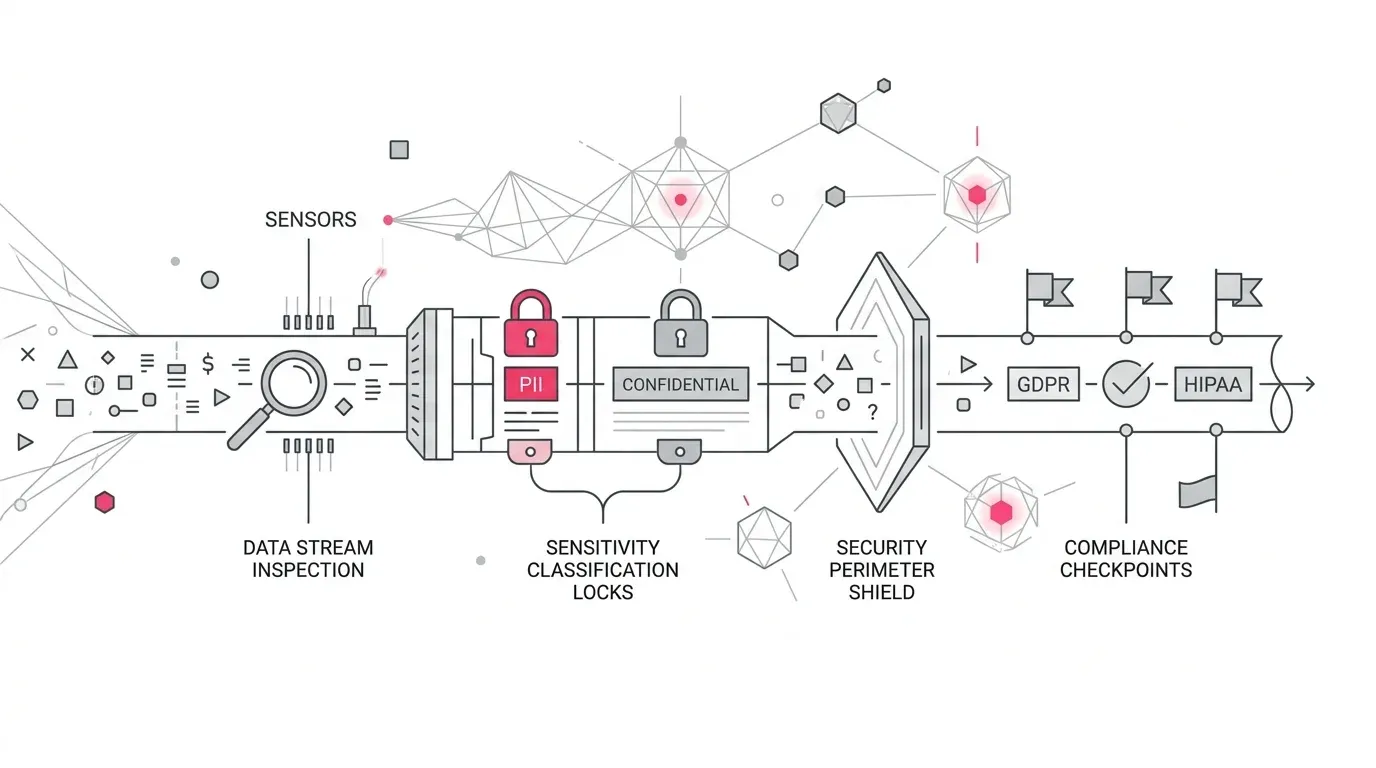
3. Separate detection, classification, and enforcement
Use distinct control layers with clear purposes:
Source controls and minimization
        |
        v
Bronze/Silver/Gold engineering gates
        |
        v
Sensitivity labels and lineage context
        |
        v
Purview DLP content evaluation
        |
        +--> Policy tip to data owner
        +--> Alert to security/compliance
        +--> Restrict guests or restrict all non-admin users
        |
        v
Triage -> remove sensitive data or approve audited exception
        |
        v
Re-evaluation -> validate access and dependent reports
This layered design avoids asking one control to do everything. Entra groups, workspace roles, item permissions, and OneLake security maintain ordinary least privilege. Sensitivity labels express classification. DLP detects supported content and triggers a response. Audit and monitoring provide evidence.
4. Choose the restriction mode from exposure, not emotion
Fabric DLP offers two materially different containment choices:
- Block only people outside the organization. Use when internal access is legitimate but guests must be excluded immediately. Confirm that the relevant external users are actually represented as Guest in Entra.
- Block everyone. Microsoft documents that workspace administrators retain access to troubleshoot and correct the data. Use this for data that is prohibited in the item or where internal exposure is itself unacceptable.
Define the choice per rule and data-product tier. A broadly shared Gold model containing government identifiers may justify "block everyone." A restricted Silver product designed for internal case operations may justify "block guests" while the owner remediates.
5. Design high-confidence rules and stage them
Purview DLP rules can use sensitivity labels and supported sensitive information types as conditions. Start with a small set of consequential, explainable detections. Record the rule purpose, confidence level, match threshold, scope, restriction action, owner, and expected false-positive pattern.
Recommended release rings are:
- Laboratory: synthetic and de-identified test items; validate positive and negative cases.
- Simulation: production-shaped workspaces with notifications and alerts but no access restriction.
- Pilot enforcement: one non-critical domain with complete lineage and named responders.
- Tiered expansion: high-risk Gold products, then restricted Silver products, then other eligible workspaces.
- Continuous tuning: review overrides, false positives, missed detections, scan coverage, and business disruption.
Purview supports simulation modes for DLP policies. Use them to establish a baseline before enforcement. Do not use simulation as a permanent substitute for a decision.
6. Build the remediation runbook before the first block
The runbook should begin when the item owner, workspace admin, or security team receives a policy tip or alert:
- Confirm the item, rule, matched sensitive information type, current restriction mode, and time of evaluation.
- Identify upstream changes and downstream consumers using Fabric lineage and the data-product register.
- Determine whether the match is valid, a false positive, or an approved exception candidate.
- If valid and prohibited, stop further publication, remove or transform the sensitive data, and correct the upstream pipeline or source contract.
- Trigger the next supported data change or refresh so DLP re-evaluates the item.
- Verify that the policy indication clears and intended access returns.
- Test dependent semantic models, reports, dashboards, scheduled refreshes, and business processes.
- Record root cause, exposure window, affected audience, remediation evidence, and preventive action.
Microsoft documents that removing the sensitive data and allowing the next evaluation to find no match can lift the restriction. For mirrored databases, the remediation may require excluding the problematic table from mirroring, removing sensitive data from the existing item, and allowing the next update to trigger evaluation.
If a match is demonstrably false, an authorized workspace administrator can override it. Require a business justification and compliance review. Because an override stops that policy from checking the item, maintain an exception register and require periodic revalidation.
7. Test dependency failure as a business scenario
Test with production-shaped identities and reports, not only with an administrator account. At minimum, cover:
| Test persona or path | Expected result when guest restriction applies | Expected result when all-user restriction applies |
|---|---|---|
| Workspace administrator | Retains remediation access | Retains remediation access |
| Internal viewer (`UserType=Member`) | Retains access | Blocked |
| External guest (`UserType=Guest`) | Blocked | Blocked |
| External collaborator incorrectly set as `Member` | Retains access; identity-control failure | Blocked |
| Downstream report consumer | Report remains usable if model access remains | Affected visuals can show permission errors |
| Service principal refresh path | Validate separately; documented semantic-model evaluation gaps may apply | Validate separately; documented semantic-model evaluation gaps may apply |
The fourth row is especially important. It proves whether the identity model supports the intended business policy.
8. Cover the gaps with compensating controls
Maintain a machine-readable coverage register containing workspace, item type, storage mode, data format, owner, DLP eligibility, last evaluation evidence, and compensating controls.
For unsupported or partially supported paths, use controls such as:
- source-system classification and minimization;
- schema allowlists and prohibited-column tests in pipelines;
- tokenization or masking before Fabric ingestion;
- restricted workspaces and Entra groups;
- OneLake security for row-, column-, or table-level data access where applicable;
- semantic-model object and row-level security where appropriate;
- controlled export and sharing settings;
- access reviews and guest lifecycle management;
- audit-log monitoring and incident-response triggers.
DLP should increase assurance over supported assets, not create blind confidence over the rest of the estate.
Governance and operating model
Assign decision rights explicitly:
| Role | Accountable decisions |
|---|---|
| Compliance owner | Sensitive classes, thresholds, policy intent, override standard |
| Fabric platform owner | Workspace scope, technical rollout, capacity and platform monitoring |
| Data-product owner | Allowed fields, consumer need, remediation, downstream validation |
| Identity owner | `Member`/`Guest` integrity, group lifecycle, periodic access review |
| Security operations | Alert triage, investigation evidence, escalation |
| Business service owner | Critical-report tolerance, continuity path, restoration priority |
Use separation of duties for high-impact changes. The person who authors a rule should not be the only person who approves broad enforcement or a long-lived exception. Retain evidence of policy versions, simulations, approvals, overrides, incidents, and revalidation.
Security, adoption, and cost considerations
Security
- Preserve least privilege independently of DLP. A clean scan is not an authorization decision.
- Treat workspace-admin access as privileged incident-response access and monitor its use.
- Validate Entra user types for external collaborators before relying on guest-only restriction.
- Test both content removal and false-positive override paths.
- Include CI/CD and service identities in the coverage model. Do not assume a human-user test proves automated paths.
- Keep sensitive raw data in the smallest practical trust boundary and publish minimized Gold products.
Adoption
Policy tips should tell owners what was detected, why the rule matters, who can help, and what approved actions exist. Avoid generic messages such as "contact your administrator." Train workspace admins and product owners with realistic drills before enforcement.
Communicate that a blocked report may represent a functioning security control, not a platform failure. Service desks need a diagnostic path that distinguishes DLP restrictions from manual permission changes, protection policies, refresh failures, and ordinary report defects.
Cost and capacity
Microsoft states that DLP evaluation workloads affect Fabric capacity consumption and that Purview capabilities can require additional licensing or consumption billing. Model three cost categories:
- Platform consumption: incremental capacity used by evaluation and re-evaluation.
- Purview commercial model: applicable licenses and pay-as-you-go charges for the tenant and features in use.
- Operating cost: alert investigation, policy tuning, remediation, testing, and exception review.
Benchmark representative item sizes and update frequencies during simulation. Monitor capacity before and after rollout, and avoid triggering unnecessary scans through poorly designed high-frequency update patterns. Validate current pricing and entitlements with Microsoft or the organization's licensing adviser; do not build a business case from a historical preview price.
Phased implementation roadmap
Phase 1: Define policy intent and inventory coverage
- Select two or three high-consequence sensitive data classes.
- Inventory supported Fabric items, workspace audiences, external users, owners, storage modes, and downstream dependencies.
- Mark unsupported paths and assign compensating controls.
- Define restriction modes, response objectives, override authority, and evidence requirements.
Exit gate: every in-scope item has an owner, exposure tier, eligibility status, and remediation path.
Phase 2: Engineer data minimization
- Add prohibited-field and free-text checks to Silver and Gold pipelines.
- Tokenize, mask, aggregate, or remove sensitive attributes according to the data-product contract.
- Separate restricted identity-resolution products from broadly consumed analytics products.
- Confirm lineage from source to report.
Exit gate: Gold products contain only approved fields and grains, with automated release tests.
Phase 3: Configure and simulate DLP
- Create custom Purview DLP policies for selected workspaces.
- Use supported sensitive information types, confidence levels, and thresholds.
- Configure policy tips, named alert recipients, incident severity, and business-justification requirements.
- Run in simulation and measure match quality, volume, evaluation latency, and capacity effect.
Exit gate: false positives are within an agreed tolerance and every alert reaches a named responder.
Phase 4: Prove enforcement and recovery
- Enable restriction in a non-critical pilot workspace.
- Test Member, Guest, admin, report-consumer, and automated identities.
- Inject known sensitive test data, verify restriction, remove it, trigger re-evaluation, and validate restoration.
- Test a false-positive override and verify audit evidence.
Exit gate: the team can contain, investigate, repair, re-evaluate, and restore within agreed objectives.
Phase 5: Expand by risk tier
- Prioritize broadly shared Gold semantic models and high-risk structured data items.
- Expand to additional domains only after owners complete training and dependency tests.
- Use change control for policy scope, thresholds, actions, and override settings.
- Maintain a continuity view for business-critical reports.
Exit gate: enforcement coverage is reconciled to the inventory, including documented exceptions.
Phase 6: Operate and improve
- Review alerts, overrides, missed detections, user-type anomalies, and repeat offenders.
- Correlate DLP events with deployment, refresh, lineage, and access-review evidence.
- Tune rules when business schemas or source systems change.
- Rehearse the response process quarterly for critical products.
Exit gate: performance and control metrics trend within target and exceptions have current owners and review dates.
Success metrics
Avoid measuring only the number of policies enabled. Track outcomes:
| Metric | Why it matters |
|---|---|
| Percentage of high-risk eligible items under enforced DLP | Measures real control coverage |
| Percentage of in-scope items with a named owner and tested runbook | Measures operational readiness |
| Median time from valid match to containment | Measures exposure reduction |
| Median time from containment to safe restoration | Measures business resilience |
| False-positive rate by rule | Guides tuning and user trust |
| Percentage of overrides with approved justification and review date | Measures exception discipline |
| Repeat violations from the same pipeline or source | Reveals unresolved root causes |
| External identities with incorrect `UserType` | Tests whether guest-only controls match policy intent |
| Critical downstream reports tested after restriction and recovery | Measures decision-service continuity |
| DLP-eligible versus unsupported sensitive-data paths | Prevents overstated assurance |
| Incremental capacity consumption per evaluation pattern | Supports cost and sizing decisions |
A mature program should reduce repeat violations and restoration time while increasing high-risk coverage. A rising override count without root-cause correction is a warning, even if dashboards remain available.
How YuniQ can help
YuniQ's published Microsoft Fabric consulting services align with the work required for a controlled DLP rollout. Its service page describes:
- Fabric strategy and readiness assessments, including security, governance, operating-model design, capacity planning, and proof-of-concept scoping;
- OneLake and medallion architecture across Bronze, Silver, and Gold layers;
- Microsoft Purview integration, sensitivity labels, end-to-end lineage, Microsoft Entra least-privilege design, auditable logging, and workspace topology;
- Data Factory, dataflow, lakehouse, warehouse, Spark, data-quality observability, and exception-handling implementation;
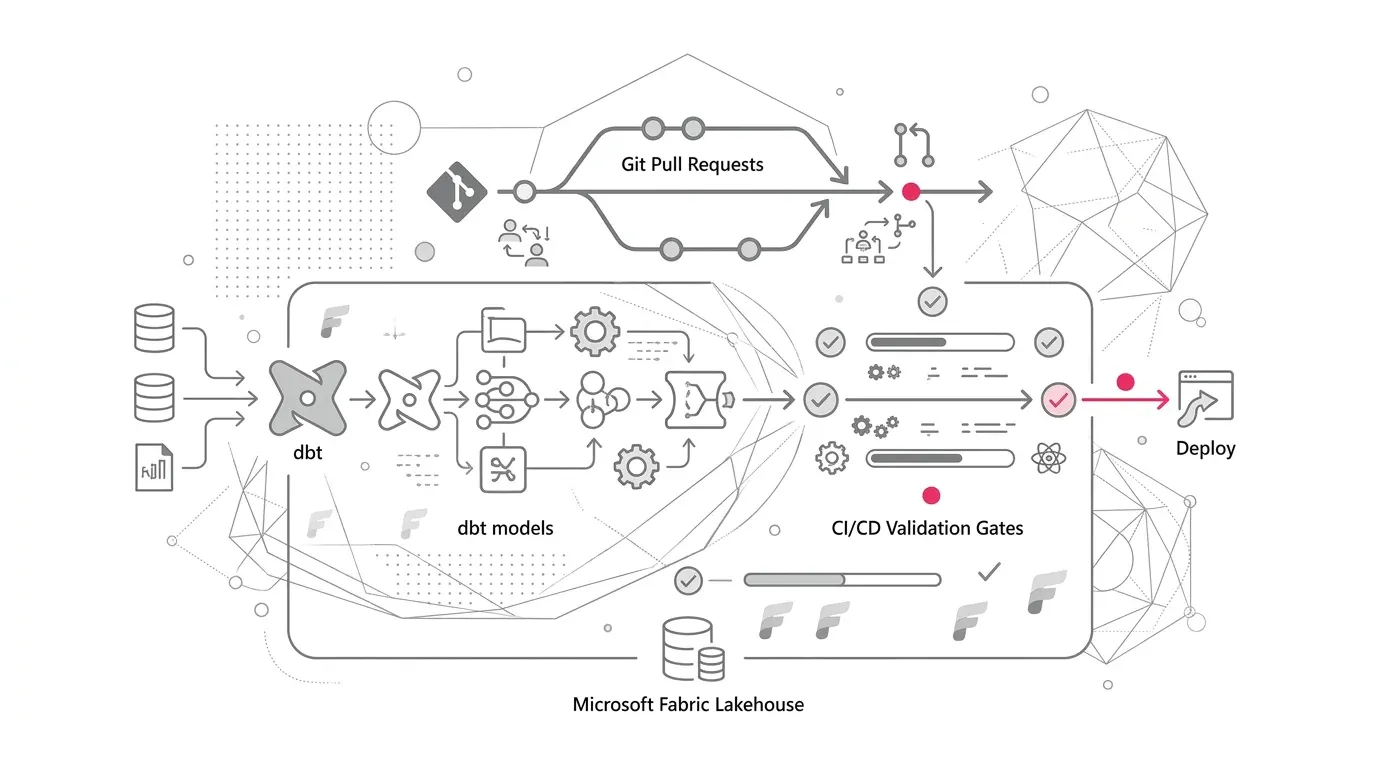
- development, test, and production separation with Git and CI/CD deployment pipelines;
- certified semantic models, Power BI dashboards, monitoring, capacity alerts, and post-launch optimization;
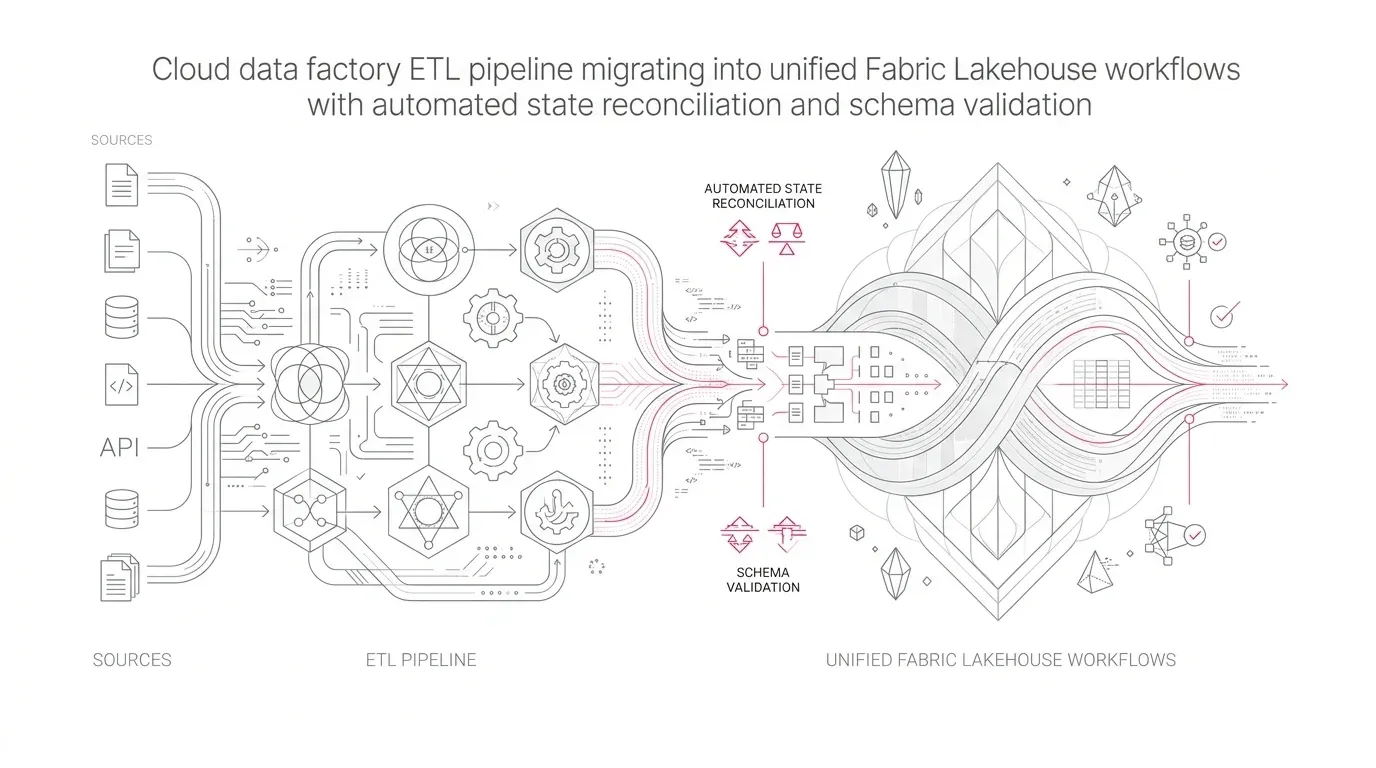
- phased migration, automated reconciliation, parallel validation, enablement, and handover.
For this problem, those capabilities can be applied to inventory sensitive data paths, define workspace and medallion boundaries, implement minimization and quality gates, configure Purview-aligned governance, test affected reports and identities, and establish monitoring and operational ownership. The useful outcome is not simply an enabled policy. It is a repeatable control that contains exposure while preserving trusted analytics.
Practical next steps
Over the next 30 days:
- Pick one sensitive data class and one business-critical Gold semantic model.
- Trace the model to its source tables, transformation paths, audiences, guests, and reports.
- Confirm whether every path is eligible for Fabric DLP evaluation and document gaps.
- Define the allowed-data contract for Bronze, Silver, and Gold.
- Create a high-confidence rule in simulation mode with a named owner and response target.
- Measure match quality, evaluation behavior, downstream impact, and capacity consumption.
- Run a controlled restriction-and-recovery drill with internal, guest, admin, and automated identities.
- Approve broader enforcement only after the evidence shows that containment and restoration both work.
The executive decision is not whether sensitive data should be protected. It is whether the organization can turn detection into controlled, measurable containment without losing command of its analytics service. Microsoft Fabric and Purview now provide the enforcement mechanism; enterprise architecture and operating discipline determine whether it becomes a reliable control.