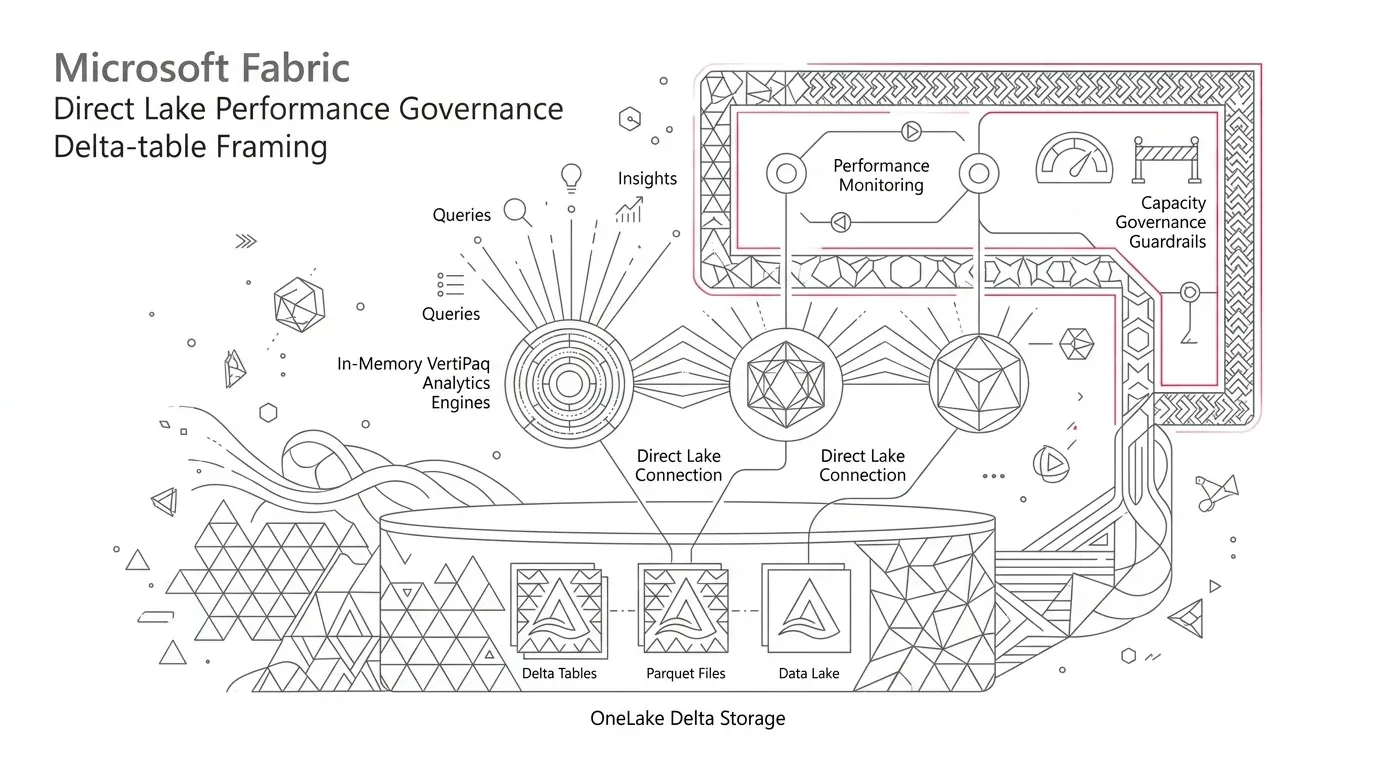
Microsoft Fabric Direct Lake can give Power BI users interactive, in-memory analysis over Delta tables in OneLake without copying the full dataset into an Import model. That promise is real, but it is not automatic. A report that is fast in a proof of concept can become slow or stale in production when a query falls back to DirectQuery, a framing operation fails, table maintenance forces cold-state transcoding, a security design changes the query path, or shared capacity comes under pressure.
The enterprise problem is therefore not simply 'make the report faster.' It is to make Direct Lake behavior predictable as data, users, security rules, and workloads change over time.
Core Operational Finding: Direct Lake performance is an execution contract, not an automatic feature. Production predictability requires aligning Delta physical layout, security authority, framing schedules, and capacity governance.
The answer is a governed execution contract for every production semantic model. That contract should specify:
- Whether the model uses Direct Lake on OneLake or Direct Lake on SQL;
- Where row-level and object-level security are enforced;
- Whether fallback is impossible, blocked, or accepted as a continuity mechanism;
- When a new Delta-table version becomes visible to users;
- Which Delta update and maintenance patterns are allowed;
- What performance and freshness service levels apply; and
- How the model will be tested, monitored, owned, and scaled.
The Enterprise Problem: Direct Lake Performance Changes Without Code Changes
Direct Lake is a Power BI semantic-model storage mode designed to load only the required columns from Delta tables in OneLake into the VertiPaq engine. Unlike Import mode, a Direct Lake refresh generally updates metadata references rather than copying the entire dataset. Microsoft calls that metadata operation framing. This can provide performance comparable to Import mode while reducing full-data refresh overhead, particularly for large, frequently updated datasets.
Yet 'Direct Lake' is not a single runtime behavior across deployments:
- Direct Lake on OneLake reads Delta tables directly through OneLake and does not support DirectQuery fallback.
- Direct Lake on SQL uses a lakehouse or warehouse SQL analytics endpoint for discovery and permission checks. If a query cannot stay in Direct Lake mode, it can fall back to DirectQuery when fallback is enabled.
- A model can be cold (meaning required columns are not yet resident in memory) or warm/hot (meaning frequently queried columns are already available in VertiPaq memory).
- A semantic-model refresh establishes the Delta-table version used by subsequent Direct Lake queries. The latest committed source data and the latest successfully framed data are not necessarily the same thing.
These distinctions are technical, but their consequences are operational. A finance dashboard may render in two seconds during testing, then take much longer after a view is introduced, SQL row-level security is added, a table crosses an SKU guardrail, a maintenance job rewrites many Parquet files, or memory pressure evicts frequently used columns. Users see 'Power BI is slow.' Platform teams see healthy pipelines. Data teams see fresh Delta tables. All three observations can be true.
Why Direct Lake Governance Matters Now
Direct Lake is increasingly the serving layer for large Fabric lakehouse and warehouse implementations. Microsoft recommends Direct Lake on OneLake for new Direct Lake semantic models, while Direct Lake on SQL remains relevant when teams depend on SQL analytics endpoint views or SQL-defined security. As enterprise adoption scales, three critical risks compound:
- Performance risk: Fallback or repeated cold loads increase visual latency and add severe compute load to the SQL analytics endpoint.
- Trust risk: A successful upstream data pipeline does not prove that the semantic model has framed the new version or that automatic updates remain active.
- Cost risk: Teams often reflexively scale F-SKU capacity to mask inefficient models, poor Delta layouts, destructive load patterns, or uncontrolled report visual designs.
Representative Enterprise Scenario: The Anatomy of a Drift
Consider a multi-division services organization consolidating operational transactions, CRM activity, contact-center events, and finance data in a Fabric lakehouse. Gold Delta tables feed a certified Direct Lake semantic model used by executives and regional managers.
The pilot performs flawlessly. Three months later, five subtle architectural changes occur:
- A developer replaces a physical Gold table with a convenient unmaterialized SQL view;
- Regional data access is implemented as SQL analytics endpoint row-level security;
- An overnight ETL process overwrites an entire large fact table instead of appending changed partitions;
- An aggressive table optimization job rewrites hundreds of Parquet files minutes before the morning executive reporting peak; and
- Report authors add high-cardinality GUID fields and dozens of heavy visuals to the landing page.
No single change caused an outage. Together, they produced wild response time volatility, morning cold-start delays, occasional refresh warnings, and confusion about whether reports showed the newest records. Scaling the Fabric capacity improved some peaks but failed to eliminate the underlying unpredictability. The organization did not have a compute shortage; it lacked a production execution contract.
Five Root Causes of Direct Lake Instability
1. Storage Mode Treated as a Label Rather Than a Query Path
Direct Lake on SQL can fall back when a model uses an unmaterialized SQL view, SQL analytics endpoint row-level security, or certain unsupported DAX conditions. Furthermore, Microsoft notes that a single table exceeding an SKU guardrail can prevent Direct Lake mode for the entire model. With the default Automatic setting, reports continue to work while silently dropping to DirectQuery.
2. Freshness Inferred Solely from Pipeline Completion
Direct Lake queries use the table state referenced by the most recent successful framing operation. Automatic updates are enabled by default, but Microsoft documents that they can be suspended after a non-recoverable refresh error until an on-demand refresh succeeds. A data pipeline can finish successfully while the business-facing semantic model remains pinned to an earlier version.
3. Delta Engineering and BI Engineering Managed in Silos
Direct Lake translates Parquet data into VertiPaq memory structures on demand. Many small row groups increase dictionary-merging work. Destructive updates invalidate resident segments and force columns back into a cold state. While table optimization reduces fragmentation over the long term, replacing files during business hours creates an immediate cold-state performance penalty.
4. Security Added After the Performance Architecture
Direct Lake cannot apply SQL analytics endpoint security rules in its in-memory path. With Direct Lake on SQL, SQL row-level security or views trigger DirectQuery fallback, while some column-level restrictions result in query errors. Direct Lake on OneLake instead supports OneLake security and semantic-model security patterns without fallback.
5. Capacity Sized from Averages or Volume Alone
Only the columns required by active queries are loaded into memory, but column cardinality, user concurrency, cache state, DAX complexity, and competing workloads determine actual capacity unit (CU) consumption . Sizing based purely on disk volume fails to account for memory pressure and throttling.
Why Common Assumptions Fall Short
- 'Direct Lake means there is no refresh': Direct Lake avoids importing raw rows, but it still requires framing to establish which Delta version the model references. Freshness must be tracked at the semantic model level.
- 'Automatic fallback protects us': Fallback preserves visual availability for Direct Lake on SQL, but it conceals architectural degradation. Fallback must be an alerted operational event, not an unmonitored default.
- 'We can solve it by buying a larger SKU': Scaling cannot correct a model built on unmaterialized SQL views, high-cardinality junk columns, inefficient DAX, or destructive file overwrites.
- 'The dashboard was fast in UAT': Single-user testing on warm memory caches does not reflect Monday morning cold starts, post-compaction frames, or concurrent executive traffic.
- 'Security belongs solely to the platform team': Security enforcement dictates the engine execution path. Data security, semantic modeling, and query performance must be co-designed.
The Solution: A Production Direct Lake Execution Contract
Create a version-controlled contract for each certified semantic model. It should be short enough to operate but precise enough to test in continuous delivery:
| Contract Decision | Required Statement | Evidence in Production |
|---|---|---|
| Business service level | Target p50/p95 visual latency, peak concurrency, and availability | Synthetic and user telemetry by critical journey |
| Storage mode | Direct Lake on OneLake, Direct Lake on SQL, Import, or justified composite | Model metadata and release manifest |
| Fallback policy | Impossible, fail fast, or permitted for continuity with alerting | TABLETRAITS() checks and query traces |
| Freshness boundary | Maximum source-to-frame and source-to-visual lag | Source commit, successful frame, and report timestamps |
| Security authority | OneLake, semantic model RLS/OLS, or SQL endpoint, with identity mode | Positive and negative persona tests |
| Delta layout | Approved write, partition, compaction, and retention pattern | File/row-group health and incremental-framing checks |
| Capacity envelope | SKU, isolation class, concurrency, memory, and peak-load assumptions | Capacity Metrics app and workload test results |
| Ownership | Named owners for Gold tables, model, reports, security, and capacity | Service registry and incident runbook |
Detailed Implementation: Engineering the Governed Contract
1. Choose Direct Lake on OneLake or SQL Deliberately
Prefer Direct Lake on OneLake for modern designs when you want a consistent no-fallback path, OneLake security, multi-source Fabric integration, or composite models. Because there is no DirectQuery fallback, unsupported conditions surface immediately as failures during deployment rather than degraded user queries.
Choose Direct Lake on SQL only when the model strictly depends on a single lakehouse/warehouse SQL analytics endpoint, SQL views, or SQL-defined security with delegated identity. Explicitly document that fallback may occur and establish a performance SLA for that DirectQuery path.
2. Make Fallback Observable and Testable in CI/CD
For Direct Lake on SQL, use the model's DirectLakeBehavior setting as an active lifecycle control. In development and automated testing, set DirectLakeBehavior to DirectLakeOnly to fail queries that cannot remain in memory. In production, use Automatic only with automated alerts when fallback occurs.
Execute EVALUATE TABLETRAITS() as an automated release check. Its DirectLakeFallbackInfo output identifies the exact fallback reason per table; a value of None confirms in-memory Direct Lake execution. For deep diagnostics, capture VertiPaq storage engine events alongside DirectQuery_Begin and DirectQuery_End events.
3. Govern Framing as a Data-Product Release
Define a freshness service-level indicator (SLI) tracking three distinct timestamps:
- Source watermark: The newest accepted business event or source batch.
- Gold commit: The Delta commit version that completed quality and schema validation.
- Semantic-model frame: The last successful refresh that pointed the model to the approved Gold commit.
For multi-table models, trigger framing only after all interrelated Gold tables have passed reconciliation, preventing visual inconsistencies between fact and dimension versions.
4. Engineer Delta Tables for Stable Warm-State Behavior
Direct Lake performance begins upstream in the lakehouse. Follow these core data engineering rules:
- Project only business-critical columns into Gold serving tables. Wide free-text fields and unused high-cardinality columns inflate memory footprint and transcoding overhead.
- Use clean star-schema dimensional models with one-to-many relationships and pre-aggregated measures.
- Prefer append or targeted partition updates over full-table overwrites, preserving resident VertiPaq segments across refreshes.
- Maintain optimal row-group sizing: Microsoft recommends approximately 1 million to 16 million rows per row group to minimize dictionary merging overhead.
- Schedule OPTIMIZE and VACUUM maintenance jobs during off-peak hours to avoid evicting resident memory segments right before morning business reporting.
5. Align Security with the Chosen Execution Path
Choose one authoritative security layer. Use OneLake security with Direct Lake on OneLake for cross-engine consistency. Use semantic-model RLS/OLS when consumers query exclusively through Power BI. Avoid duplicating row-level security logic across SQL, OneLake, and semantic models simultaneously, which creates compounding overhead and debugging blind spots.
6. Benchmark Capacity with Four Workload Profiles
| Test Profile | Workload Characteristic | What It Validates |
|---|---|---|
| Cold start | Initial query execution after memory eviction or model framing | Measures raw Parquet-to-VertiPaq transcoding latency |
| Warm steady state | Interactive slice-and-dice browsing under normal user load | Confirms memory residency and cache hit rates |
| Post-maintenance frame | Queries executed immediately after Delta optimization or write | Verifies incremental framing vs destructive segment invalidation |
| Peak concurrency | Concurrent executive queries running alongside ETL pipelines | Detects capacity throttling, queuing, and CU budget exhaustion |
Phased Implementation Roadmap: From Chaos to Predictability
- Phase 1: Baseline and Classify (Weeks 1–2): Inventory all Direct Lake models, capture cold/warm latency baselines, run TABLETRAITS() audits, and define formal SLAs with business stakeholders.
- Phase 2: Stabilize the Serving Design (Weeks 3–5): Eliminate unmaterialized SQL views, prune high-cardinality junk columns, align RLS with the chosen storage mode, and fix full-table overwrite ETL jobs.
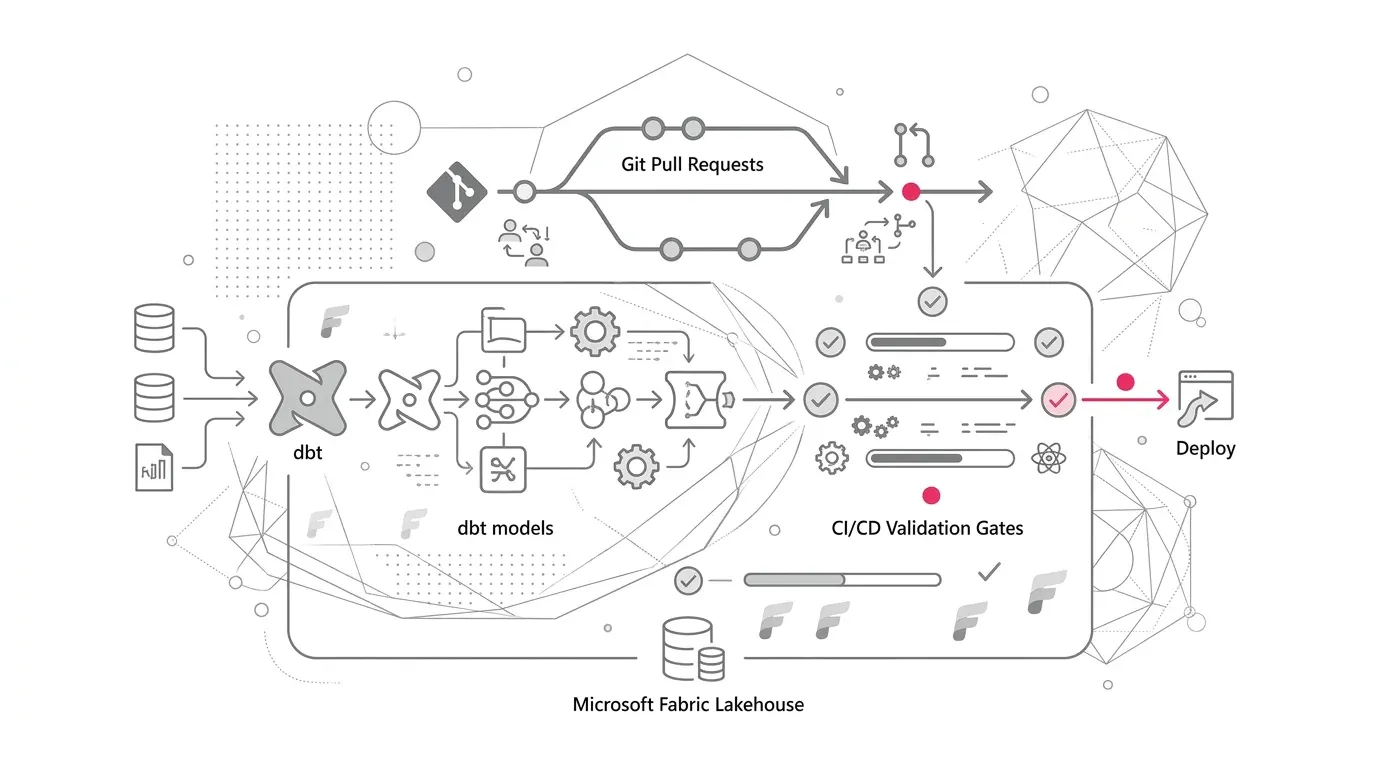
- Phase 3: Automate Quality Gates (Weeks 6–8): Integrate TABLETRAITS(), DirectLakeOnly fail-fast assertions, and persona-based security checks directly into CI/CD deployment pipelines.
- Phase 4: Continuous Operational Excellence (Ongoing): Monitor Fabric Capacity Metrics, track CU utilization trends, review table growth guardrails monthly, and isolate critical executive models when needed.
How YuniQ Accelerates Fabric Direct Lake Governance
YuniQ's Microsoft Fabric consulting practice bridges the gap between data platform engineering and business intelligence. Our certified enterprise architects help organizations eliminate Direct Lake unpredictability through:
- Fabric Readiness & Sizing Assessment: Comprehensive evaluation of data architectures, F-capacity sizing models, and OneLake security boundaries.
- Direct Lake Proof of Value (PoV): Production-grade validation of medallion architectures, certified Direct Lake semantic models, and capacity benchmarks.
- CI/CD Quality Gates & Automated Testing: Implementing automated TABLETRAITS() verification and deployment pipelines to prevent silent DirectQuery fallback.
Optimize Your Microsoft Fabric Direct Lake Architecture
Stop performance surprises before they reach executive dashboards. Partner with YuniQ to design a resilient Direct Lake execution contract and optimize your Fabric capacity.
Explore Microsoft Fabric ConsultingEight-Step Checklist for Enterprise Teams
- Select one critical Direct Lake semantic model experiencing latency volatility.
- Audit its storage mode, DirectLakeBehavior setting, and security enforcement authority.
- Run Performance Analyzer to record cold-start versus warm-cache visual response times.
- Execute EVALUATE TABLETRAITS() to identify and log every fallback occurrence.
- Compare the latest Gold Delta commit timestamp with the latest successful semantic-model frame.
- Benchmark the model under realistic executive concurrency and row-level security personas.
- Remediate root causes: materialize views into physical Delta tables, tune row-group sizes, and eliminate full-table overwrites.
- Institutionalize the execution contract as an automated release gate in your Fabric deployment pipeline.