Executive summary
Fabric IQ can now bring answers grounded in Power BI reports and semantic models into Microsoft 365 Copilot Chat. The capability became generally available in September 2026. It can shorten the distance between a business question and an evidence-based decision, because users no longer need to open Power BI or identify a report before they begin asking questions. Microsoft 365 Copilot can search content the user is permitted to view and select relevant Power BI content as grounding. Microsoft Fabric What's New and Fabric IQ in Microsoft 365 Copilot Chat document the release and behavior.
That convenience changes the enterprise control problem. A dashboard rollout asks, "Is this report ready for these users?" A cross-item AI experience also asks:
- Which of several overlapping models should answer?
- Does the model express business terminology clearly enough for natural-language questions?
- Is the answer based on fresh data?
- Does the user have the correct row- and object-level access?
- May Copilot process content with this sensitivity label, in this geography?
- Can the organization detect declining answer quality after a model change?
The solution is not a single tenant switch. It is a governed answer path: a small set of authoritative semantic models, explicit readiness states, production-shaped evaluation, controlled exposure, and operational evidence. Permissions, certification, discoverability, Approved for Copilot, and the semantic model's AI-access setting are related but different controls. Treating any one of them as proof of complete readiness creates false confidence.
This article presents a practical architecture and phased implementation roadmap for introducing Fabric IQ into Microsoft 365 Copilot while preserving trust, security, and cost control.
The enterprise problem: conversational access can scale ambiguity faster than analytics teams can correct it
Microsoft describes Fabric IQ data answering in Microsoft 365 Copilot as a way for users to ask natural-language questions about Power BI data alongside their files, emails, and conversations. Copilot uses the user's existing Power BI permissions and honors row-level security (RLS) and object-level security (OLS). Answers reflect the latest semantic-model refresh rather than inherently real-time data. A response can also incorporate other Microsoft 365 context, even when a report is attached. These are important operating characteristics, not small-print implementation details. Fabric IQ in Microsoft 365 Copilot Chat
Before conversational analytics, users often encountered conflicting metrics visibly: two reports showed different versions of revenue, backlog, or customer status. In an AI experience, the conflict can be less obvious. Copilot can choose among content the user can access, interpret the question, generate a query, and summarize a result in fluent language. The response may look authoritative even when it used a technically valid but contextually wrong model or measure.
The central enterprise problem is therefore:
How can an organization let employees ask business questions through Microsoft 365 Copilot without turning semantic-model sprawl, stale refreshes, ambiguous terminology, or incomplete policy into confident but unreliable answers?
This matters now because Fabric IQ in Microsoft 365 Copilot is generally available and a Microsoft 365 administration setting controlling whether Fabric data appears in Microsoft 365 Copilot is enabled by default. The Fabric-side metadata-sharing and geography controls also affect the experience. An organization may already have the technical route available before it has defined an answer-readiness standard. Fabric IQ tenant settings
Representative scenario: one question, four plausible sources
*The following scenario is representative, not a YuniQ customer case.*
A multi-region services enterprise has four Power BI semantic models that a regional operations director can access:
- A certified finance model defines revenue by posted ledger date.
- A promoted sales model defines booked revenue by opportunity close date.
- A service-operations model contains an estimated revenue measure for open cases.
- An older executive report still uses a duplicated local model with last quarter's territory mapping.
The director asks Microsoft 365 Copilot, "Why did North region revenue miss target last month?"
Several failure modes are possible:
- Copilot finds a report that uses booked revenue, while the director intended recognized revenue.
- The selected model is permitted but not certified or prepared for AI.
- "North" maps to a current territory in one model and a legacy grouping in another.
- The last semantic-model refresh succeeded, but an upstream pipeline delivered partial data.
- RLS correctly limits the director to North, while a hidden object containing sensitive margin detail remains queryable because OLS was not applied.
- The answer blends Power BI data with an email discussing an unapproved forecast, and the user reads the combined narrative as one controlled financial statement.
Nothing here requires a classic security breach. The larger risk is decision error: a permitted user receives an answer that is syntactically strong but semantically wrong, stale, or insufficiently qualified.
Root causes and consequences
1. Access has been mistaken for authority
Power BI access answers whether a user may see an item or its data. It does not establish that the item is the best source for a question. Microsoft distinguishes promotion from certification: certification means content meets the organization's quality standards and is considered authoritative, and only a designated reviewer group can certify it. Power BI content endorsement
If users can access several overlapping models, the search space may contain all of them. Without an authoritative-source strategy, the AI experience inherits the ambiguity already present in the analytics estate.
2. The semantic model was designed for report authors, not conversational consumers
A model can power a well-designed report while remaining difficult for AI to interpret. Duplicate measures, cryptic field names, technical helper tables, overloaded business terms, and unclear time logic all increase ambiguity. Microsoft provides AI data schemas, verified answers, AI instructions, and descriptions to prepare semantic models for Copilot. Microsoft also warns that generative behavior is nondeterministic and that preparation cannot guarantee identical output every time. Prepare data for AI
Large models add another issue. Microsoft documents limits on semantic-model indexing and explains that Copilot can reduce a schema that is too large to render, with diagnostics showing an AgentSchemaReduced warning. Prep data for AI FAQ
3. Control labels have been collapsed into one vague idea of "approved"
Five separate concepts are easy to confuse:
| Control | Question it answers | What it does not prove |
|---|---|---|
| Power BI permission, RLS, and OLS | May this identity access this item, row, or object? | That the source is authoritative or the answer is accurate |
| Copilot AI-access setting on the semantic model | May read-only users use supported Copilot and Microsoft MCP experiences with this model? | That the model has passed quality testing |
| Promotion or certification | Is the content recommended or organizationally authoritative? | That it is prepared for natural-language interpretation |
| Discoverability | Can users find endorsed content and request access? | That they already have access or that Copilot should use it |
| Approved for Copilot | Has the model owner marked it ready so supported Copilot experiences reduce or remove readiness friction? | That security, certification, freshness, or enterprise release gates are complete |
Microsoft documents that the model-level AI-access setting is enabled by default for users with read permission and applies to Microsoft 365 Copilot Chat and Cowork, Power BI Copilot, data agents, and remote Microsoft MCP tools. Disabling it removes restricted models and reports from multi-model search, although users with higher permissions can still reach them through direct methods. The setting is not inherited between semantic models. Use Copilot with semantic models
Microsoft separately documents that Approved for Copilot is set on the semantic model and affects readiness warnings; associated reports are then treated as approved. This is an author-controlled readiness signal, not a replacement for certification or an access-control boundary. Mark a model as approved for Copilot
4. Freshness is measured at the wrong boundary
The user asks about a business event, but the platform exposes a semantic-model refresh time. A successful refresh can still load incomplete source data. The correct service-level objective is decision age: the elapsed time between the latest business event that should be represented and the moment the answer is requested.
Without upstream completeness checks, refresh success can give false assurance. Consequences include late operational intervention, inconsistent executive narratives, and repeated manual reconciliation.
5. Security design stops at workspace roles
Fabric IQ respects RLS and OLS, but those policies are only as good as their coverage and test evidence. Sensitivity labels and Microsoft Purview DLP add another layer. Microsoft states that the conversation takes the most restrictive sensitivity label from the content used and that exported content inherits the conversation label. A DLP policy can prevent Copilot from processing Power BI content carrying specified sensitivity labels. Fabric IQ sensitivity labels
Geography also matters. Power BI data answering requires large-language-model processing in the United States or European Union. Fabric tenants outside those geographies must enable the relevant cross-geography setting. That is a legal, privacy, and architecture decision, not merely a technical prerequisite. Fabric IQ tenant settings
6. Adoption metrics are mistaken for value or trust
Prompt counts show activity, not answer correctness. Microsoft 365 provides Copilot usage reports, while Microsoft Purview audit records capture interaction context such as the user, time, host application, and referenced resources. Neither automatically tells a data owner whether a business answer was correct. Microsoft Copilot usage report and Copilot audit logs
An enterprise needs a separate quality loop that connects real user questions, expected results, source selection, freshness, security persona, and business outcome.
Why common approaches fall short
"Turn it on for a pilot group and see what happens"
A pilot without a curated source set and a scored evaluation corpus tests enthusiasm, not readiness. Early users may discover compelling answers while silently normalizing incorrect ones.
"Use certified models only"
Certification is necessary for authoritative enterprise answers, but it is not sufficient. A certified model can still expose an overly broad schema to AI, contain ambiguous descriptions, lack verified answers for nuanced questions, or run on data outside the required freshness threshold.
"RLS means the data is safe"
RLS limits rows. It does not hide measures, tables, or metadata that require OLS; define DLP behavior; decide whether read-only users may query a model through AI; or settle cross-geography processing. Test positive and negative access paths across representative personas.
"Verified answers make every answer correct"
Verified answers are valuable for high-frequency, nuanced questions, but they match configured trigger phrases and supported visuals. They are not a universal truth engine. Microsoft notes that AI instructions are interpreted by the model and are not guaranteed to be followed exactly. Semantic model best practices for data agents
"Attach the right report and the response is controlled"
Microsoft explicitly notes that an attached report provides context but does not constrain the answer to that report alone; the response may include other Microsoft 365 sources available to the user. For controlled decisions, users must be shown how to inspect citations, scope prompts, and verify the underlying report. Fabric IQ considerations
A governed Microsoft Fabric solution
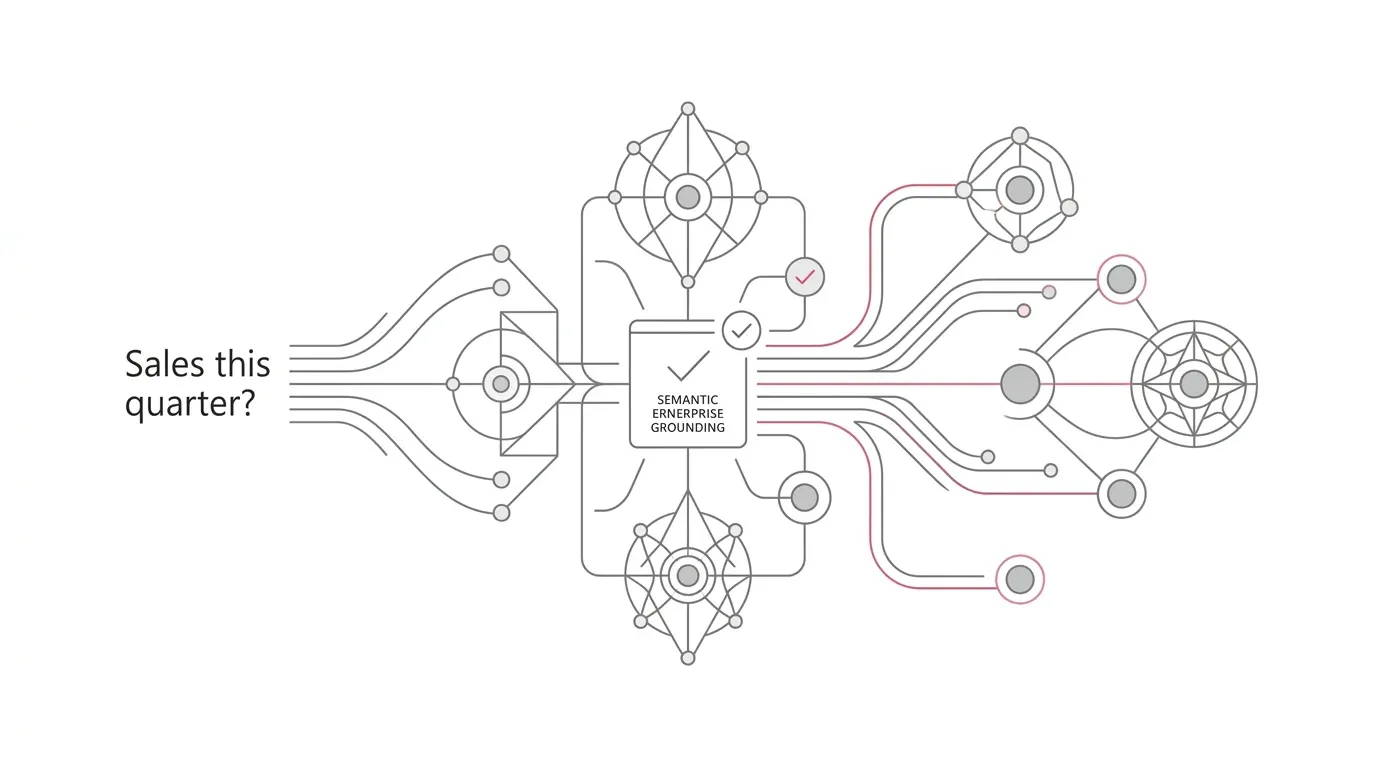
The target architecture should control the entire answer path, not only the chat interface.
Operational and analytical sources
        |
        v
Fabric ingestion and transformation
  Bronze -> validated Silver -> decision-ready Gold
        |                         |
        |                  freshness + quality gates
        v                         v
Authoritative Power BI semantic model
  measures + RLS/OLS + sensitivity label
  AI schema + instructions + verified answers
        |
        v
Readiness controls
  certification -> Copilot evaluation -> Approved for Copilot
  -> model AI-access decision -> controlled discoverability
        |
        v
Microsoft 365 Copilot / Fabric IQ
  user identity + tenant settings + Purview DLP
        |
        v
Answer, citation, feedback, audit, and regression evidence
1. Create an authoritative answer catalogue
Inventory semantic models and reports by business concept, owner, consumer group, security classification, refresh path, and criticality. For every material question domain, designate one of four states:
- Authoritative: the preferred source for enterprise answers.
- Scoped: valid for a named business unit, geography, or process.
- Transitional: retained during migration but not eligible for broad AI search.
- Retire: duplicate, stale, or unsupported content scheduled for removal.
Resolve overlapping measures before enabling broad discovery. Where two definitions are legitimately different, encode the distinction in model names, measure names, descriptions, AI instructions, and user-facing guidance. Do not force Copilot to infer organizational policy from nearly identical fields.
2. Separate the release gates
Define a release contract with independent evidence for each gate:
- Data-product gate: source reconciliation, transformation tests, quality thresholds, lineage, owner, and decision-age SLO pass.
- Semantic gate: measures, relationships, time intelligence, formatting, descriptions, and business definitions pass peer review.
- Security gate: least-privilege permissions, RLS, OLS, sensitivity labels, and negative-path tests pass for production personas.
- Authority gate: the designated governance reviewer certifies the model where appropriate.
- AI-quality gate: the model passes the prompt corpus, adversarial ambiguity tests, diagnostics, and source-selection checks.
- Exposure gate: administrators and owners deliberately set AI access, discoverability, metadata sharing, geography, DLP, and Approved for Copilot.
No single checkbox should bypass the preceding evidence.
3. Prepare the semantic model for natural language
Apply Microsoft's preparation tools in a deliberate order:
- AI data schema: expose only the tables, columns, and measures that users need for supported questions. Smaller, clearer schemas reduce ambiguity.
- Verified answers: curate frequently asked or high-consequence questions where a reviewed visual provides the expected answer.
- AI instructions: define organizational terminology, fiscal periods, approved comparisons, and interpretation rules.
- Descriptions: document tables and fields so search and DAX generation have meaningful metadata.
Microsoft stores these configurations on the semantic model, not on individual reports. This is helpful for consistency but increases the blast radius of a change: every downstream Copilot experience using the model can be affected. Test the model as a shared enterprise interface. Prep data for AI FAQ
4. Build a production-shaped evaluation corpus
Create a version-controlled set of questions with:
- business intent and acceptable terminology;
- expected model and measure;
- expected result or tolerance;
- required filters and time boundary;
- permitted and prohibited fields;
- user persona and security expectation;
- expected freshness;
- whether a verified answer should trigger;
- whether the response may combine Microsoft 365 context;
- reviewer and last validation date.
Include four categories:
- Golden questions: high-frequency questions with known answers.
- Ambiguity questions: terms such as revenue, active customer, backlog, utilization, and month-to-date that have competing interpretations.
- Security questions: prompts attempting to cross region, role, entity, or sensitive-object boundaries.
- Change questions: renamed measures, altered territory mappings, new fiscal calendars, schema changes, and refresh delays.
Use Power BI's Copilot pane, "How Copilot arrived at this," and downloadable diagnostics during validation. Because outputs are nondeterministic, test repeated runs and score semantic equivalence rather than exact wording. Prepare data for AI testing guidance
5. Make freshness visible in the answer contract
For each authoritative model, publish:
- expected source latency;
- last complete business event time;
- semantic-model refresh time;
- current completeness or quality status;
- owner and escalation route.
Where possible, include a governed freshness measure in the model and a verified answer for "How current is this data?" Block or qualify decision use when freshness exceeds the SLO. A green Power BI refresh status should not override an upstream completeness failure.
6. Configure security and compliance as a connected policy set
Use a matrix that joins business classification to technical enforcement:
| Decision | Fabric / Power BI control | Microsoft 365 / Purview control | Required evidence |
|---|---|---|---|
| Who can see data? | Workspace/item permission, RLS, OLS | User identity and licensing | Persona-based positive and negative tests |
| Who may query through AI? | Semantic-model AI-access setting | Fabric/Copilot tenant scope | Search and direct-access tests |
| What is authoritative? | Certification and ownership | User guidance and citations | Governance approval |
| What may be discovered? | Endorsement and discoverability | Fabric metadata-sharing setting | Search-result tests |
| What content may Copilot process? | Sensitivity labels | Purview DLP for Copilot | Simulation, policy-tip, and enforcement tests |
| Where may processing occur? | Fabric cross-geography setting | Privacy and legal approval | Documented data-residency decision |
Microsoft Purview DLP can restrict Copilot from processing content based on sensitivity labels and can apply controls to sensitive information in prompts. Some DLP capabilities remain in preview, so confirm licensing, current availability, and behavior in the organization's tenant before relying on them. Microsoft Purview DLP for Microsoft 365 Copilot
7. Control cost at the query path
Conversational access can increase the number and variability of queries against semantic models. Microsoft states that downstream semantic-model queries are charged to the semantic model's capacity rather than the Fabric Copilot capacity. Enable Fabric Copilot for Power BI
Baseline capacity before the pilot, tag pilot workspaces, and correlate question volume with query duration, throttling, model evictions, and capacity-unit consumption. Optimize expensive DAX, model design, aggregation, and refresh concurrency before increasing user scope. Treat additional capacity as a business decision supported by measured adoption and decision value, not as the first response to inefficient models.
8. Establish an answer-operations loop
Create a shared operating process across data product owners, BI modelers, security, compliance, Microsoft 365 administrators, and business stewards:
- Capture failed, ambiguous, or disputed questions without exposing sensitive prompt content beyond authorized reviewers.
- Classify the cause: wrong source, semantic ambiguity, stale data, access policy, unsupported question, product limitation, or user prompting.
- Correct the appropriate layer rather than patching every issue with AI instructions.
- Rerun the affected corpus and adjacent regression questions.
- Release through normal development, test, and production controls.
- Review usage, capacity, quality, security events, and retirement candidates on a fixed cadence.
Purview audit records can show who interacted with Copilot, when, through which host, and which resources were referenced. Microsoft 365 usage reports show adoption and prompt activity. Combine those signals with a business-owned answer-quality register; do not infer accuracy from usage alone.
Phased implementation roadmap
Phase 1: Discover and contain
- Confirm the Microsoft 365 and Fabric tenant settings currently in effect.
- Inventory semantic models, reports, access paths, certifications, refresh SLOs, labels, RLS, OLS, and owners.
- Identify models currently eligible for read-only AI access, which is enabled by default at model level unless changed.
- Select one decision domain with clear business ownership and measurable questions.
- Disable broad AI exposure for high-risk models that lack readiness evidence, while preserving normal report access where appropriate.
Exit criterion: the pilot search space and all control owners are known.
Phase 2: Curate the answer foundation
- Rationalize duplicate metrics and designate the authoritative model.
- Repair model names, measures, relationships, descriptions, and time logic.
- Implement or validate RLS, OLS, sensitivity labels, and decision-age monitoring.
- Define AI data schemas, verified answers, and instructions.
- Create the evaluation corpus and acceptance thresholds.
Exit criterion: the model passes data, semantic, security, and AI-quality gates in a non-production environment.
Phase 3: Run a controlled pilot
- Enable a named pilot group with representative roles and security personas.
- Set the model's Copilot access and approval state deliberately.
- Test natural search, direct report naming, link-based grounding, and attached-report behavior.
- Measure source-selection accuracy, answer acceptance, freshness, latency, capacity, and escalation volume.
- Train users to inspect citations, specify the intended report for consequential questions, and distinguish Power BI evidence from other Microsoft 365 context.
Exit criterion: agreed quality, security, cost, and adoption thresholds hold for a sustained observation period.
Phase 4: Expand by domain
- Add domains only when an accountable data owner and certified source exist.
- Reuse the release contract and evaluation harness, but keep domain-specific question sets.
- Introduce DLP enforcement after simulation and impact review.
- Automate regression checks around model, policy, identity, and refresh changes.
- Retire duplicated reports and semantic models as consumers move to governed sources.
Exit criterion: each new domain has traceable evidence, operational ownership, and a rollback route.
Phase 5: Operate and improve
- Review disputed answers and source-selection failures.
- Revalidate high-consequence questions after every semantic or business-definition change.
- Monitor decision age, refresh health, capacity, security events, and Copilot adoption.
- Recertify models and remove Copilot approval when evidence expires or ownership changes.
- Track product changes because Copilot behavior, settings, and preview features continue to evolve.
Key risks and mitigations
| Risk | Why it matters | Mitigation |
|---|---|---|
| Wrong authoritative source | A fluent answer can conceal model selection error | Curate the search space, certify sources, narrow duplicate access, and score source selection |
| Stale but technically successful refresh | Decisions use incomplete business events | Monitor decision age and upstream completeness, not refresh status alone |
| Oversharing | Read access, RLS, OLS, and labels may not cover the intended boundary | Test all personas and negative paths; use model AI access, labels, and DLP deliberately |
| Geographic noncompliance | Required processing location may conflict with policy | Obtain privacy/legal approval before enabling cross-geography processing |
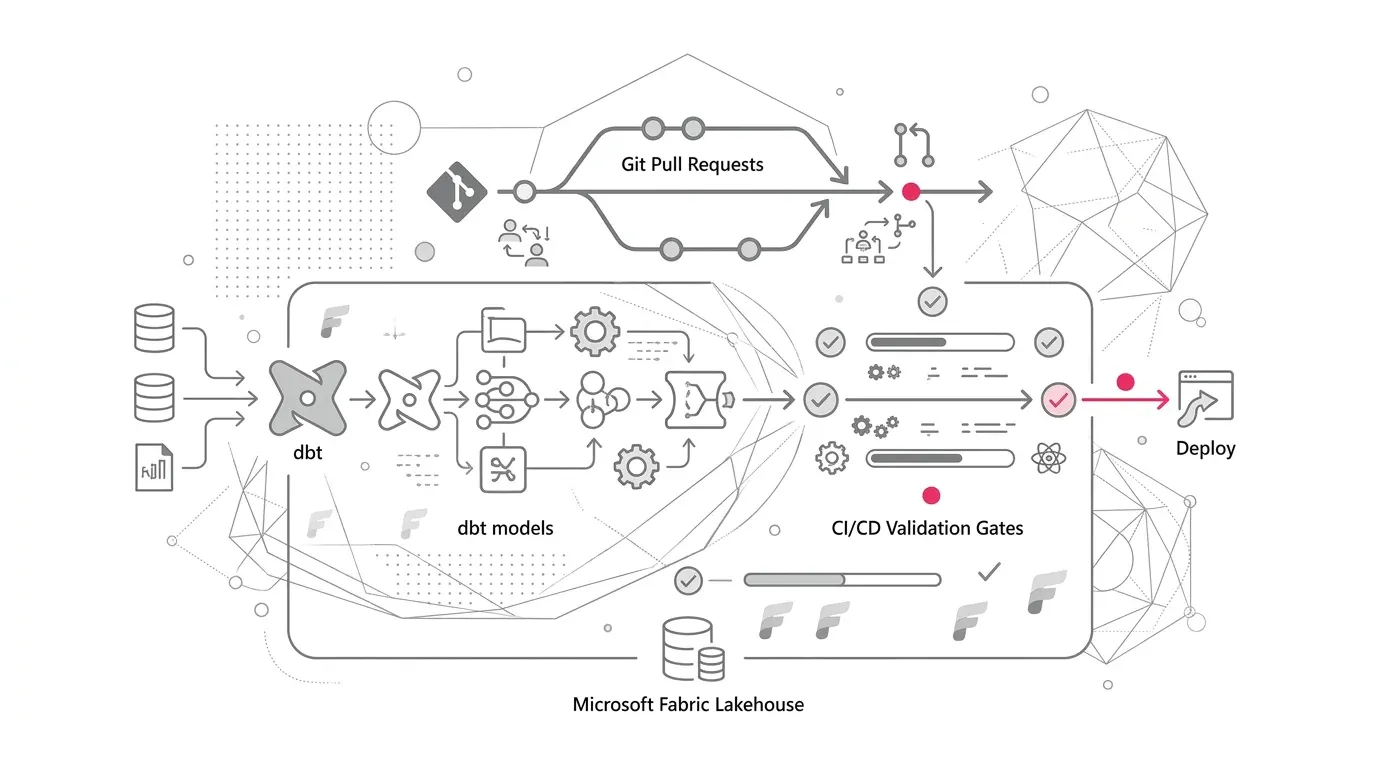
| Semantic regression | A model change alters answers across many reports and Copilot surfaces | Version the evaluation corpus and run it in CI/CD release gates |
| Capacity degradation | More natural-language questions create unpredictable query demand | Baseline, attribute, optimize, set thresholds, and expand in waves |
| Low adoption | Users cannot find or trust useful answers | Start with owned decisions, verified questions, citations, and role-based enablement |
| False confidence in previews | Control behavior or support may change | Track release status and avoid making preview-only behavior a critical control without compensating safeguards |
Success metrics
Measure outcomes across five dimensions:
Trust and answer quality
- Percentage of golden questions answered from the intended semantic model.
- Percentage meeting the expected numeric result or approved tolerance.
- Ambiguity rate: questions requiring clarification or returning the wrong business interpretation.
- Verified-answer trigger success for configured high-consequence questions.
- Median time to resolve a disputed answer.
Freshness and reliability
- Percentage of answers served while the underlying data product is within its decision-age SLO.
- Upstream completeness failures correctly preventing or qualifying decision use.
- Semantic-model refresh and query availability against target.
Security and governance
- Percentage of models with named owners, classification, certification decision, and current review date.
- RLS/OLS negative-path pass rate by persona.
- Percentage of Copilot-eligible models with an explicit AI-access decision and evidence.
- DLP policy-match, override, and remediation trends.
Adoption and business value
- Active users who complete defined decision workflows, not simply submit prompts.
- Reduction in time to locate an authoritative measure or report.
- Percentage of target questions resolved without analyst intervention.
- User-reported confidence paired with measured correctness.
Cost and performance
- Capacity units and query duration per accepted business answer.
- Throttling or latency attributable to conversational queries.
- Cost by domain, user cohort, and decision workflow.
- Percentage of performance issues resolved through model/query optimization before scale-up.
How YuniQ can help
YuniQ's published Microsoft Fabric services align to the work required for a governed Fabric IQ rollout. Its service page describes:
- Fabric Strategy & Readiness: current-state diagnostics, use-case value mapping, capacity planning, workspace topology, governance, security, and operating-model design.
- OneLake & Data Architecture: medallion layers, domain workspaces, open Delta patterns, workload optimization, and reusable semantic metrics.
- Data Integration & Engineering: Fabric Data Factory, lakehouse and warehouse implementation, Spark and Delta frameworks, data-quality observability, and exception handling.
- Governance, Security & DevOps: least-privilege Microsoft Entra ID design, Purview integration, lineage, development/test/production separation, Git and CI/CD, monitoring, and capacity alerts.
- Analytics, AI & Activation: certified Direct Lake semantic models, Power BI, streaming analytics, AI-ready data products, Copilot enablement, and operational alerts.
- Validation and scale: automated reconciliation, access testing, dual-run comparison, user acceptance, cutover, capacity optimization, and ongoing managed services.
For this use case, a practical YuniQ engagement would begin with a readiness assessment of the semantic-model estate and one high-value decision domain. It could then establish the authoritative Gold data product, prepare and validate the semantic model for AI, implement security and release gates, run a production-shaped proof of value, and use observed quality and capacity evidence to plan wider adoption. These activities are consistent with YuniQ's stated Discover, Architect, Prove, Migrate & Build, Validate & Launch, and Optimize & Scale framework. YuniQ Microsoft Fabric Consulting & Implementation Services
Practical next steps
- Ask the Fabric and Microsoft 365 administrators to document the three tenant settings that affect Fabric data in Microsoft 365 Copilot, including geographic-processing decisions.
- Export an inventory of semantic models that target users can access; record certification, owner, last refresh, RLS/OLS, sensitivity label, Copilot approval, and model-level AI access.
- Choose one consequential question set, such as revenue variance, service backlog, or supply risk, and identify the one model that should answer it.
- Create 20-30 representative prompts across golden, ambiguous, security, and change categories; capture expected sources and results.
- Prepare the model using a focused AI schema, verified answers, instructions, and descriptions, then test with production personas.
- Run a time-boxed pilot with capacity, freshness, security, quality, and adoption thresholds agreed in advance.
- Expand only after the evidence shows that users receive the right answer from the right source within the required policy and freshness boundaries.