The new European accessibility standard is final. Your implementation deadline is not. That distinction matters for any organization producing statements, notices, letters, reports, grant communications, policies, or other high-volume documents. Treating publication as an immediate legal mandate creates noise. Treating it as irrelevant until formal citation wastes a valuable preparation window.
EN 301 549 v4.1.1 was published in September 2026. It moves the European accessibility benchmark for websites, software, and digital documents from WCAG 2.1 to WCAG 2.2. But it is not yet the harmonized legal reference for demonstrating conformity with the European Accessibility Act (EAA) or the EU Web Accessibility Directive (WAD). Until the European Commission cites the new version in the Official Journal, v3.2.1 remains the current reference.
That is the central fact in AccessibleEU's September 2026 guidance : there is no new deadline attached to publication, but organizations should begin reviewing digital documents, testing processes, procurement requirements, and supplier expectations now.
Executive Takeaway: Use the next 90 days to make accessibility repeatable at the template and production-workflow level. Do not launch a mass remediation program before confirming legal scope, document priority, and the evidence you actually need.
What EN 301 549 v4.1.1 Changes
The headline change is alignment with WCAG 2.2. W3C identifies nine new success criteria compared with WCAG 2.1: six at Level A or AA and three at Level AAA. The update also removes 4.1.1 Parsing, which W3C considers obsolete.
For leaders, the operational significance is broader than a checklist update. The six new A/AA criteria address visible keyboard focus, alternatives to dragging, minimum target size, consistent help, repeated data entry, and accessible authentication. Some apply directly to interactive web portals, while others govern forms, authentication, and document viewer controls. The updated European standard also mandates that websites and documents better respect user accessibility preferences.
The release includes a new mapping to the European Accessibility Act. That will make it easier to relate technical requirements to covered products and services when the version is formally cited. It does not mean every enterprise document is suddenly within the Act.
What It Does Not Change Yet
Publication and harmonization are separate events. A European standard gains legal force as a harmonized reference when a specific version is cited in the Official Journal of the European Union. The European Commission's standards guidance explains that not every published version is harmonized and that later WCAG versions do not become legally relevant to the Web Accessibility Directive automatically.
The European Commission's EAA overview also shows why scope must come first. The Act covers specified products and services, including banking, e-commerce, passenger transport, electronic communications, and e-books. It is not a blanket rule for every organization or every PDF. National implementation and the role of a communication within a covered service still matter.
The practical stance is precise: keep the current legal baseline where it applies, establish WCAG 2.2 and v4.1.1 as the forward engineering target, and track the Official Journal citation process. Legal, accessibility, and procurement teams should agree on that two-baseline model before asking authors or vendors to change templates.
Why Customer Documents Need Their Own Readiness Plan
A website team can fix a shared component and deploy it once. Customer communications are often more fragmented: hundreds of templates, conditional clauses, charts, tables, variable data, attachments, languages, brands, and delivery routes. A source template may look accessible while one generated combination is not.
That creates four recurring enterprise risks:
- Scale Risk: A defect in one reusable block or header can propagate across millions of generated statements or notices.
- Variant Risk: Dynamic data length, pagination splits, conditional clauses, and localization can disrupt reading order or tagging structure.
- Assembly Risk: An accessible primary document can be corrupted when appending an inaccessible third-party PDF attachment or legacy insert.
- Evidence Risk: A team may have a passing validator score but lack an auditable trail connecting template versions, data scenarios, reviewer sign-offs, and exceptions.
The answer is not to test every document manually. It is to design controls at the reusable-template level, then test representative outputs based on risk.
WCAG, EN 301 549, and PDF/UA: Different Jobs
Executives often hear these terms used interchangeably. They are related, but they solve distinct parts of the problem:
- Law defines obligations and scope: The EAA, WAD, national transpositions, U.S. ADA Title II, Section 508, procurement rules, and contracts determine who must comply and what is covered.
- EN 301 549 provides testable ICT requirements: When a version is harmonized, meeting its applicable clauses provides a presumption of conformity.
- WCAG describes accessibility outcomes: WCAG is the international benchmark for web content, and W3C's WCAG2ICT guidance explains how its principles apply to non-web documents and software.
- PDF/UA specifies accessible PDF mechanics: It governs ISO 14289 tagged PDF structure, but as the PDF Association notes, PDF/UA-2 conformity alone does not guarantee accessible content (such as contrast, color independence, or cognitive readability).
Operational Rule: A mature program does not ask a PDF validator to provide a legal opinion, or ask a legal scope memo to prove that a screen reader can navigate a complex data table.
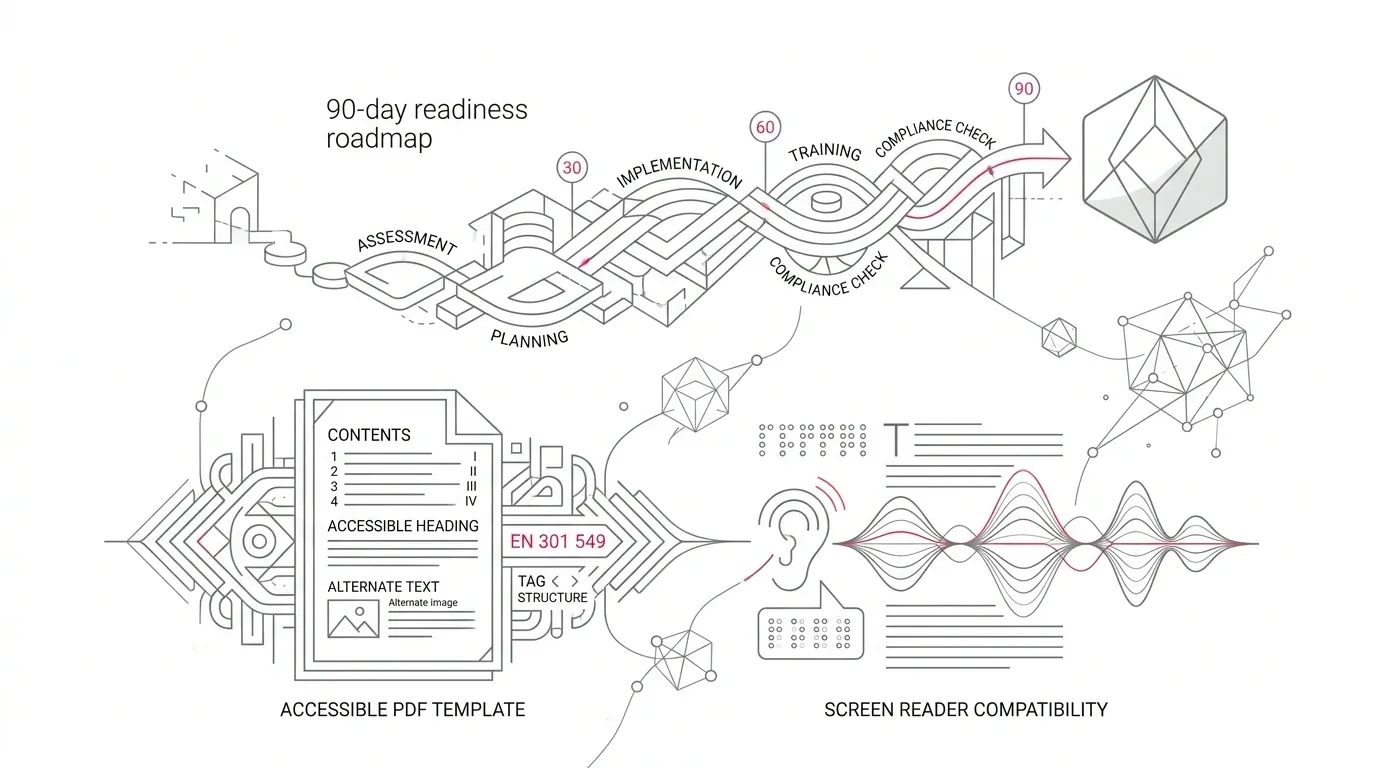
A 90-Day Readiness Plan for Document Operations
Days 1–15: Establish Scope and Ownership
Start with services and audiences, not file counts. Identify which business units operate covered services in Europe, which teams serve EU public bodies, which U.S. operations deliver public content under ADA Title II, and which foundation programs publish critical public resources.
Assign one accountable program owner. Bring together legal, accessibility, customer communications, technology, procurement, and records management. Document which standard and version each contract references.
Days 16–30: Inventory by Risk, Volume, and Reuse
Capture document families, templates, reusable components, generation engines, data sources, inserted assets, languages, channels, annual volume, and audience impact. Prioritize documents affecting access to funds, healthcare, dispute processes, rights, or deadlines.
Days 31–45: Build a Two-Baseline Control Matrix
Create one matrix with three columns: the current applicable requirement (e.g. v3.2.1 / WCAG 2.1 AA), the forward target (v4.1.1 / WCAG 2.2 AA), and the required evidence. This prevents teams from confusing ongoing compliance with forward preparation.
Days 46–60: Fix Templates and Reusable Components Upstream
Define accessible design patterns for statements, tables, callouts, charts, footnotes, notices, signatures, and attachments. Control language metadata, heading hierarchy, and reading order as template properties during authoring rather than post-generation remediation.
Days 61–75: Test Representative Dynamic Outputs
Test dynamic edge cases: longest customer names/addresses, empty data fields, multi-page tables, multilingual documents, extreme chart values, and high-magnification views. Combine automated validators with expert human assistive-technology testing.
Days 76–90: Operationalize Evidence and Procurement Controls
Define release gates that record template version, output samples, test methods, assistive technology environments, and exceptions. Update RFP and vendor renewal contracts with verifiable conformance requirements.
Eight Questions to Put in the RFP or Vendor Renewal
- Show us the authoring controls: How do designers define headings, lists, tables, reading order, language, alt text, summaries, contrast, and interactive labels?
- Show us prevention, not only remediation: Which issues are blocked, warned about, scored, or routed for review before publication?
- Demonstrate dynamic output: Generate our hardest template with long data, conditional sections, multilingual content, charts, and attachments.
- Explain inserted-file handling: What happens when a third-party PDF, image, or legacy attachment does not meet the target baseline?
- Define test coverage: Which requirements are automated, which require human judgment, and which assistive technologies and viewers are tested?
- Provide traceability: Can we link an output to its template version, source data scenario, test evidence, approvals, and exceptions?
- State the exact claim: Is the vendor claiming feature support, tested output, conformance to a named standard, or independent certification?
- Commit to change management: How will the provider handle future Official Journal citation, standards updates, defects, and regression testing?
How Perfect Doc Studio Fits the Readiness Model
Perfect Doc Studio provides native accessibility controls embedded directly into document design and generation workflows. It features a built-in Accessibility Validator that provides scores and suggestions, an Accessibility Preview, and element-level and document-level summary authoring. Its high-volume document generation engine supports drag-and-drop template design, reusable modular sections, conditional logic, batch processing, and job monitoring.
These capabilities put accessibility decisions directly into design and production. Conformance depends on configuration, authored content, source data, testing, and legal scope. Organizations should test representative document families with real enterprise data.
The Executive Decision: Prepare Without Pretending
There is no reason to manufacture a compliance emergency. There is also little strategic value in waiting for formal harmonization before understanding the gap. A disciplined 90-day program gives leaders a defensible view of scope, a prioritized document portfolio, and an operating model that absorbs future standards changes seamlessly.
Ready to Modernize High-Volume Customer Documents?
Choose one high-volume, high-consequence document family and test the complete path from template and data to accessible output with Perfect Doc Studio.
Explore Perfect Doc StudioFrequently Asked Questions
Is EN 301 549 v4.1.1 mandatory now?
Not as the harmonized legal reference at EU level. AccessibleEU notes that v4.1.1 has been published but has not yet been cited in the Official Journal for the EAA or WAD. The currently referenced version remains v3.2.1. Organizations should adopt v4.1.1 as a forward engineering target.
Does EN 301 549 v4.1.1 create a new compliance deadline?
No. AccessibleEU explicitly states that publication does not create a new deadline. It recommends using this window to review digital documents, testing, procurement, and supplier requirements.
Does WCAG 2.2 apply to PDF documents?
WCAG was written for web content, but W3C's WCAG2ICT guidance explains how WCAG 2.2 principles and success criteria apply to non-web documents and software.
Is a PDF/UA file automatically WCAG-conformant?
No. PDF/UA is a technical standard for tagged PDF structure, but the PDF Association confirms that PDF/UA-2 conformity alone does not ensure accessible content, contrast, or cognitive usability.
Can an automated validator prove document accessibility?
No single automated tool can prove accessibility. W3C notes that tools cannot check all aspects automatically and human judgment is required. Combine automated checks with expert and assistive-technology testing.
What does the U.S. ADA Title II rule require?
The Department of Justice rule applies to state and local government web content and mobile apps using WCAG 2.1 Level AA, with compliance dates extended to April 26, 2027 (entities serving 50k+) and April 26, 2028 (smaller entities).