Executive summary
Microsoft retired the Dynamics 365 Export to Data Lake service on 1 November 2024 and says the service will permanently stop on 30 November 2026. After that date, the legacy add-in will no longer export new or changed data. Microsoft also says there will be no further extension. Files already written to the customer-managed lake will remain, but any dashboard, finance process, operational feed, or downstream model that depends on continuing changes can silently become stale. Microsoft's transition FAQ
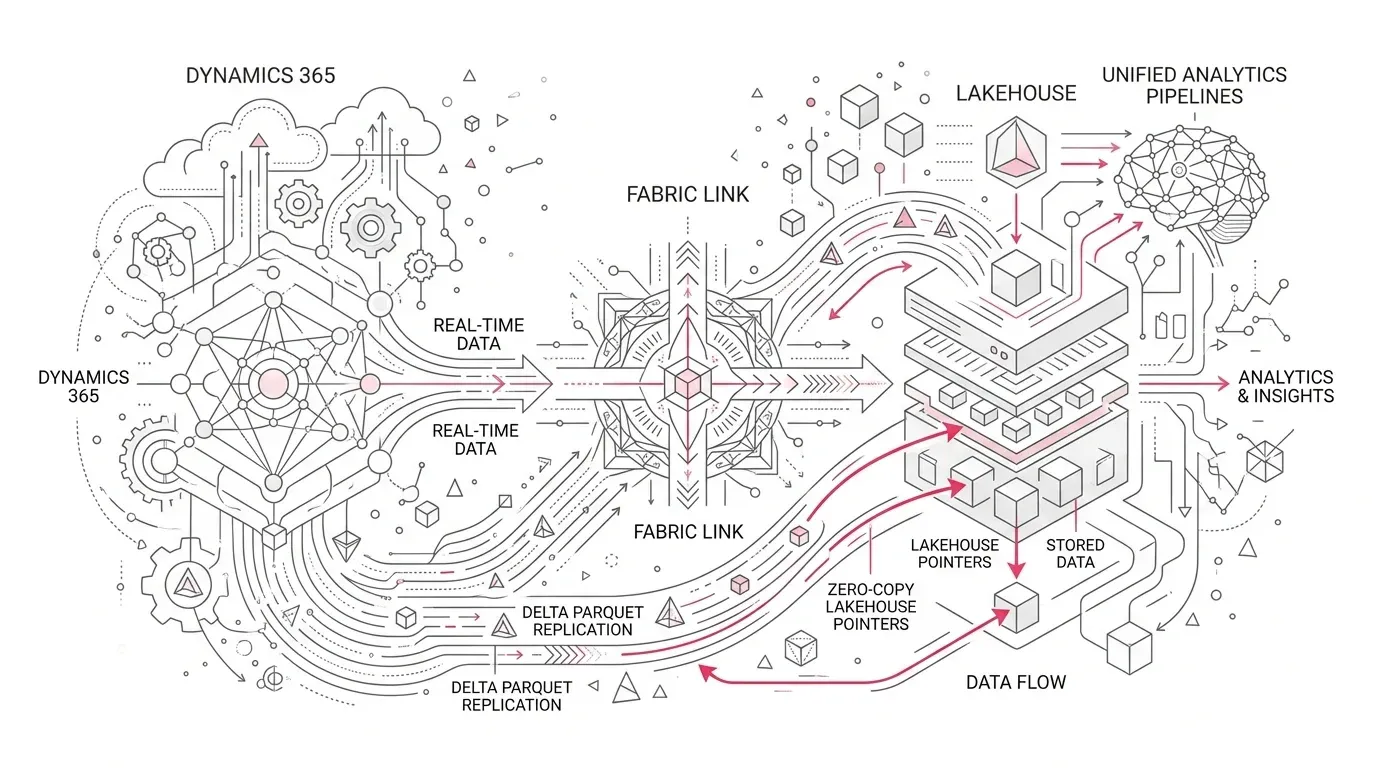
For organizations already investing in Microsoft Fabric, Link to Fabric with low-latency sync is Microsoft's recommended transition path. It creates a managed, read-only replica of eligible Dataverse and Dynamics 365 data, exposes that data through OneLake shortcuts, and removes the need to operate the old CSV export and staging chain. However, this is not a connector swap. The target changes the data format, security boundary, delete semantics, schema details, freshness behavior, query engines, and cost model.
The safe migration pattern is therefore:
- Discover every dependency on the legacy export, including consumers that bypass formal pipelines.
- Decide whether each workload belongs on Fabric Link or Azure Synapse Link.
- Land linked data in a restricted source-aligned workspace and publish stable Silver and Gold contracts for consumers.
- Reconcile data and business outcomes in parallel under production-shaped volume and identities.
- Cut over by dependency group, prove freshness and completeness, and only then uninstall the legacy add-in.
This article explains that path in detail. The architecture and control recommendations are implementation guidance; product behavior and deadline statements are linked to Microsoft documentation.
The enterprise problem: the export can stop while the reports still look healthy
The most dangerous failure on 30 November is unlikely to be a red error banner. It is a plausible-looking report backed by yesterday's files.
The legacy Export to Data Lake add-in used change data capture to write CSV data into a customer-managed Azure data lake. Enterprises often built years of downstream dependencies over those files: ingestion pipelines, SQL staging tables, finance reconciliations, Power BI models, regulatory extracts, machine-learning features, and integrations to non-Microsoft systems. Some dependencies are scheduled. Others read files directly or rely on naming, folders, metadata, and delete patterns that have become implicit contracts.
Microsoft states that existing exported files remain after shutdown. That creates a specific operational risk: storage paths can continue to resolve even though new changes no longer arrive. A pipeline may complete successfully after reading an unchanged folder. A dashboard may refresh successfully from a stale warehouse. Unless freshness is measured against the source business process, technical success can conceal business failure.
The transition is urgent because the remaining work is not just initial synchronization. Large environments need time for inventory, destination selection, capacity and regional prerequisites, schema remediation, historical decisions, security testing, performance baselining, parallel operation, business acceptance, cutover, and rollback preparation.
Representative enterprise scenario
Consider a representative multinational manufacturer using Dynamics 365 Finance and Supply Chain Management. This is an illustrative scenario, not a YuniQ customer case.
The company exports finance, inventory, procurement, and order data to Azure Data Lake Storage. Several processes depend on it:
- Power BI models report inventory exposure, margin, order backlog, and month-end performance.
- A warehouse merges Dynamics data with manufacturing, logistics, and CRM sources.
- A regulatory extract uses a SQL staging table built from exported CSV files.
- Data science teams derive demand and late-delivery features.
- Regional teams maintain undocumented scripts that read lake folders directly.
The platform team enables Fabric Link and sees tables in a lakehouse. The migration appears complete. But four hidden breaks remain:
- A downstream query expects an old identifier name rather than the new FnO_Id field.
- Deleted rows are now retained with an isDelete indicator, so an inventory aggregate overstates active records.
- A report treats an empty string as NULL, changing a business classification after low-latency sync.
- A peak invoice run exceeds the team's assumed freshness target, while the monitoring dashboard measures only whether a pipeline ran.
None of these failures is solved by creating the link. They require an explicit data contract and cutover evidence.
Root causes and consequences
1. The legacy file layout became an undocumented interface
Years of consumer code may depend on CSV schemas, folder paths, file-arrival patterns, column names, or custom staging logic. Those dependencies are rarely visible from the Dynamics environment alone. The result is an incomplete migration inventory and late discovery during cutover.
2. Teams confuse data availability with business equivalence
Fabric Link makes data available in Delta or Parquet through OneLake, but equivalent table counts do not prove equivalent decisions. Microsoft documents schema and behavior differences, including renamed SQL reserved words, FnO_Id, soft deletes through isDelete, removed legacy time-zone fields, omitted binary fields, and truncation of some long text values. Microsoft transition FAQ
For low-latency sync, Microsoft also documents differences from earlier Fabric links: choice metadata no longer includes createdonpartition, newer Delta capabilities can include deletion vectors, and empty strings are preserved rather than converted to NULL. These differences can alter joins, filters, counts, and downstream compatibility even when synchronization is working as designed. Fabric Link for Dataverse FAQ
3. The destination is selected by platform preference rather than consumer need
Microsoft describes two complementary patterns:
- Link to Fabric is the recommended, managed, no-copy/no-ETL option for most customers moving from legacy services.
- Azure Synapse Link remains appropriate when the organization must continue exporting data to its own storage, use non-Microsoft consumers, or preserve an incremental change-feed pattern.
Choosing Fabric Link for every workload can force unnecessary rewrites for consumers that require customer-owned storage. Choosing Synapse Link for everything can retain avoidable storage, pipeline, and operational complexity. Transition from legacy data integration services
4. Human credentials survive into production
Fabric Link supports organizational accounts, service principals, and workspace identity. Microsoft recommends workspace identity in the current setup flow because it avoids secret management and common service-principal configuration problems. The identity still has to be onboarded as an application user in Dataverse and given an appropriate role. A link owned through an employee account reintroduces departure, password, and conditional-access risk into a supposedly modernized path. Configure Link to Microsoft Fabric
5. Freshness is assumed rather than engineered
Sync latency varies with historical load, data churn, table width, table count, long-running transactions, and Change Data Feed. Microsoft's published latency examples are indicative, not an SLA. The guidance emphasizes production load patterns and P95 freshness rather than a single average. Plan latency for Link to Fabric
The consequence is not merely a slower dashboard. Stale inventory can change replenishment decisions; incomplete finance changes can distort close reporting; missed deletes can inflate operational counts; and a broken downstream feed can interrupt processes outside analytics.
Why common migration approaches fall short
"Create the link and repoint the reports"
This skips dependency discovery, schema translation, delete handling, business reconciliation, and security testing. It proves connectivity, not equivalence.
"Preserve every legacy stage exactly"
Recreating the whole CSV-to-staging architecture in Fabric reduces cutover change, but it can also preserve redundant copies, latency, brittle transformations, and operating cost. Compatibility layers should be explicit and temporary unless a real consumer requirement justifies them.
"Validate with row counts"
Row counts miss soft deletes, duplicate business keys, truncation, changed null behavior, choice-label differences, late-arriving changes, and wrong security results. Validation must include control totals and business outcomes.
"Use the final week as the parallel run"
An initial load that succeeds under normal activity says little about invoice bursts, planning runs, month-end processing, or recovery from a schema change. A production-shaped soak period needs enough time to observe both normal and peak operating cycles.
"Grant broad workspace access, then refine it later"
Workspace roles and data access are separate concerns in Fabric. Admins, Members, and Contributors have broad data access; granular OneLake security is primarily used to shape what Viewers or users with item Read permission can see. A wide workspace role can therefore bypass the intended data-plane restriction. Data security in OneLake
A Microsoft Fabric solution architecture
The target architecture should separate source replication from consumer contracts. That separation absorbs product-level schema and synchronization behavior without forcing every report to understand raw Dataverse structures.
Dynamics 365 / Dataverse
  |  eligible tracked tables, managed low-latency replication
  v
Dataverse-managed analytical replica
  |  Link to Fabric + durable workspace identity
  v
Restricted source-aligned Fabric workspace
  |  link-created lakehouse and OneLake shortcuts (read-only source layer)
  |  freshness, schema, volume and delete-state observations
  v
Contract transformation layer
  |  Silver Delta tables or Fabric Warehouse
  |  stable names, types, keys, labels, delete rules, quality tests
  v
Governed data products
  |  Gold aggregates and certified semantic models
  v
Power BI, operational analytics, data science and approved exports
1. Create a source-aligned landing boundary
Treat the link-created lakehouse as a managed source interface, not the enterprise serving layer. Restrict workspace membership, use security groups, and keep general consumers out of contributor-level roles. Record the Fabric workspace ID, lakehouse ID, Dataverse environment, selected tables, link owner, identity, region, criticality, and support owner in a control register.
Do not parse or embed the generated lakehouse display name in code. Microsoft's setup guidance warns that the naming pattern can change and recommends stable identifiers instead. Configure Link to Microsoft Fabric
Keep organization-owned Silver and Gold tables in separately managed lakehouses or warehouses. Microsoft documents that unlinking Fabric removes the link-created lakehouse and its Dataverse shortcuts; dependent Fabric items can also prevent the unlink operation until those references are removed. A separate contract layer makes that lifecycle boundary visible and reduces the chance that an administrative unlink removes a serving layer the business assumed it owned. Fabric Link for Dataverse FAQ
2. Use durable authentication
Prefer a workspace identity where the organizational security model permits it. Create it in the target workspace, add it as an application user in Dataverse, grant only the role required for the intended tables and operations, and document ownership and review. Where a service principal is required, manage secret or certificate rotation as a production dependency. Avoid employee credentials for unattended production paths.
The current Microsoft documentation notes that the commonly assigned Dataverse role is System Administrator. That is a product setup fact, not a reason to ignore least privilege. Record the access requirement as an explicit exception or control decision, restrict who can use the associated Fabric connection, and review it periodically.
3. Publish a stable Silver contract
The Silver layer should convert source behavior into a versioned enterprise contract. Typical rules include:
- Map renamed identifiers and reserved-word columns to stable enterprise names.
- Define whether isDelete = true rows are excluded, retained as history, or propagated as tombstones.
- Normalize empty-string and NULL behavior according to the business definition.
- Resolve choice labels through supported metadata rather than hard-coded ordinal values.
- Test maximum text lengths and define handling for truncated source fields.
- Define business keys, duplicate policy, time-zone interpretation, and late-arriving change handling.
- Quarantine invalid records without blocking all publication, unless a critical invariant fails.
This layer is also the right place to preserve a legacy shape temporarily when many consumers cannot migrate at once. Microsoft's FAQ references a FastTrack transition tool that can create a Fabric warehouse with similar Export to Data Lake shapes. Treat any generated compatibility model as migration scaffolding: test it, own it, and assign a retirement date rather than assuming it removes the need for validation.
4. Build Gold products around decisions
Gold tables and semantic models should expose approved metrics such as available inventory, open orders, gross margin, invoice status, or customer service backlog. Consumers bind to these governed products rather than directly to source shortcuts. This reduces repeated source interpretation and gives security, quality, lineage, and performance controls a clear owner.
5. Measure decision-age freshness
A useful freshness control answers: "How old is the newest source change needed for this decision?" It should not merely report that the link is Active.
For each critical table or product, retain:
- A trustworthy source business timestamp or change watermark.
- The latest value visible in the linked source layer.
- The latest value published through Silver and Gold.
- The observation time and current lag.
- A workload-specific service-level objective and alert owner.
Be careful with SinkModifiedOn. Microsoft notes that it reflects when a row was written to the managed lake and can be updated more than once for long-running finance and operations transactions; subtracting it mechanically from ModifiedOn can misstate availability. Validate the measurement logic on tables whose timestamps reliably represent the business change. Fabric Link for Dataverse FAQ
A phased implementation roadmap
Phase 0: Establish ownership and the deadline control
Name one accountable executive, one technical service owner, and business owners for each critical consumer. Create a migration register with a last-safe-cutover date earlier than 30 November 2026. Reserve time after production cutover for observation and correction; do not make Microsoft's stop date the internal target.
Exit evidence: funded capacity and team, named owners, approved scope, decision log, cutover calendar, and escalation path.
Phase 1: Discover dependencies and classify workloads
Inventory the LCS add-in, storage accounts, folders, tables, CDC dependencies, pipelines, notebooks, SQL objects, semantic models, reports, extracts, service principals, network rules, schedules, and manual processes. Combine configuration evidence with storage and query logs to find consumers that formal lineage misses.
Classify every consumer by:
- business criticality and outage tolerance;
- required freshness and peak-cycle behavior;
- current schema and delete assumptions;
- target data ownership and residency requirement;
- whether it needs customer-owned storage or a change feed;
- security classification and user population;
- historical depth and reconciliation requirement.
Exit evidence: dependency graph, owner-confirmed consumer catalogue, and "unknown consumer" risk accepted or remediated.
Phase 2: Choose Fabric Link or Azure Synapse Link per workload
Use Fabric Link with low-latency sync when Fabric is the primary analytics platform, a managed read-only replica is acceptable, and consumers can use Fabric or supported endpoints. Use Azure Synapse Link when data must continue to land in customer-owned storage, when downstream tools need an exported feed, or when the incremental folder pattern is a hard contract.
Hybrid is valid. A governed decision is better than forcing one integration pattern across incompatible consumers.
Exit evidence: documented target for every dependency, with cost, security, residency, operability, and consumer compatibility considered.
Phase 3: Build the production foundation
Confirm that Fabric capacity is in the required geography, create environment-specific workspaces, configure durable identities and connections, select only required supported tables, and establish the restricted source layer. Then implement Silver contracts, Gold products, automated data-quality checks, observability, lineage, deployment controls, and capacity monitoring.
Table selection matters to cost. Microsoft's current setup guidance says only selected tables consume Fabric storage, while the transition guidance explains that Fabric Link also consumes Dataverse storage quota. Measure actual volume and compression rather than using a generic ratio as a budget commitment.
Exit evidence: deployed architecture, access matrix, monitoring, runbooks, restore/rebuild instructions, and tested deployment path.
Phase 4: Reconcile under production-shaped load
Run the legacy and target paths together. Test at least:
- record counts by legal entity, date, and business state;
- sums and balances for controlled finance measures;
- insert, update, and delete behavior;
- renamed, nullable, choice, long-text, date/time, and key fields;
- expected and unexpected schema changes;
- user and service identity access, including negative tests;
- typical, peak, catch-up, and recovery freshness;
- report results, exports, data-science features, and downstream interfaces;
- Fabric capacity consumption and Dataverse storage growth.
Reconcile both the data plane and the decision plane. A finance controller should approve balances; a supply-chain owner should approve inventory and order states; report owners should approve filters and drill paths.
Exit evidence: signed reconciliation pack, observed freshness distribution, performance baseline, cost forecast, resolved exceptions, and rollback rehearsal.
Phase 5: Cut over by dependency group
Freeze incompatible schema changes for the cutover window. Advance consumer groups in waves, starting with low-risk internal workloads and ending with regulatory or operationally critical feeds. For every wave, record the final legacy watermark, target watermark, reconciliation result, access result, performance result, and owner approval.
During the observation window, alert on stale-but-successful conditions: no source watermark movement during known business activity, unusual row-count deltas, missing partitions or entities, a growing freshness tail, or Gold publication that advances without its required inputs.
Exit evidence: every in-scope consumer uses the approved target and satisfies its business service level.
Phase 6: Retire the legacy add-in deliberately
Microsoft says uninstalling Export to Data Lake does not require environment downtime or restart, and existing files remain. Uninstalling begins the process of disabling the CDC that the add-in used. Retain historical files according to legal and records policy, remove obsolete secrets and schedules, reduce unnecessary infrastructure, and monitor for attempts to access the retired path. Microsoft transition FAQ
Exit evidence: uninstall confirmation, archive decision, removed credentials and jobs, residual-access report, updated architecture records, and post-cutover review.
Governance, security, adoption, and cost considerations
Governance
Assign ownership at three levels: source link, data contract, and business product. Catalog the products and document lineage from Dataverse through Silver and Gold to reports. Require schema-change impact assessment, contract versioning, and owner approval for breaking changes. The link being managed does not make downstream meaning managed.
Security
Separate control-plane roles from data-plane access. Keep workspace Admin, Member, and Contributor membership narrow; use groups; apply item permissions and OneLake security for consumers; test SQL, Spark, Direct Lake, and any external access paths used in production. Confirm that a user denied at the intended policy layer cannot obtain the same data through another endpoint.
Adoption and operating model
Train report developers on the Silver and Gold contracts, not on internal shortcut details. Give service-desk and operations teams symptom-based runbooks for stale data, missing tables, failed metadata propagation, access errors, and high capacity utilization. Assign business owners to freshness alerts so that technical teams do not have to infer the severity of an aging dataset.
Cost
Model the full before-and-after estate:
- Dataverse storage used by the managed analytical replica;
- Fabric capacity for transformations, queries, semantic models, and concurrency;
- retained Azure storage or Synapse services for workloads not moving to Fabric Link;
- dual-run cost during migration;
- monitoring, networking, and nonproduction environments;
- labor saved by retiring CSV conversion, staging, and bespoke orchestration;
- exit costs for compatibility layers that remain too long.
Microsoft's published cost examples are estimates, not promises. Baseline actual legacy spend and observe target consumption under representative month-end and peak volumes before committing to a capacity or savings figure. Transition from legacy data integration services
Success metrics
Use a balanced scorecard rather than a single "migration complete" status.
| Outcome | Suggested measure |
|---|---|
| Dependency coverage | 100% of identified consumers have an owner, target, test result, and cutover state |
| Business reconciliation | Zero unexplained variance in approved control totals and critical KPIs |
| Freshness | P50, P95, and maximum decision age meet workload-specific objectives during normal and peak cycles |
| Delete correctness | 100% of test deletes produce the approved downstream state |
| Schema resilience | All material documented schema differences have an implemented, tested contract rule |
| Security | All persona-based positive and negative access tests pass across production query paths |
| Identity resilience | No unattended production dependency uses an employee credential |
| Reliability | No stale-but-green condition escapes detection during the parallel run and observation window |
| Cost | Actual Dataverse storage and Fabric capacity remain within the approved forecast band |
| Retirement | No approved consumer reads the legacy path after cutover; obsolete credentials and jobs are removed |
How YuniQ can help
This transition needs the same capabilities YuniQ describes for complex Fabric modernization: discovery of pipelines, dependencies and data flows; workload rationalization and phased migration waves; historical transfer and automated reconciliation; parallel-run validation; and controlled legacy retirement. YuniQ's published Microsoft Fabric services also cover capacity planning and workspace topology, OneLake and medallion architecture, Lakehouse and Data Warehouse implementation, data-quality observability, Microsoft Entra least-privilege design, Purview integration, lineage, CI/CD, semantic models, and Power BI. YuniQ Microsoft Fabric Consulting & Implementation Services
For an Export to Data Lake transition, those services can be applied to a concrete engagement:
- Diagnose the legacy Dynamics export estate and map every critical consumer.
- Design the Fabric Link, Azure Synapse Link, workspace, identity, contract, and capacity decisions.
- Prove one high-value workload with real data and production-shaped validation.
- Build reusable Silver and Gold patterns with monitoring, governance, and deployment controls.
- Reconcile and cut over dependency groups through a controlled parallel run.
- Optimize capacity and retire legacy infrastructure after business acceptance.
These statements reflect YuniQ's published service positioning; they do not assert a specific customer outcome for this scenario.
Practical next steps
This week, enterprise data leaders should do five things:
- Confirm whether any production or sandbox environment still has the Export to Data Lake add-in installed.
- Identify the storage account and inspect recent file and query activity to expose active consumers.
- Assign business owners to the ten most critical downstream decisions, not just the ten largest tables.
- Choose a pilot that includes inserts, updates, deletes, security, and a meaningful peak-volume period.
- Set an internal production cutover deadline that leaves a protected observation window before 30 November 2026.
The decisive question is not whether Fabric can display the Dynamics tables. It is whether every business decision that depended on the legacy export can continue with proven data, access, freshness, cost, and ownership after that export stops.