Executive summary
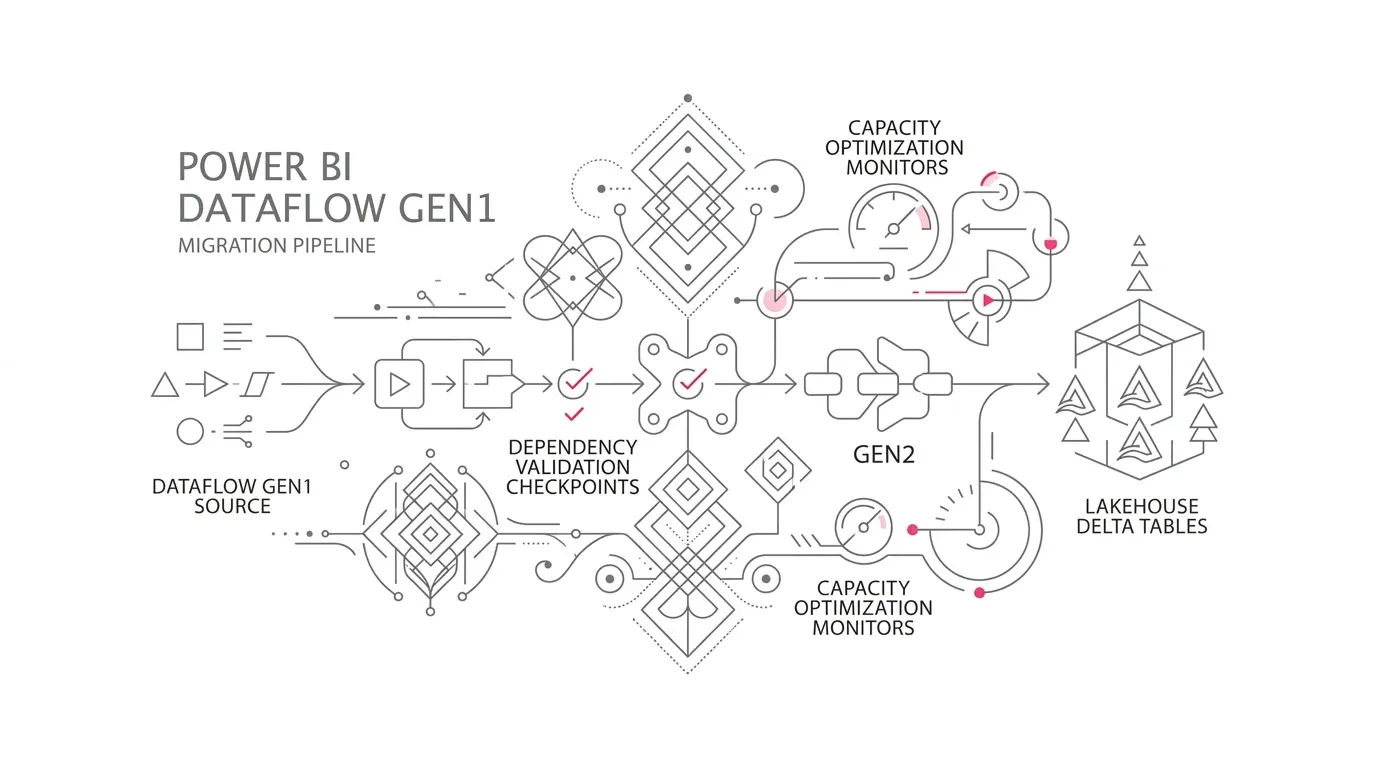
Power BI Dataflow Gen1 is now a legacy technology for Fabric-capacity customers, and Microsoft recommends Dataflow Gen2 as the path for continued investment. The new Dataflows Upgrade Wizard lowers the mechanical effort: it can replace a Gen1 item in place while preserving its name, ID, schedule, and connections.
That convenience does not make the migration low risk. A completed upgrade is irreversible. The wizard assesses the dataflow itself, not every item that consumes it. It does not carry over cached historical data or Gen1 incremental-refresh settings. Legacy connector users can fail on their next refresh, while imported reports may continue showing old data and appear healthy. Dataflow Gen2 also introduces different compute, storage, deployment, access, and operating behaviors.
Enterprise leaders should therefore manage the move as a dependency-led service transition, not a bulk conversion exercise. The practical pattern is to:
- Build an evidence-based inventory of dataflows, consumers, owners, credentials, refresh chains, historical-data requirements, and business criticality.
- Choose in-place upgrade, side-by-side migration, or redesign for each dependency group rather than applying one method to the whole estate.
- Establish a durable output contract in a Lakehouse or Warehouse where appropriate, instead of treating managed staging as a system of record.
- Validate data, security, orchestration, refresh behavior, performance, and Capacity Unit (CU) consumption before cutover.
- Release in dependency order, with explicit acceptance criteria, owner sign-off, enhanced monitoring, and a fallback that remains possible.
The result should not merely be “Gen2 items exist.” It should be that every important business decision still receives complete, current, authorized, and cost-controlled data.
The enterprise problem: a successful upgrade can still create stale analytics
Dataflows often begin as convenient, team-owned Power Query transformations. Over time, they become shared integration services. A single Gen1 dataflow may feed semantic models, other dataflows, Excel workbooks, Power Apps, or operational extracts. Its name and workspace may be visible, but its complete dependency graph, refresh expectations, data contract, and accountable owner often are not.
The upgrade can therefore be technically successful while the analytical service is not:
- A semantic model using the legacy PowerBI.Dataflows connector retains imported data immediately after the upgrade, then fails on its next refresh.
- A downstream dataflow remains bound to an old reference and returns stale data until it is opened and saved.
- A linked-entity chain loses its cascading-refresh behavior, changing when dependent data becomes current.
- Incremental-refresh settings disappear, causing a full-load pattern, excess source pressure, longer refreshes, or incomplete history.
- A user who previously consumed a dataflow as a Workspace Viewer can no longer read the upgraded tables through the connector.
- An external script continues calling the Power BI REST API even though Gen2 management uses the Fabric REST API, which does not have full parity.
- Staging, Warehouse compute, or a different execution profile consumes more capacity than the Gen1 workload it replaced.
These are not edge concerns. Microsoft explicitly states that the wizard does not discover all downstream consumers and cannot assess Power BI Desktop or Excel files stored outside Fabric. Microsoft also warns that Dataflow Gen2 uses a different compute and billing model and recommends validating refresh duration and CU consumption. The business risk is a false green status: the item converted, yet the data product degraded.
Representative enterprise scenario
The following is a representative scenario, not a YuniQ customer case or a claim about achieved results.
A multi-division enterprise has 280 Gen1 dataflows across finance, operations, sales, and service workspaces. Some prepare reusable dimensions; others perform departmental extracts. They support 170 semantic models, numerous Excel workbooks, and several linked-entity chains. Ownership reflects years of employee movement. Refresh schedules overlap around 06:00, just before executive reporting begins.
The platform team starts with a low-complexity workspace. The upgrade wizard reports most items as ready. The team upgrades 25 dataflows in place and sees “Upgrade Completed.” The next morning, the executive dashboard still opens because its semantic model contains yesterday’s imported data. Its scheduled refresh later fails because its query uses the legacy connector. A related downstream dataflow is still serving cached output. At the same time, two migrated transformations now stage large intermediates, increasing capacity load during the morning peak.
No single failure caused the incident. The control failure was treating the dataflow as the unit of migration when the real unit was the end-to-end dependency group: source, connection, transformation, output, consumers, refresh orchestration, identity, security, capacity, and business owner.
Root causes and consequences
1. The inventory stops at the workspace boundary
Fabric lineage view is valuable, but it shows all connections inside a workspace and only one level of upstream sources outside it. Downstream items in other workspaces require impact analysis, and manually authored mashup queries may not render lineage reliably. Local .pbix and .xlsx files add another blind spot.
Consequence: an apparently isolated upgrade can break a cross-workspace semantic model or an unmanaged executive workbook.
2. The stored cache is mistaken for durable history
Gen1 stores a cache sourced from upstream systems. Dataflow Gen2 uses a different storage architecture, so that cached data is not carried across by the upgrade. If the source can no longer reproduce historical records, the cache may be the only accessible copy even though it was never intended to be the system of record.
Consequence: years of analytical history can become unrecoverable, or reports can silently shorten their time horizon.
3. IDs are treated as the whole contract
The wizard preserves the dataflow ID, name, schedule, and connections, but downstream compatibility also depends on connector function, entity navigation, storage destination, schema, refresh semantics, permissions, and API behavior.
Consequence: references look stable in an inventory while runtime behavior changes underneath them.
4. Refresh chains are implicit
Gen1 linked entities can trigger cascading refreshes. Dataflow Gen2 does not support that behavior; Microsoft advises using a pipeline or schedule to trigger downstream refreshes separately.
Consequence: downstream data may refresh before upstream data is ready, producing internally inconsistent reporting periods.
5. Platform ownership is confused with business acceptance
A platform administrator can prove that an item refreshed. Only a data owner can confirm that balances reconcile, row-level access remains correct, a key dimension retains its history, and the data met its business freshness objective.
Consequence: migration closure is declared on technical status rather than decision fitness.
Why common approaches fall short
“Upgrade everything marked ready”
“Ready to migrate” means the wizard found no dataflow-level issue that needs a manual step. It does not prove the absence of external consumers, undocumented refresh dependencies, local files, capacity risk, or business reconciliation failures.
“The ID is unchanged, so consumers are safe”
Preserved identity helps, but the legacy Power BI Dataflows connector cannot read an upgraded Gen2 item. Consumers using that connector must move to PowerPlatform.Dataflows or, preferably for enterprise products, to an explicit Lakehouse or Warehouse destination when that architecture fits.
“Lineage view is the complete dependency map”
Lineage view is one evidence source, not the whole inventory. Microsoft recommends APIs and mashup-expression inspection to find dataflow dependencies across semantic models; Excel dependencies require separate discovery.
“A successful first refresh proves equivalence”
A refresh can finish while row counts, aggregates, null behavior, types, security exposure, incremental boundaries, or downstream freshness differ. Gen2 destination columns currently default to allowing nulls, and Delta Lake does not support case-sensitive duplicate column names such as MyColumn and mycolumn.
“Use staging as the shared output”
Microsoft describes Gen2 staging as a cache, not a system of record, and says users should not directly access its internal storage. A governed data destination provides a clearer contract for durable, reusable enterprise data.
The Microsoft Fabric solution: migrate the dependency group
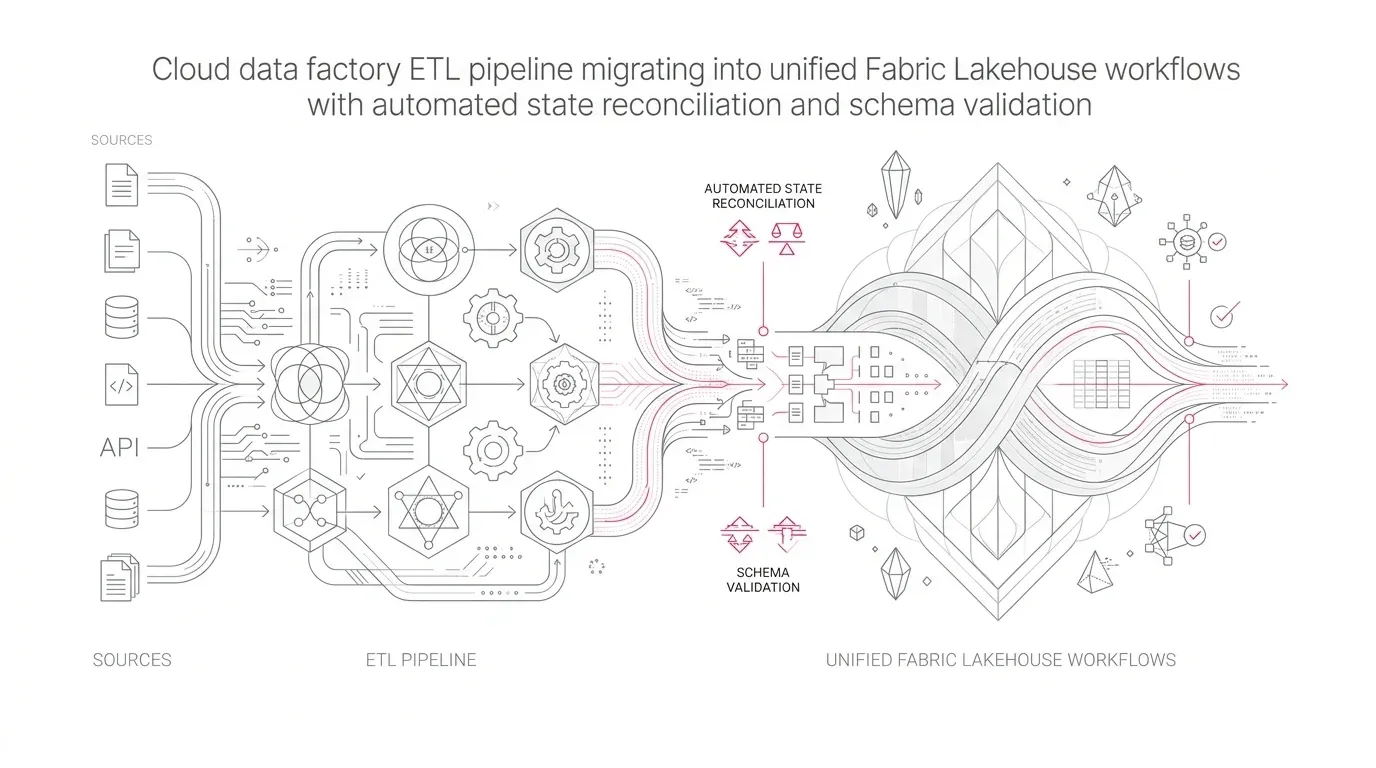
The solution is a controlled migration factory whose unit of change is a complete dependency group. Each group contains one or more related dataflows plus their sources, connections, refresh triggers, destinations, consumers, security rules, owners, and service objectives.
Target architecture
Operational and SaaS sources
        |
        | governed connections, gateway, durable identity
        v
Dataflow Gen2 (CI/CD)
        |
        | Power Query transformations; staging only when justified
        v
Explicit data product destination
   +----------------------+-----------------------+
   |                      |                       |
Lakehouse            Warehouse              Connector access
open Delta data      SQL permissions         limited transition use
   |                      |                       |
   +----------+-----------+-----------------------+
              |
              v
Semantic models, reports, Excel, applications, downstream dataflows
              |
              v
Freshness, reconciliation, access, lineage, refresh, and CU telemetry
This is a reference pattern, not a rule that every flow needs a new destination. Microsoft supports consuming Gen2 through the modern dataflow connector. However, for shared enterprise data products, an explicit Lakehouse or Warehouse destination creates a more durable interface and avoids treating staging internals as a contract. Select a Warehouse when SQL-oriented consumers require granular object, row, or column controls; select a Lakehouse when open Delta access, engineering, and reuse across Fabric engines are primary needs.
1. Create a migration control register
Build a register that joins technical inventory with business accountability. At minimum, capture:
| Control field | Why it matters |
|---|---|
| Dataflow ID, name, type, workspace, capacity | Establishes identity and placement |
| Technical owner and business data owner | Separates operation from acceptance |
| Sources, credentials, gateway, privacy level | Exposes access and network dependencies |
| Enabled queries, linked entities, incremental refresh | Identifies conversion blockers and redesign work |
| Schedule, duration, peak window, failure history | Defines the current service behavior |
| Semantic models and downstream dataflows | Maps visible Fabric consumers |
| Excel, `.pbix`, Power Apps, scripts, REST clients | Captures off-platform and API dependencies |
| Historical-data recoverability | Determines whether a pre-upgrade backup is mandatory |
| Data classification and access model | Defines security tests and destination choice |
| Criticality, freshness objective, recovery objective | Drives wave order and fallback duration |
| Baseline rows, hashes, aggregates, and CU use | Enables objective comparison |
Use Fabric lineage and impact analysis for interactive discovery. Supplement them with the Power BI REST dependency APIs and Fabric scanner APIs recommended in Microsoft's Gen1-to-Gen2 migration scenarios . Search semantic-model mashup expressions for dataflow IDs and connector functions. Scan managed workbook repositories for Power Query connections and formulas. Require business teams to attest to any privately stored critical files that automation cannot see.
2. Assign a migration pattern per dependency group
Use three explicit patterns:
| Pattern | Use when | Main control |
|---|---|---|
| In-place upgrade | Dependencies are known, history is reproducible, compatibility is proven, and a short cutover is acceptable | Pre-approved runbook plus immediate post-upgrade refresh, rebind, and validation |
| Side-by-side migration | Workload is business critical, history is at risk, dependencies are uncertain, or rollback is required | Create Gen2 with Save As, run both paths, then redirect consumers |
| Redesign | Linked-entity chains, DirectQuery consumers, excessive query count, weak ownership, or unsuitable destination patterns make parity undesirable | Establish a new output and orchestration contract before consumer cutover |
For critical dependency groups, side-by-side migration is usually the prudent default because a successfully completed in-place upgrade cannot be reversed. This is a recommendation based on the documented product behavior, not a Microsoft requirement.
3. Replace implicit contracts with explicit ones
Define for every output:
- Schema contract: table and column names, types, keys, nullability, and allowed change policy.
- Data contract: business rules, deduplication, late-arriving-data behavior, and historical retention.
- Freshness contract: expected completion time, maximum data age, and breach response.
- Security contract: authorized personas, row/column rules, sensitivity, export expectations, and audit owner.
- Operational contract: trigger, retry, timeout, upstream prerequisites, owner, and fallback.
- Cost contract: expected duration, CU range, staging policy, peak window, and optimization owner.
If Gen1 history cannot be recreated, persist it to a governed destination before upgrading. Configure future Gen2 writes to that durable destination and reconcile continuity across the boundary.
4. Make orchestration explicit
Represent refresh dependency as a directed sequence rather than a collection of overlapping schedules:
Refresh source-aligned Gen2 flows
        -> validate completion and watermarks
        -> refresh dependent transformation flows
        -> validate destination publication
        -> refresh semantic models
        -> run business reconciliation
        -> publish freshness status
Use Fabric pipelines where dependency order, retry, branching, or observable failure handling is required. Apply idempotency: retrying a failed stage should not duplicate business records. Define a business watermark, such as source_through_utc, so consumers can distinguish “refresh completed” from “data complete through the expected period.”
5. Treat CI/CD as a runtime control, not just source control
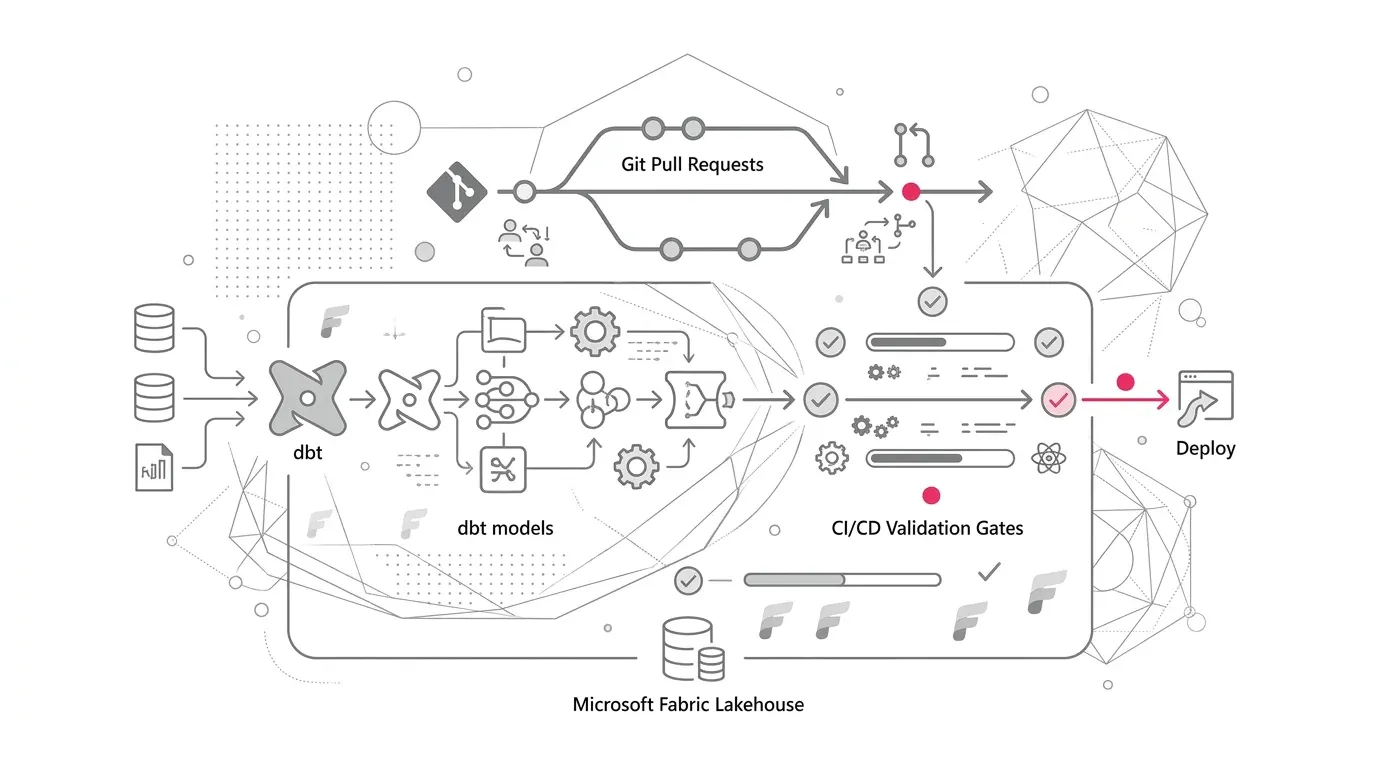
Dataflow Gen2 supports Git integration and deployment pipelines. Microsoft documents a just-in-time publishing model in which saved changes become available for execution, while failed publishing prevents refresh for items saved after February 1, 2026 rather than silently running an outdated version. Build release gates around that behavior:
- Validate the item definition and environment-specific connections.
- Deploy to a test workspace with production-shaped data and gateway routes.
- Publish explicitly through the supported job API when automation requires certainty.
- Run a refresh and confirm the executed version.
- Reconcile outputs and test downstream consumers.
- Promote only when technical and business evidence passes.
Keep credentials, permissions, schedules, and destination bindings in the release runbook even when they are not carried as ordinary source-controlled definitions.
6. Baseline and govern capacity
Capture Gen1 refresh duration and capacity behavior before change. For Gen2, inspect refresh history alongside the Fabric Capacity Metrics app. Separate standard compute, high-scale compute used by staging, data-movement compute used by fast copy, and downstream Warehouse or semantic-model work.
Do not compare a single average. Test representative volumes, incremental and full loads, concurrent morning peaks, failure retries, and month-end conditions. Place guardrails on:
- maximum refresh duration and CU consumption per dependency group;
- overlap with other critical workloads;
- use of staging when query folding or direct destination loading is more efficient;
- backfills and first-time history loads;
- abnormal row growth, retries, and partial destination writes.
Microsoft notes that a canceled or failed refresh can leave data already written to a destination available. Design publication controls so consumers see a validated batch, not a partially written one. Depending on the destination, this can mean loading to temporary tables, applying batch identifiers, validating counts, and then promoting the completed batch.
Phased implementation roadmap
Phase 1: Discover and classify
- Inventory Gen1 items and all known consumers.
- Resolve ownership and unresolved connections.
- Detect legacy connector functions, linked entities, DirectQuery use, incremental refresh, BYO Lake, API clients, and more than 50 enabled queries.
- Classify dependency groups by business criticality, data sensitivity, history risk, complexity, and capacity profile.
- Freeze creation of new unmanaged Gen1 dependencies.
Exit evidence: signed inventory coverage, named owners, dependency graphs, baselines, and an exceptions register.
Phase 2: Design and prove
- Select the migration pattern and destination architecture for each class.
- Prove connector, gateway, refresh, schema, security, and deployment behavior with production-shaped data.
- Compare CU use and elapsed time at normal and peak concurrency.
- Define automated reconciliation and freshness checks.
Exit evidence: approved reference patterns, benchmark results, security test results, and a rehearsed fallback.
Phase 3: Pilot a bounded dependency group
- Choose a meaningful but recoverable business flow.
- Back up irreplaceable history.
- Execute the full runbook, including consumer changes and first refresh.
- Run in parallel where needed and collect business-owner acceptance.
- Test failure, retry, and restore procedures.
Exit evidence: complete chain validation from source through report, not merely a successful dataflow status.
Phase 4: Migrate in controlled waves
- Order waves from upstream producers to downstream consumers.
- Separate critical dependency groups across change windows.
- Pause or coordinate schedules during the upgrade.
- Refresh upgraded items, rebind downstream dataflows, replace legacy connectors, and restore explicit orchestration.
- Monitor freshness, failures, security access, data reconciliation, and capacity after every wave.
Exit evidence: no unknown consumers, all required connectors updated, acceptance recorded, and exceptions assigned.
Phase 5: Retire and optimize
- Redirect or remove transitional connector-based dependencies.
- Retire superseded Gen1 items only after the agreed fallback period.
- Tune folding, fast copy, incremental refresh, staging, destination writes, and schedules from measured evidence.
- Place Gen2 items under the operating model: ownership review, release management, monitoring, cost accountability, and periodic dependency recertification.
Exit evidence: legacy usage reaches zero, service objectives remain stable, and the control register becomes a maintained operational asset.
Governance, security, adoption, and cost considerations
Governance
Name a business data owner for every production output and a technical owner for every dataflow. Record lineage limitations and discovery coverage. Require contract review for breaking schema changes. Treat local workbooks and desktop files as governed consumers when they support material decisions.
Security
Re-test access by persona after migration. Microsoft notes that Workspace Viewers cannot consume upgraded Gen2 tables through the Power Platform Dataflows connector; granting Contributor merely to restore consumption may create excessive privilege. Prefer a governed Lakehouse or Warehouse access model where that produces cleaner least-privilege boundaries. Validate source credentials, gateway reachability, destination permissions, row and column restrictions, export paths, and audit evidence.
Adoption and operating model
Train authors on explicit destinations, connector changes, orchestration, Git workflows, refresh telemetry, and ownership expectations. Give report owners a clear acceptance checklist. Create a support playbook that differentiates source, gateway, transformation, publication, destination, semantic-model, and capacity failures.
Cost
Dataflow Gen2's compute model is not a one-for-one continuation of Gen1. Measure rather than assume. The Dataflow Gen2 pricing guidance directs administrators to use both refresh history and the Capacity Metrics app and distinguishes standard, high-scale, and data-movement compute. Cost governance should include peak concurrency and downstream workload, not just each dataflow in isolation.
Success metrics
Track outcomes at service level:
| Metric | Example target design |
|---|---|
| Inventory coverage | 100% of production Gen1 items have owner, criticality, sources, and known consumers recorded |
| Dependency closure | 100% of identified consumers have a tested target path or approved exception |
| Reconciliation pass rate | All critical tables pass agreed row-count, control-total, and business-rule checks before cutover |
| Freshness compliance | Percentage of data products delivered within their business freshness objective |
| Stale-data incidents | Zero cases where a consumer presents data beyond the approved maximum age without a visible breach status |
| Security equivalence | All required personas pass positive access tests and all prohibited personas pass negative tests |
| Migration stability | Refresh and downstream success rates meet or improve on the Gen1 baseline after stabilization |
| Capacity variance | Actual CU use remains within the approved range, with explained exceptions |
| Legacy retirement | Gen1 items, `PowerBI.Dataflows` references, and legacy API calls fall to zero by the planned date |
| Ownership resilience | No production flow depends on an unowned connection or an individual who has left the organization |
Targets should reflect workload criticality and current baselines. Avoid a single universal threshold that makes low-risk team flows as costly to govern as financial or regulatory reporting.
How YuniQ can help
YuniQ's published Microsoft Fabric services align directly with this migration challenge. Its Microsoft Fabric consulting and implementation practice describes:
- current-state platform and workload diagnostics, capacity planning, workspace topology, and secure adoption roadmaps;
- pipeline, dependency, and data-flow mapping plus phased migration waves;
- Fabric Data Factory pipelines and dataflows, Lakehouse and Data Warehouse implementation, data-quality observability, and exception handling;
- Microsoft Entra ID least-privilege design, Microsoft Purview integration, lineage, Dev/Test/Prod separation, Git-based CI/CD, and capacity monitoring;
- automated reconciliation, access testing, parallel-run comparison, user acceptance, and cutover;
- post-launch pipeline and refresh monitoring, capacity and cost optimization, DevOps release management, and ongoing roadmap support.
Applied to a Gen1-to-Gen2 programme, that means YuniQ can help establish the dependency inventory, classify migration patterns, design the destination and security architecture, build the Gen2 and orchestration changes, automate reconciliation, validate production-shaped performance and cost, and transfer the operating model to the client team. These are scoped connections to capabilities stated on YuniQ's service page; outcomes still depend on the client's estate, requirements, and agreed engagement.
Practical next steps
- Export a tenant-level inventory of Gen1 dataflows and identify the first criticality tier.
- Search semantic-model mashup expressions for PowerBI.Dataflows, PowerPlatform.Dataflows, and known dataflow IDs.
- Ask business units to declare critical Excel, desktop, Power Apps, and scripted consumers that platform scans cannot prove.
- Select one bounded dependency group and record its data, refresh, security, and CU baseline.
- Decide whether in-place upgrade, side-by-side migration, or redesign provides the right fallback.
- Run the pilot through the complete source-to-decision chain and require business-owner acceptance.
- Use the evidence to size migration waves, capacity headroom, support coverage, and retirement dates.
The important executive decision is not whether the wizard can convert a dataflow. It is whether the organization can prove that every consequential consumer receives the right data, at the right time, under the right access policy, at an understood operating cost. That is the standard for a successful Fabric migration.