*A 90-Day Recovery Plan for the Applications Behind the Servers*
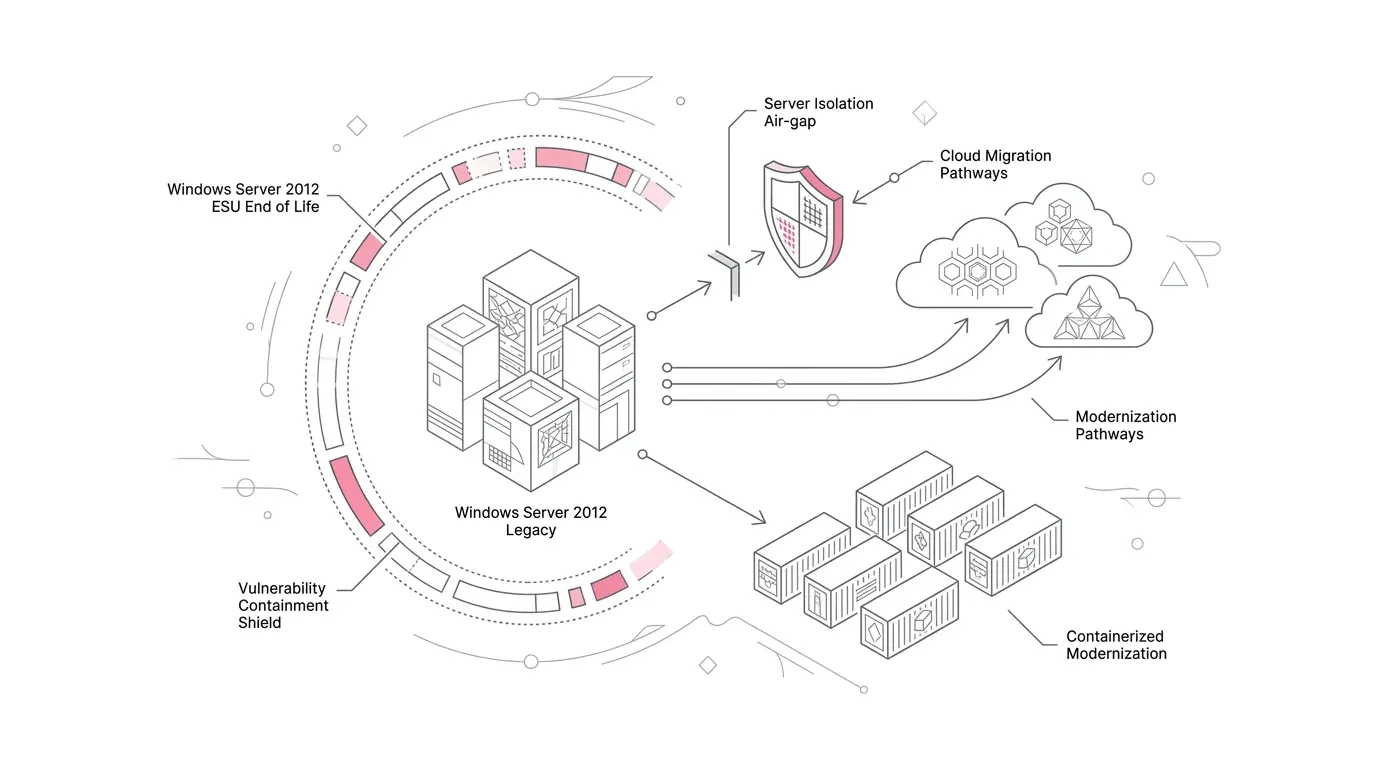
Microsoft’s final Extended Security Update for Windows Server 2012 and Windows Server 2012 R2 arrives on October 13, 2026. At 00:00 UTC on October 14, Azure Arc-enabled ESU licenses for those versions deactivate and stop providing update eligibility. Microsoft is explicit: this is the end of the three-year bridge, not the start of another extension.
Source: Microsoft Windows Server 2012 release health and Azure Arc ESU guidance .
For leaders who still have affected systems, the useful question is no longer when support ends. It is what the organization must do next without creating a second risk through a rushed upgrade, a missed dependency, or the loss of business logic embedded in a legacy application.
The answer has two horizons. In the first 72 hours, verify exposure, reduce avoidable attack paths, and assign accountable owners. Over the next 90 days, decide whether each business service should be upgraded, migrated, rebuilt, or retired. The unit of decision should be the application and the outcome it supports, not only the server on which it runs.
What the Windows Server 2012 ESU End Date Changes
Windows Server 2012 and 2012 R2 reached the end of extended support on October 10, 2023. ESU then supplied Critical and Important security updates for up to three additional years. Microsoft describes ESU as a paid, last-resort bridge: it does not extend the product lifecycle, restore normal support, add features, or provide unrelated bug fixes and technical guidance.
Microsoft’s ESU lifecycle table lists October 13, 2026 as the Year 3 end date for both Windows Server 2012 and 2012 R2. It lists no Year 4 for these versions.
The deadline does not mean every remaining server fails the next morning. It means the organization loses the vendor’s continuing security-update path for newly discovered issues. That turns continued operation into an explicit risk-acceptance decision, with a shrinking set of credible controls and a time-bound exit plan.
The First 72 Hours
1 Verify the actual estate
Reconcile configuration management, virtualization, cloud, endpoint, vulnerability, Active Directory, backup, disaster-recovery, procurement, and network records. Include powered-off machines, templates, laboratory systems, OEM appliances, branch servers, externally hosted workloads, and systems run by service providers. Record edition, build, physical or virtual status, ESU mechanism, last successful update, business owner, technical owner, data sensitivity, internet exposure, backup status, and criticality.
2 Confirm the final update and evidence
Ask the infrastructure and security teams to prove which systems successfully received the October 13 update, rather than treating enrollment as evidence of installation. Preserve update logs, license status, scan results, and any exception. An executive dashboard should distinguish confirmed, failed, unknown, and not applicable states. Unknown is a risk state, not an administrative footnote.
3 Reduce exposure while the exit plan runs
For systems that must remain online temporarily, review internet exposure, inbound and outbound paths, remote administration, service accounts, privileged access, unused protocols, trust relationships, logging, alerting, and backup recoverability. Segment or isolate where business operations allow it. Apply least privilege and remove routes that are not necessary for the application’s current purpose.
The UK National Cyber Security Centre warns that no mitigation makes obsolete products risk-free; stopping use is the only fully effective answer. Treat compensating controls as temporary risk reduction, not a new steady state.
4 Give every exception an owner and expiry date
Each remaining workload needs a named business owner, a technical owner, a risk owner, an agreed disposition, funding, decision dates, and an expiry date for temporary controls. Tie exceptions to business services and data, not just hostnames. For a nonprofit foundation, that may mean explicitly prioritizing grantmaking, beneficiary, finance, fundraising, identity, and statutory reporting systems according to mission impact and recovery requirements.
Do Not Confuse Server Inventory With Application Discovery
A server scan can tell you that an operating system exists. It cannot reliably tell you why the server matters, which business rule it enforces, whether a scheduled task moves critical files at month-end, which external partner depends on its output, or what breaks when a database endpoint changes.
This is where many late modernization efforts fail. Teams move the visible host while leaving behind a service account, certificate, file share, hard-coded address, middleware component, report, batch job, or manual exception that carried the real operational dependency.
Microsoft’s Azure Migrate dependency analysis guidance says dependency mapping can identify servers that must move together and help avoid surprise outages. Network telemetry is valuable, but it should be combined with application logs, code and configuration analysis, job schedules, identity and certificate inventories, database relationships, interviews, and transaction-level validation.
Upgrade, Migrate, Rebuild, or Retire
Avoid choosing one path for the entire estate. Classify each business service using evidence. The disposition should reflect application value, supportability, dependency complexity, data obligations, operational risk, and the organization’s target architecture.
| Choose | When it fits | Evidence gate |
|---|---|---|
| Upgrade | The application remains supported, the server role and configuration have a valid path, and downtime is acceptable. | Successful rehearsal, tested backup and rollback, vendor support, licensing, security baseline, and business acceptance. |
| Migrate | The application remains useful but should run on new infrastructure, a managed platform, or software as a service. | Complete dependency map, target sizing, data plan, recovery test, cutover rehearsal, and operating model. |
| Rebuild | The business logic is valuable but the architecture, customization, or platform dependency is the constraint. | Extracted workflows and rules, documented interfaces, acceptance tests, data contracts, parallel validation, and decommission plan. |
| Retire | The capability is duplicated, unused, expired, or worth less than its continuing risk and cost. | Usage and dependency evidence, owner approval, record-retention plan, access transition, and verified removal. |
A crucial version difference
Microsoft’s current upgrade table shows that a nonclustered Windows Server 2012 R2 system can upgrade directly to Windows Server 2025. It does not show a direct 2012-to-2025 path: Windows Server 2012 can move in place to 2012 R2 or 2016 under the table, with later steps or another method required after that.
Review Microsoft’s supported upgrade paths before committing. A listed OS path is not an application compatibility guarantee. Validate roles and features, clustering, language, edition, boot method, hardware, third-party software, drivers, security tools, licensing, downtime, and recovery.
A 90-Day Recovery Plan
Days 0 to 7: establish control
• Freeze unapproved changes on affected systems while evidence is collected.
>
• Complete the verified inventory and identify unknown or unmanaged instances.
>
• Confirm the final update, backup integrity, restore procedure, monitoring, owners, and exposure.
>
• Create a business-service map that links servers to applications, data, users, integrations, recovery targets, and third parties.
>
• Approve time-bound controls and escalation thresholds for every system that remains online.
Days 8 to 30: make the disposition decision
• Group interdependent systems and identify shared databases, identity services, file transfers, certificates, and batch processes.
>
• Test upgrade feasibility separately for Windows Server 2012 and 2012 R2; do not collapse them into one assumption.
>
• Assess application vendor support and the target operating model, not just technical reachability.
>
• For rebuild candidates, extract requirements, workflows, rules, data structures, interfaces, user journeys, reports, exceptions, and acceptance criteria.
>
• Approve cost, risk, business owner, target date, and fallback for each path.
Days 31 to 60: build and prove
• Execute rehearsals in a representative environment using sanitized production-like data.
>
• Test normal transactions, failure paths, peak periods, integrations, security controls, backup and restore, and manual workarounds.
>
• Compare outputs and business outcomes, not merely screen appearance or server availability.
>
• Run parallel validation where errors could affect customers, financial reporting, patient or beneficiary services, grants, or regulated records.
>
• Capture defects by root cause and update the dependency map as new evidence appears.
Days 61 to 90: cut over and remove the old risk
• Use a rehearsed cutover plan with named go, no-go, and rollback authorities.
>
• Monitor business outcomes and technical health through the stabilization window.
>
• Revoke obsolete credentials, certificates, service accounts, firewall rules, scheduled jobs, and vendor access.
>
• Apply retention and legal-hold requirements before data destruction.
>
• Verify decommissioning from discovery, vulnerability, identity, backup, monitoring, licensing, and financial records.
The Leadership Scorecard
Executives need measures that expose unresolved risk and decision quality. Avoid reporting only the number of servers upgraded. Track the following by business service and criticality:
• Affected servers discovered, verified, and still unknown.
>
• Business services with named owners and approved dispositions.
>
• Externally reachable or broadly trusted affected systems.
>
• Systems with tested backups and successful restore evidence.
>
• Dependencies identified, validated, and still unresolved.
>
• Upgrade, migration, rebuild, and retirement rehearsals passed.
>
• Exceptions by residual-risk level, accountable executive, and expiry date.
>
• Legacy systems fully decommissioned, including access, data, monitoring, and cost records.
Where YuniQ Fits
The Windows Server deadline is an infrastructure trigger, but the hardest decisions often concern undocumented applications. YuniQ’s AI-driven engineering page describes a legacy-discovery approach that extracts business workflows, process logic, data structures, functional requirements, user journeys, rules and dependencies, application knowledge, and technical documentation. It also describes rebuilding purpose-built applications on modern stacks and supporting application consolidation and platform exits.
That makes YuniQ relevant when the organization needs to understand and preserve the valuable behavior inside a legacy application before rebuilding or consolidating it. It does not replace Microsoft licensing, infrastructure engineering, patch management, or security operations. Explore YuniQ’s legacy application discovery and modernization approach and request a consultation scoped to the applications and business logic behind the affected servers.
Frequently Asked Questions
When do Windows Server 2012 and 2012 R2 ESUs end?
Microsoft lists October 13, 2026 as the end of Year 3 ESU for both Windows Server 2012 and Windows Server 2012 R2. Microsoft also states that the October 13 security update is the final ESU update and that Azure Arc-enabled 2012 ESU licenses deactivate at midnight UTC on October 14, 2026.
Is there a fourth year of ESU for Windows Server 2012 or 2012 R2?
Microsoft’s current lifecycle FAQ lists three ESU years for Windows Server 2012/R2 and ends Year 3 on October 13, 2026. The FAQ notes an additional year for Windows Server 2008 and 2008 R2 on Azure, not for 2012/R2.
Can Windows Server 2012 R2 upgrade directly to Windows Server 2025?
Microsoft’s current table supports a direct in-place upgrade from Windows Server 2012 R2 to 2025 for nonclustered systems, subject to restrictions and compatibility. The table does not support a direct Windows Server 2012-to-2025 in-place upgrade. Validate the full configuration and application before using any listed path.
Does network isolation make an unsupported server safe?
No. Segmentation, access restrictions, monitoring, and other compensating controls can reduce selected risks, but they cannot recreate vendor security updates or make obsolete software risk-free. Use them as time-bound controls while executing an exit plan.
Should we modernize the server or the application?
Treat them as related decisions. An OS upgrade or infrastructure migration may be appropriate when the application remains supported and valuable. Rebuild or retirement deserves consideration when hidden business logic, unsupported components, costly customization, or duplicated capability is the real constraint.