Executive summary
Microsoft Fabric now supports generally available hot, cool, and cold storage tiers in OneLake. That creates a credible way to reduce the storage price of historical data without taking it offline. It also introduces a new enterprise control problem.
The lowest storage price is not necessarily the lowest total cost. Reads and writes consume more Fabric Capacity Units (CUs) in cooler tiers, cool and cold data carry minimum retention periods, and retrieving data from those tiers adds CU consumption. A lifecycle rule can also affect more data than intended if its case-sensitive path scope is wrong. Because OneLake activity appears at workspace level in the Fabric Capacity Metrics app, a team can see a capacity spike without immediately knowing which data product caused it.
The practical answer is to treat storage temperature as a data-product contract, not a blanket infrastructure setting. Each governed path needs an owner, access pattern, retention obligation, recovery expectation, approved tier, cost model, and tested route back to hot storage. Organizations should pilot lifecycle rules on immutable, low-read data; validate every consuming engine and operational procedure; and promote rules only when the combined storage, retrieval, transaction, and capacity economics are favorable.
This article explains that operating model and shows how to implement it in Microsoft Fabric.
The enterprise problem: storage savings can move cost into capacity
Data estates rarely become smaller. Detailed transactions, telemetry, customer interactions, operational logs, regulatory evidence, and historical snapshots accumulate even when their everyday analytical value declines. Keeping every byte in the most frequently accessed tier is simple, but it makes long-term retention more expensive than it needs to be.
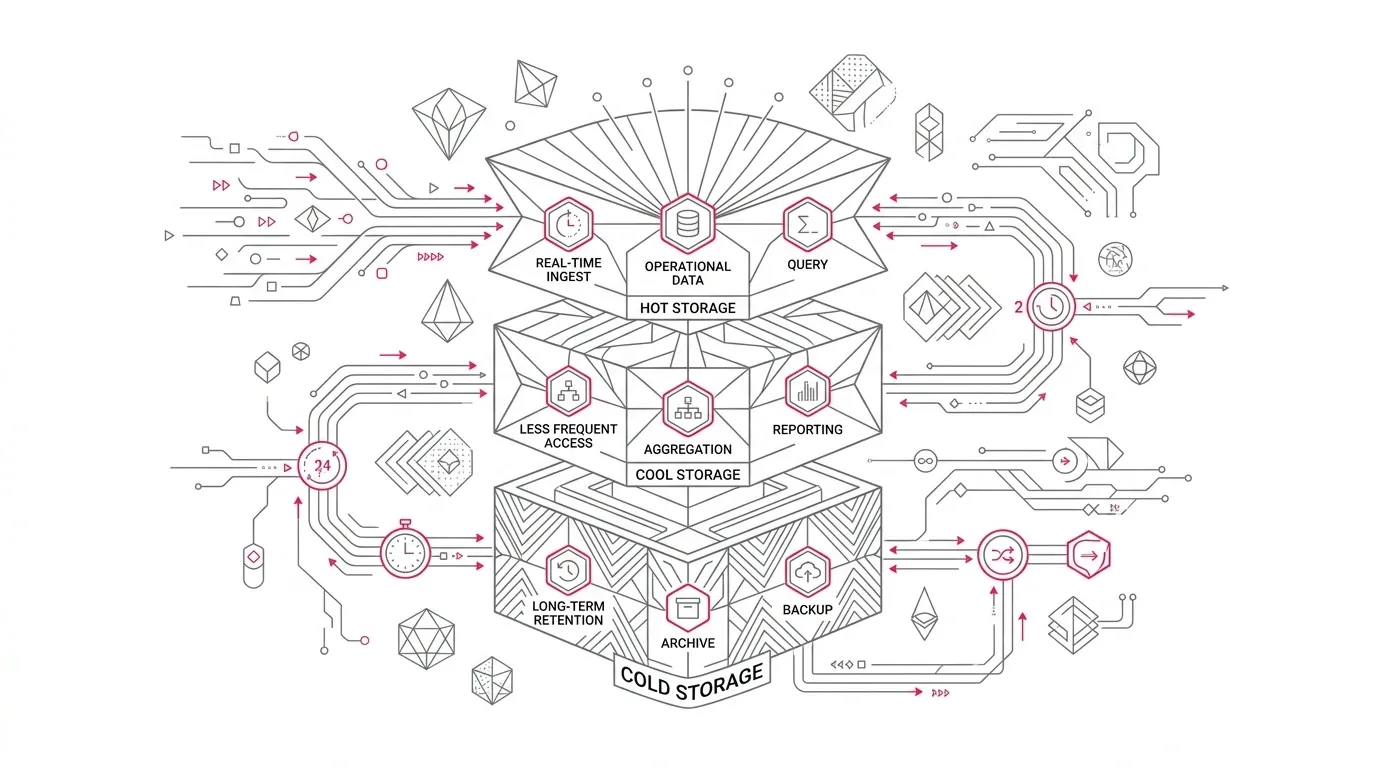
OneLake storage tiers address that problem. Microsoft describes three online tiers with the same durability, retrieval latency, and throughput characteristics, while noting that cool and cold have slightly lower availability than hot:
- Hot for frequently read or written data, with the highest storage price and lowest transaction cost.
- Cool for infrequently accessed data, with lower storage price, higher access cost, and a 30-day minimum retention period.
- Cold for rarely accessed long-term data, with the lowest storage price, highest access cost, and a 90-day minimum retention period.
All OneLake data lands in hot storage by default unless a different workspace default or explicit tier is used. Microsoft listed OneLake storage tiers and lifecycle management as generally available in July 2026. The capability is therefore ready to evaluate for production, but its economics still depend on each organization's workload behavior.
The central mistake is to optimize the storage line item in isolation. In Fabric, OneLake storage is billed per GB, while OneLake reads, writes, listings, and cooler-tier retrieval consume the same capacity that supports pipelines, Spark, warehouses, and Power BI. A lower storage bill can therefore coincide with higher CU consumption, capacity throttling, or reduced headroom for business workloads.
Microsoft's own illustrative 10 TB scenario makes the trade-off visible. Its five-year static storage example falls from $13,800 in hot storage to $2,400 in cold storage. But a yearly 1 TB audit read rises from 2,600 CU seconds in hot storage to 665,000 CU seconds in cold storage. Those figures are an example, not a forecast for a specific tenant, and current prices should always be checked. The architectural lesson is durable: access frequency and scan volume decide whether a cooler tier is economical.
Representative enterprise scenario
Representative scenario, not a YuniQ customer case: A regulated enterprise retains several years of case, customer, financial, and operational records in OneLake. Current-year data supports daily executive reporting, anomaly detection, and operational investigation. Older records are used for annual audit sampling, occasional legal discovery, model retraining, and rare historical restatements.
The platform team sees a large body of older Parquet files and proposes a simple rule: move anything unchanged for 90 days to cold storage. The proposal appears reasonable because those files are old and cold storage is cheaper.
The data-product owners identify hidden dependencies:
- A Direct Lake semantic model usually filters to recent periods but still supports five-year drill-through.
- A quarterly finance process recomputes comparative measures across all retained years.
- A data science pipeline retrains twice a year using the complete history.
- Security investigations scan old event data unpredictably.
- Delta maintenance and reconciliation processes touch files that are old but still part of active tables.
- An audit request can arrive with little notice and has a firm completion deadline.
The files are old, but their access patterns are not uniformly cold. Applying one age rule to the workspace would exchange a predictable storage charge for sporadic CU spikes and possible throttling. It could also move files back out of cold storage before the 90-day minimum, generating early movement charges.
The enterprise does not need a more aggressive policy. It needs a more accurate classification model.
Why this problem appears
File age is confused with business temperature
Creation and modification timestamps describe files, not business demand. An old partition can be scanned by a current-year comparison, audit, security investigation, machine-learning feature build, or full-table optimization. Conversely, a newly arrived historical backfill can be a valid cold candidate even though its file is new.
Retention and tiering are treated as the same control
Retention answers, "How long must this record exist, and when may it be deleted?" Tiering answers, "What access economics are appropriate while it exists?" OneLake lifecycle actions move eligible files among online tiers; they do not replace records-management, legal-hold, privacy, or deletion controls.
Workspace scope is broader than teams expect
A workspace has one lifecycle policy, with up to 10 rules. A rule without a filter applies to all files in the workspace. Prefix filters are case-sensitive, support at most 10 prefixes per rule, and do not support an exclusion list. Wildcards such as `*` and `?` are treated as literal characters.
That makes path design part of the control environment. If workloads with different temperature requirements share an indistinguishable path or workspace, no clever rule can safely compensate for the missing boundary.
Capacity ownership and storage ownership diverge
OneLake storage is attributed to the capacity that holds the data. When another workspace reads that data through a shortcut, the read transaction consumes the shortcut workspace's capacity. A producer can therefore reduce its storage cost while increasing a consumer's CU burden. Without an explicit chargeback or service agreement, the apparent saving is transferred rather than realized.
Monitoring is too aggregated for root-cause analysis
Since May 2026, the Fabric Capacity Metrics app reports OneLake compute operations at workspace level under a single OneLake item. That is useful for capacity health but insufficient for assigning a spike to a particular lakehouse or path. Microsoft directs administrators to OneLake diagnostics for item-level access evidence.
Why common approaches fall short
"Move everything older than 90 days to cold"
This rule ignores scan behavior, consumer criticality, rewrite frequency, replay needs, and the fact that an actively queried table can contain old physical files. It is an age policy masquerading as an access policy.
"Use last modified time because it is objective"
Last modification is objective but incomplete. Immutable historical data is often read without being modified. A modification-based rule can classify frequently scanned history as cold.
"Use last access and let auto-tiering fix mistakes"
Last-access rules are useful, but they need careful interpretation. Enabling a last-access condition turns on access-time tracking and initializes the last access time of all files to the current day. Only the first read in a 24-hour period updates the property. Auto-tiering moves eligible cool files back to hot after access, but it does not apply retroactively to files placed in cool before the action was enabled, and it moves a file only once in 30 days to limit repeated early-deletion charges. It is a control mechanism, not a substitute for workload analysis.
"Change the workspace default tier"
Changing a workspace default is a broad decision. Files without an explicit tier inherit the new default, and new uploads land there. That can be appropriate for a purpose-built archive workspace, but it is risky in a mixed workspace containing active tables, Gold data, system-managed files, and landing zones.
"Judge success from the storage bill"
Storage savings are only one term in the equation. A valid business case must include tier-change transactions, read and write CU, per-GB retrieval CU for cool and cold, minimum-retention charges, capacity overage or scaling, and operational effort for recalls and incident response.
A governed Microsoft Fabric solution
The recommended design has six connected controls.
Business retention and service obligations
                    |
                    v
Data-product tier contract and path boundary
                    |
                    v
Evidence-led classification: hot | cool | cold
                    |
                    v
Versioned OneLake lifecycle policy, deployed by ring
                    |
                    v
Consumer validation and recall rehearsal
                    |
                    v
Storage + CU + retrieval + SLO monitoring
                    |
                    +----> keep, adjust, or roll back
Build a storage-temperature inventory
Start with data products, not files. For each lakehouse, warehouse-related storage area, or governed file path, record:
| Decision field | Question it must answer |
|---|---|
| Business owner | Who accepts a slower or more expensive historical access path? |
| Technical owner | Who maintains the policy, monitoring, and recall procedure? |
| Data class | Is the data operational, analytical, audit, legal, security, or disposable? |
| Retention basis | Which policy or obligation determines how long the data must remain? |
| Read pattern | What percentage is read monthly, by which engines, and in what scan sizes? |
| Write pattern | Is the data immutable, appended, compacted, vacuumed, or rewritten? |
| Service level | How quickly must an audit, investigation, replay, or restatement complete? |
| Consumer map | Which semantic models, notebooks, pipelines, SQL endpoints, shortcuts, or agents depend on it? |
| Approved tier | Which tier is justified by evidence, and what would trigger reclassification? |
| Recall path | How is data returned or copied to hot storage, tested, and communicated? |
Use the workspace OneLake storage report to identify large items, including visible data, hidden system data, and soft-deleted data. Use Capacity Metrics for workspace-level operations and OneLake diagnostics to observe which items are actually read. A 30- to 90-day baseline is normally more useful than a one-day snapshot because monthly closes, quarterly reports, and incident investigations can distort access patterns.
Define a tier contract for each governed path
A tier contract turns an intuition into an auditable decision. It should state:
- The precise workspace and case-sensitive path prefix.
- The data-product owner and approving risk or records authority.
- The qualifying age and access conditions.
- The intended tier and minimum time expected to remain there.
- Protected consumer paths that must remain hot.
- Expected monthly read percentage and maximum historical scan volume.
- Capacity headroom required for a planned recall or audit.
- The rewarming method and recovery-time objective.
- Evidence required before promotion and at each review.
For medallion architectures, do not assume that Bronze, Silver, and Gold map directly to cold, cool, and hot. A better starting hypothesis is:
- Hot: current Gold tables and semantic-model paths; active Silver tables; frequently replayed Bronze; Delta data and logs involved in normal maintenance; operational evidence with unpredictable investigative use.
- Cool: immutable history with occasional known reads; older landed source extracts retained for bounded replay; historical partitions used by low-frequency reporting where the CU model remains favorable.
- Cold: long-term audit packages, immutable snapshots, or source archives with rare access and a rehearsed recall process.
These are recommendations, not Fabric requirements. Actual classification must follow measured reads, business service levels, and regulatory obligations.
Create boundaries that lifecycle rules can enforce
Lifecycle rules can target path prefixes, but they cannot exclude files from a broad match. Organize data so that temperature intent is explicit, for example:
RecordsLakehouse.Lakehouse/Files/retention/hot/
RecordsLakehouse.Lakehouse/Files/retention/cool-eligible/
RecordsLakehouse.Lakehouse/Files/retention/cold-eligible/
For large estates, separate workspaces may be cleaner than many prefixes. An archive workspace can use a deliberate default tier and distinct capacity governance, while production workspaces remain hot by default. The correct boundary depends on security, region, ownership, capacity, and deployment requirements, not just storage temperature.
Avoid applying broad age rules to mixed Delta table folders until you have tested full-table scans, maintenance operations, schema changes, replay, and consumer behavior. Physical file age inside an active table is not sufficient evidence of coldness.
Manage the policy as controlled configuration
OneLake lifecycle policies can be managed in workspace settings or through lifecycle policy APIs. API updates replace the full policy, so the complete desired document should be versioned, reviewed, and validated before import.
Use a release process with:
- Schema and scope validation: Confirm unique rule names, supported `blockblob` type, exact item/path prefixes, and intended actions.
- Peer approval: Require data-product, platform, security, and records stakeholders where relevant.
- Canary deployment: Start with one low-risk, immutable path in a noncritical or archive-focused workspace.
- Observation: Allow for the documented delay. New or changed rules can take up to 24 hours to take effect, and active rules attempt to run daily.
- Business validation: Run representative reads, replays, audit samples, and negative tests.
- Ring promotion: Expand to additional paths only when both storage and CU evidence meet the agreed thresholds.
Do not combine a first rollout with a workspace-wide default-tier change. That makes scope, causality, and rollback harder to prove.
Test the complete consumer path
Storage tiers are online, so validation should focus on economics and service behavior rather than a simplistic "can the file open?" check. Test:
- Power BI and Direct Lake reports across current and historical filters.
- Spark notebooks that perform selective reads and full scans.
- SQL analytics endpoint queries and reconciliation routines.
- Pipelines that replay, copy, compact, overwrite, or delete historical files.
- Shortcuts from consumer workspaces, with CU attribution checked on the consumer capacity.
- Data science training and feature-generation jobs.
- Security, legal, privacy, and audit retrieval procedures.
- Rewarming or copy-to-hot procedures under representative volume.
- Capacity behavior when historical access coincides with production peaks.
Microsoft recommends `Set Blob Tier`, directly or through lifecycle management, for warmer-to-cooler movement. For cooler-to-warmer movement, Microsoft recommends `Copy Blob` to avoid an early deletion penalty, while noting that the copy produces source and destination transactions. The enterprise runbook should specify which method applies, where a copy lands, how it is validated, and when redundant data is removed under the retention policy.
Operate a closed cost-and-reliability loop
Review four evidence streams together:
- Storage: bytes and monthly cost by workspace, item, and tier.
- Transactions: read, write, iterative, listing, and tier-change CU consumption.
- Retrieval: GB read from cool or cold and its CU effect.
- Service: query duration, throttling, failed jobs, missed report or audit SLOs, and recall completion time.
Fabric reports tier-specific operation names such as `OneLake Read (Hot)`. At item level, use OneLake diagnostics rather than relying only on the workspace aggregate. Use the Fabric audit log for control-plane changes to lifecycle policies and storage tiers.
Set explicit triggers to revise a contract. Examples include a data product exceeding its assumed monthly read percentage, repeated auto-tier-to-hot activity, unexpected early movement charges, a new full-history consumer, or an audit recall that consumes unacceptable capacity.
A phased implementation roadmap
Phase 1: Baseline and classify (weeks 1-3)
- Inventory billable storage and identify the largest immutable candidates.
- Map business retention, legal-hold, privacy, and recovery requirements.
- Capture item-level access through OneLake diagnostics and correlate it with business calendars.
- Identify shortcuts and cross-capacity consumers.
- Produce an initial hot/cool/cold decision register with accountable owners.
Exit gate: Every pilot candidate has a measured access pattern, approved retention basis, consumer map, and recall objective.
Phase 2: Model and design (weeks 3-5)
- Compare hot, cool, and cold total cost under normal, peak, and audit-read scenarios.
- Include storage price, transaction CU, retrieval CU, early movement exposure, capacity headroom, and operational labor.
- Refactor paths or workspace boundaries where lifecycle scope cannot be made precise.
- Define policy-as-code controls, approvals, telemetry, and rollback criteria.
Exit gate: The pilot shows a favorable total-cost case without breaching capacity or service thresholds.
Phase 3: Prove with a canary (weeks 5-7)
- Apply one narrow rule to immutable, low-criticality data.
- Wait for the rule to execute and confirm actual tier distribution.
- Run normal reads, full scans, shortcut reads, recall, deletion, and recovery tests.
- Reconcile predicted and observed CU consumption.
- Confirm lifecycle and tier changes appear in audit evidence.
Exit gate: The canary meets functional, security, capacity, cost, and recovery criteria.
Phase 4: Roll out by risk ring (weeks 7-12)
- Promote low-read archive products first.
- Add higher-volume or more connected data products only after their dependencies pass.
- Avoid overlapping rules whose outcome is difficult for operators to predict. Microsoft applies the least expensive action when multiple actions target the same file, with cold considered less expensive than cool.
- Publish owner-facing guidance for requesting recalls and reporting anomalies.
Exit gate: Each production path has a named owner, approved contract, current runbook, monitoring, and review date.
Phase 5: Optimize continuously
- Review temperature decisions against actual access at least quarterly.
- Reforecast before annual audits, model retraining, migrations, or new historical reports.
- Track transferred CU cost across shortcut consumers.
- Retire rules when the data product, path, retention basis, or consumption pattern changes.
Governance, security, adoption, and cost considerations
Governance
Storage temperature should be recorded in the data-product catalogue beside classification, retention, owner, lineage, and service level. Policy approval must involve the teams that own both cost and business risk. Because one workspace policy can affect many products, a workspace administrator should not become the sole decision-maker by accident.
Security and compliance
Tiering does not remove the need for least-privilege access, sensitivity labels, lineage, network controls, or audit. OneLake security remains the data-plane control, while workspace and item roles govern control-plane capabilities. Only workspace administrators can create, update, or delete lifecycle policies. Use security groups for administrative access, audit policy and tier changes, and test access with real personas after movement.
Records management remains separate. A cold copy is neither a legal hold nor proof that data may be deleted. Privacy obligations may also require defensible deletion even when storage is inexpensive.
Adoption and operating model
Finance, records, security, audit, data-product owners, and capacity administrators need a shared vocabulary. "Archive" should never ambiguously mean cheap, offline, immutable, legally retained, or safe to delete. Define those states separately.
Give consumers a visible recall path with an owner, expected completion time, and capacity-aware scheduling process. Train platform operators to pause a lifecycle rule, inspect its exact prefix, estimate recall CU, and verify that the requested dataset is complete.
Cost and capacity
Use a total-cost equation:
Total tier cost
  = storage charge
  + tier-change transaction CU
  + ongoing read/write/list CU
  + cool/cold retrieval CU
  + early movement or deletion charges
  + capacity scaling or overage attributable to retrieval
  + operational cost of policy and recall
The Fabric documentation provides a helpful starting heuristic: hot storage is generally cost-effective when at least 50% of the data is read each month. Treat that as a hypothesis to test, not a universal threshold. Scan size, file size, concurrency, shortcut attribution, disaster-recovery settings, and the value of capacity headroom all affect the result.
Success metrics
Executives should expect a balanced scorecard rather than a single savings percentage:
| Outcome | Metric |
|---|---|
| Lower retention cost | Monthly OneLake storage cost per retained TB and net savings after CU effects |
| Accurate classification | Percentage of tiered paths with a current owner, contract, and evidence date |
| Capacity protection | CU seconds from cool/cold reads, throttling minutes, and peak-capacity headroom |
| Stable access behavior | Percentage of files repeatedly promoted or recalled within a review period |
| Controlled movement | Early movement/deletion charges and unapproved tier changes |
| Audit readiness | Percentage of recall drills completed within the recovery-time objective |
| Consumer reliability | Historical-query, replay, and refresh success rates after tiering |
| Explainability | Percentage of workspace-level OneLake spikes attributable to an item and business process |
Targets should be set after the baseline. A credible first objective is zero unapproved tier changes and zero missed business SLOs, followed by net cost improvement that includes both storage and capacity.
How YuniQ can help
YuniQ's published Microsoft Fabric services align with the work required to make tiering safe and economical:
- A Fabric Readiness Assessment includes current-state platform review, F-capacity sizing and cost modeling, and governance and security roadmapping. That provides the foundation for a storage-temperature baseline and decision register.
- A Fabric Proof of Value uses production-grade data to validate an end-to-end data product, including capacity sizing and scale recommendations. A tiering canary can be incorporated into that validation without assuming estate-wide savings.
- Migration & Implementation includes dependency mapping, migration waves, automated reconciliation, validation, team enablement, and governance. Those practices are relevant when historical data is reorganized into enforceable hot, cool, and cold boundaries.
- Fabric Managed Services includes pipeline and refresh monitoring, capacity throttling and cost optimization, DevOps release management, and continuous domain expansion. Those capabilities support ongoing policy review after the first rollout.
YuniQ also states that its governance approach uses Microsoft Entra ID role-based access, least-privilege workspace boundaries, Microsoft Purview sensitivity labeling, automated lineage, Git-integrated CI/CD, and capacity monitoring. The useful connection is practical: storage tiering should enter the same architecture, release, security, and operational controls as the data products it affects.
Practical next steps
- Select one workspace with a meaningful volume of immutable historical data.
- Enable or review OneLake diagnostics and collect enough evidence to include periodic business processes.
- Identify one narrow path whose data is rarely read, remains within its minimum tier duration, and has a documented owner.
- Model hot, cool, and cold using storage, transaction, retrieval, and capacity scenarios.
- Write a tier contract and recall runbook before creating the lifecycle rule.
- Deploy the rule as a canary, validate every consuming path, and compare observed economics with the forecast.
- Expand only after the canary meets cost, capacity, security, audit, and recovery gates.
OneLake lifecycle management can lower the cost of long-term data retention. The enterprise advantage comes from knowing precisely which data is cold, who may recall it, what that recall consumes, and how the organization will prove the policy remains correct.