A Salesforce integration can be technically healthy at 9:00 a.m. and unavailable minutes later, without a deployment, expired certificate, or vendor release.
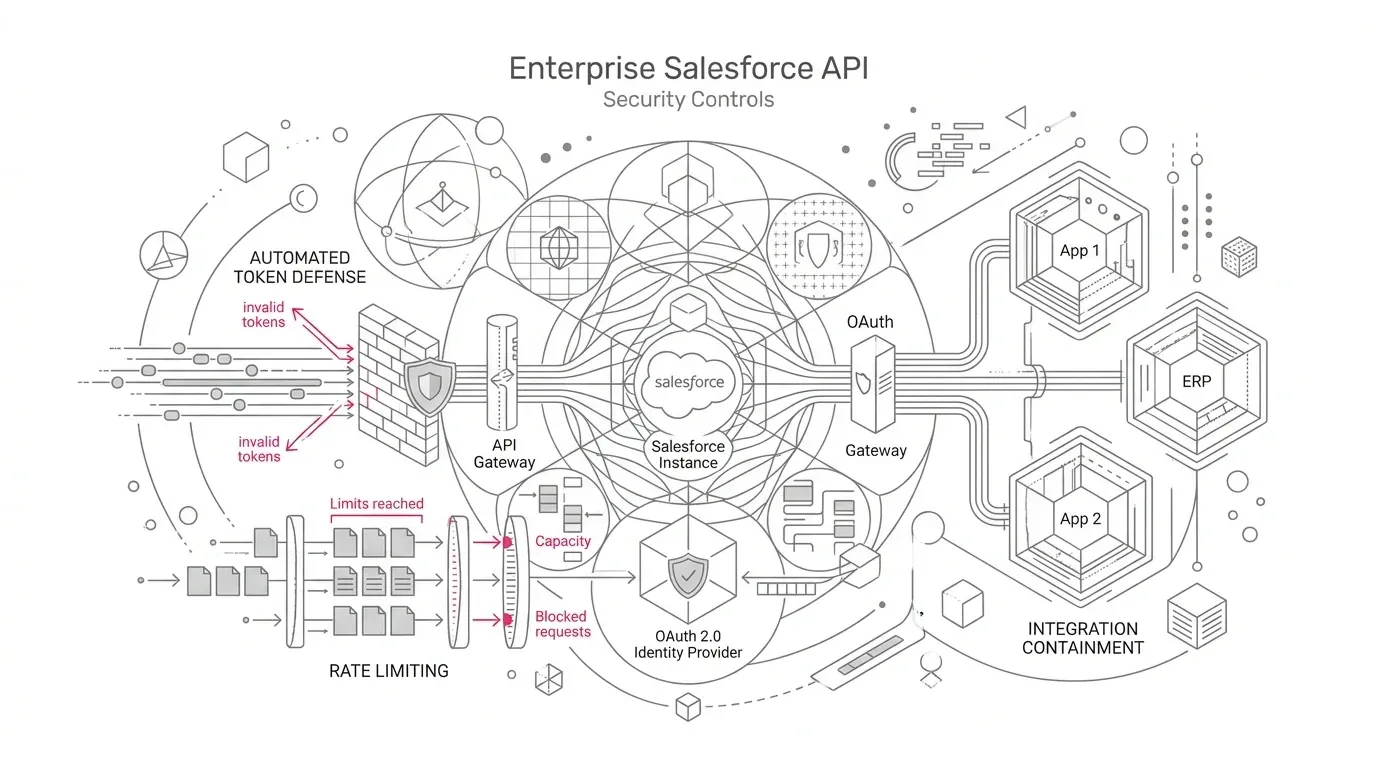
Salesforce has introduced a security enhancement that can act when it detects suspicious API data-access behavior. According to the company's current roadmap, rollout began across sandbox and production environments on October 21, 2026. Automated responses can include terminating the session or freezing the user and notifying an administrator. A terminated session requires reauthentication; a frozen identity must be restored by an administrator.
That is a valuable defense against stolen credentials and tokens. It can also expose weaknesses that many organizations have allowed to accumulate around machine identities: shared integration users, undocumented vendors, unstable network paths, broad permissions, unmonitored security mailboxes, manual token renewal, and no reliable way to replay missed transactions.
The correct response is not to weaken security controls or broadly relax IP restrictions. It is to make each integration identifiable, recoverable, and reconcilable.
What changed, and what did not
The Winter '27 release note describes an automated response to suspicious API data-access behavior. Salesforce may terminate a session, freeze a user, and notify an org administrator. The core security roadmap says rollout begins October 21, 2026, in sandbox and production.
Three distinctions matter.
First, this is not a claim that all integrations must reauthenticate on October 21. The response is triggered when Salesforce detects behavior it considers suspicious.
Second, this is separate from the 30-day idle lifetime for refresh tokens, the future retirement of legacy OAuth flows, and the retirement of SOAP API `login()`. Those programs can also require authentication changes, but they have different triggers and remediation paths.
Third, Salesforce has not published enough detail for a customer to reproduce every detection decision. Treat the control as an adaptive security capability, not a static rule that can be passed once and forgotten.
Why a frozen integration identity becomes a business incident
The visible symptom may be an authentication error, but the operational impact depends on what the identity does.
A single Salesforce user can sit behind a claims feed, a member portal, a provider directory, a donor platform, an electronic health record interface, a data warehouse load, or a customer-service synchronization. If that identity is shared across applications, containment can interrupt several workflows at once and make root-cause analysis much harder.
Salesforce's related login-anomaly guidance , published October 9, explains that user-level containment can terminate sessions and revoke remaining access and refresh tokens. Its high-risk IP guidance also warns that reauthorizing through the same anonymizing proxy or high-risk connection can lead to repeated containment.
Do not assume every new API control uses exactly the same response sequence. Do assume that an identity-level action can affect more than one session, and design the recovery plan accordingly.
Build an integration containment register
Start with a register organized around business services, not just connected-app names. For every production integration, record:
- Business process, data owner, technical owner, vendor contact, and support hours
- Salesforce org, user ID, connected or external client app, and authentication flow
- Source networks, expected egress IPs, hosting regions, and any proxy or VPN path
- Normal schedule, request volume, objects, operations, and approximate row counts
- Effective object, field, record, and system permissions
- Upstream and downstream dependencies
- Credential and reauthorization owner
- Retry, dead-letter, replay, and reconciliation capabilities
- Recovery-time and recovery-point expectations
- Data classification and regulatory significance
The register should reveal shared identities immediately. A shared integration user makes containment harder to scope and creates a larger outage domain. Separate identities by application or bounded service where feasible, and give each only the access it needs.
Establish normal API behavior before an incident
You cannot evaluate an anomaly quickly if nobody knows what normal looks like.
Baseline each important integration across time, network origin, application, authentication method, operation, objects queried, and data volume. Include legitimate spikes such as month-end processing, benefit enrollment, fundraising campaigns, policy renewals, and large backfills. Document planned network or hosting changes before they alter the pattern.
Salesforce's October 14 log-analysis guide identifies useful fields across login and API data, including user, source IP, connected app, operation, queried entities, rows processed, login key, session key, and request identifier. It also makes an important licensing distinction: Event Log Files provide retrospective data, while richer near-real-time visibility through Real-Time Event Monitoring and Event Log Objects requires Salesforce Shield.
Organizations without Shield still need a workable evidence plan. Combine the data available in Salesforce with middleware logs, vendor telemetry, identity-provider records, network logs, job-control tables, and downstream reconciliation reports. Record the limitations rather than assuming an empty dashboard proves that nothing happened.
Make containment notifications actionable
An alert that arrives in an abandoned mailbox is not a control.
Confirm that every production org has current security contacts and that notifications reach a monitored queue with after-hours coverage. Route the event into the incident-management process and define who owns the first decision: suspicious activity, expected activity, or insufficient evidence.
Winter '27 also adds a Response Log to Security Center Essentials. Salesforce says the read-only log records completed automated containment responses with the action type, status, affected entity, and detection and response timestamps. Use it as a starting point, not as a substitute for application and business-transaction evidence.
Use a disciplined response runbook
When a session ends or an integration user is frozen, the pressure to restore service can cause teams to skip the investigation. A short runbook prevents that reflex.
Confirm the event
Identify the org, affected user, application, session, time, and containment action. Verify the notification through trusted Salesforce administration paths rather than acting from an email link alone.
Protect evidence
Preserve relevant Salesforce, middleware, identity, network, vendor, and downstream logs. Record timestamps in a consistent time zone. If the event could involve unauthorized access, follow the organization's incident-response and legal escalation procedures.
Compare the activity with the baseline
Check source IP, geography, connected app, client, authentication method, time, requested objects, operations, query pattern, rows processed, and volume. Contact the integration owner to confirm whether a release, backfill, failover, or network change was expected.
Decide whether the source is trusted
If the behavior is unexplained, contain the surrounding application and credentials before restoring the Salesforce identity. If it is legitimate, identify which changed characteristic caused concern and correct the connection path where possible. Do not repeatedly unfreeze and reauthorize through a path Salesforce continues to classify as risky.
Restore in the correct order
Remove the risky source or resolve the unexplained behavior. Then unfreeze the identity if required, rotate credentials where the investigation calls for it, and reauthorize each affected connected app. A successful Salesforce login is not proof that the business integration is healthy.
Replay safely
Determine the last confirmed successful transaction, the failed interval, and whether retries may already have created duplicates. Use idempotency keys, source transaction IDs, checkpoints, or other application controls to replay only what is missing.
Reconcile the business outcome
Compare source and target counts, amounts, statuses, and exception queues. For high-impact processes, sample individual records and verify downstream effects. Close the incident only after the business service is complete, not when the API returns HTTP 200.
Improve the control environment
Update the baseline, register, alert routing, permissions, recovery automation, and vendor obligations. If one identity supported multiple unrelated services, separate them before the next event.
Test recovery without waiting for a real containment event
Salesforce does not provide a customer-facing switch to reproduce every threat-detection decision. You can still test the parts you control.
In a representative sandbox, simulate a terminated session and a frozen integration identity using approved administrative procedures. Confirm that monitoring detects the failure, the correct team receives the alert, logs contain enough evidence, credentials can be reauthorized, queued messages can be replayed, and end-to-end data can be reconciled.
Include negative paths:
- The primary integration owner is unavailable.
- The vendor requires its own reauthorization process.
- A token is revoked during a long-running batch.
- The same identity serves two applications.
- Automatic retries create duplicate writes.
- The integration resumes, but downstream records remain incomplete.
- A single administrator is frozen or cannot access the org.
Measure recovery time and unresolved data, not just whether the connection returns.
Industry implications
Healthcare
A disrupted Salesforce integration can delay case intake, patient or member outreach, provider-data updates, care-management tasks, or synchronization with clinical and administrative systems. Recovery must protect sensitive data and establish which records were accessed, missed, duplicated, or delayed. Security and privacy teams should review the response design; this operational guidance is not a compliance determination.
Insurance
Policy, billing, claims, producer, and member workflows often combine synchronous APIs with scheduled batches. A frozen shared identity can create partial processing across several systems. Reconciliation should cover financial values, coverage state, claim status, documents, and customer communications, not only record counts.
Nonprofit foundations
Fundraising, grantmaking, program delivery, finance, and marketing platforms may be connected by small teams and vendor-managed identities. Documenting ownership and recovery is especially important when the person who originally configured an integration has left or a vendor is the only party able to reauthorize it.
A security control should not force a choice between safety and continuity
Automated containment is designed to reduce the time an attacker can use a compromised identity. The customer's job is to ensure that a legitimate containment action does not create an unmanaged operational failure.
That requires a clear identity for every integration, least-privilege access, stable and understood connection paths, monitored alerts, enough evidence to make a decision, tested reauthorization, safe replay, and business-level reconciliation.
Yuniq's Salesforce services include Salesforce integration, consulting, migration, validation and testing, custom development, and managed support. For organizations unsure which business services would fail after an integration identity is contained, a focused API containment-readiness review can turn the integration estate into an owned register, prioritized remediation plan, tested recovery runbook, and reconciliation design.
Ask Yuniq to assess one business-critical Salesforce integration end to end - identity, permissions, network path, monitoring, reauthorization, replay, and reconciliation - before the next containment event tests it in production.