3. Full Article
Salesforce is about to shorten the useful life of a credential many organizations rarely think about until an integration stops.
Starting on a rolling basis in sandboxes on October 21, 2026, Salesforce will enforce a 30-day idle time-to-live for OAuth refresh tokens. Production, scratch, and Developer Edition rollout begins November 4, 2026. The change applies to connected apps and external client apps, including apps installed in subscriber orgs. Salesforce already enforces the control for partner apps and apps created in July 2026 or later. Salesforce Winter ’27 release note
This is a sensible security control: a stolen refresh token can be used to obtain new access tokens, so an unused credential should not remain valid indefinitely. The operational catch is that some low-frequency integrations were designed on exactly that assumption.
A monthly compliance export, quarterly grant workflow, dormant disaster-response interface, or occasionally used administrative utility can look healthy for weeks. When it runs again, its refresh token may no longer be usable. Without a tested reauthorization path, clear ownership, and transaction recovery, a security improvement can become an availability incident.
First, understand what “30 days” means
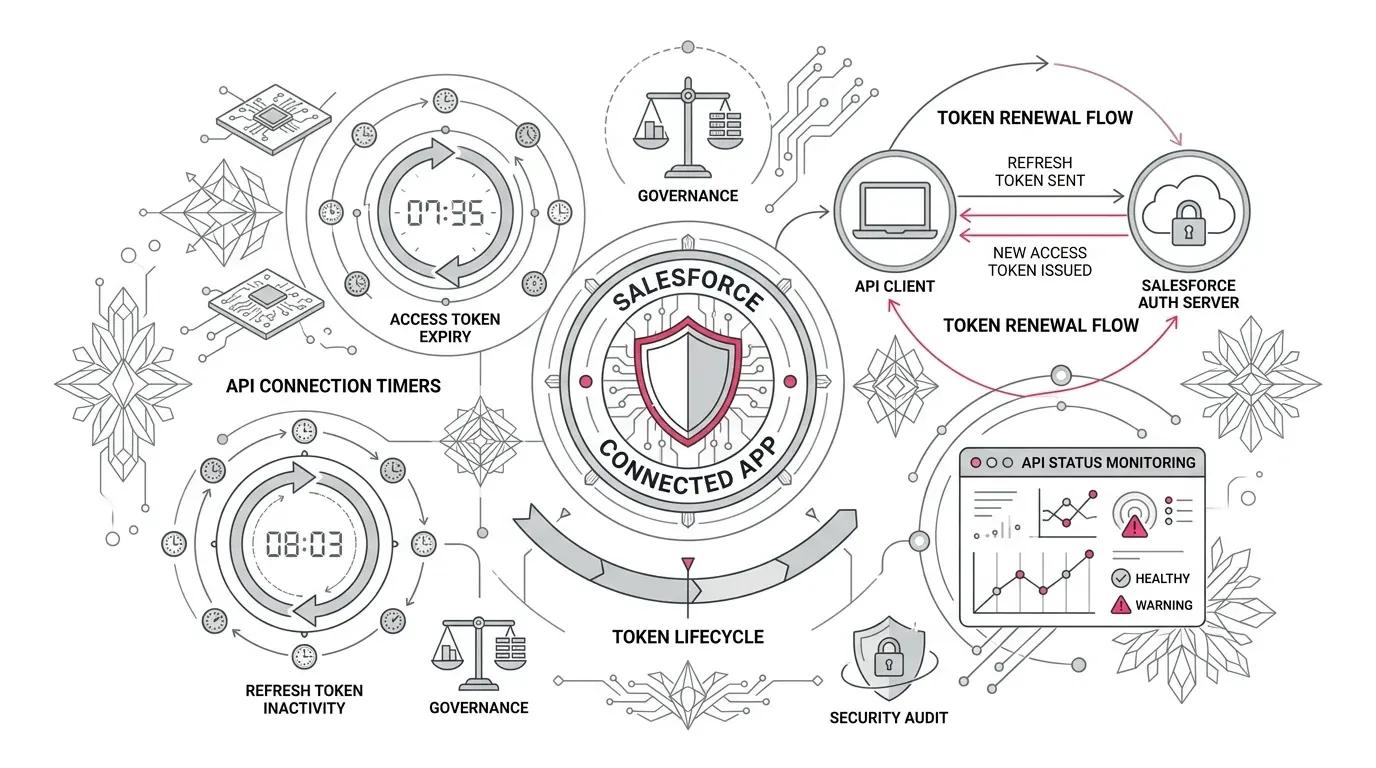
The new rule is an idle limit, not a hard 30-day lifespan. When an application successfully uses its refresh token within the 30-day period, the idle window resets. A regularly refreshed token can therefore remain useful beyond 30 days.
The risk concentrates in applications that do not use their refresh token often. That is not always the same as applications that make API calls infrequently. An application can continue using a valid access token without exercising the stored refresh token. Inventory and testing must therefore examine the token lifecycle, not just the schedule of business transactions.
At enforcement, Salesforce documents three immediate effects:
- All existing access tokens are revoked once.
- Existing refresh tokens that have been unused for at least 30 days expire immediately.
- The 30-day idle limit applies from then on.
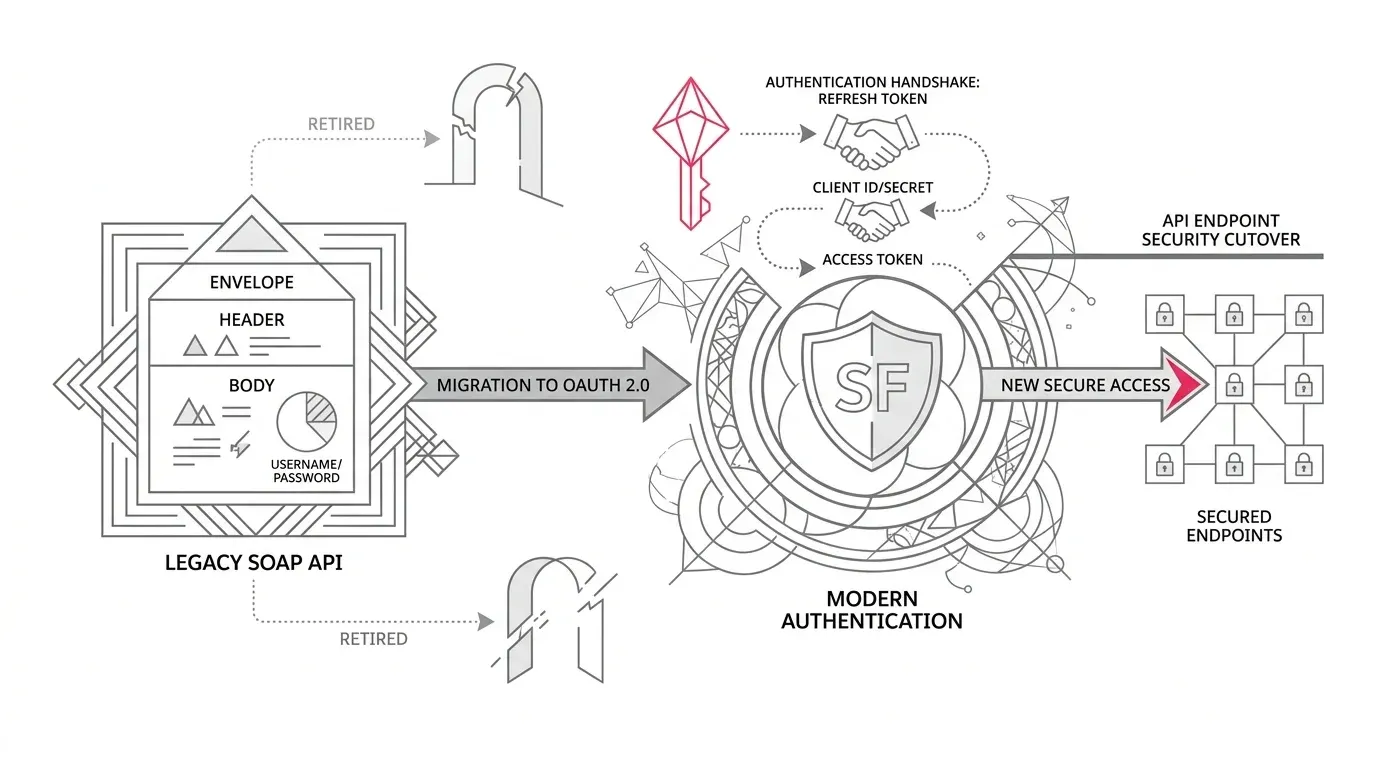
If a background integration has a valid stored refresh token and correctly handles access-token revocation, it should be able to obtain a new access token automatically. If the refresh token is already idle beyond the limit, Salesforce returns invalid_grant with expired access/refresh token, and the application must be reauthorized. Interactive applications can require the user to sign in again. Flows that do not use refresh tokens must repeat their initial authorization flow. Salesforce’s documented behavior
That is why a simple “the integration ran yesterday” check is not sufficient.
Find the dependencies your integration register misses
Most organizations have an integration inventory. Fewer can answer all of these questions for every OAuth application:
- Is it a connected app or an external client app?
- Which orgs, users, vendors, environments, and business processes depend on it?
- Does it use a refresh token, and where is that token stored?
- When was that specific refresh token last exchanged?
- What happens when the access token is revoked?
- What happens when the refresh token is no longer valid?
- Who can reauthorize it, and can that person do so outside business hours?
- Are failed transactions queued, replayable, and reconcilable?
Use Salesforce’s administrative views as a starting point, not the entire discovery method.
For connected apps, Connected Apps OAuth Usage in Setup shows current OAuth connections and user-level information such as first use, recent use, and use count. Salesforce notes that username-password flows do not appear there because they issue one-time access tokens. Manage Current OAuth Connected App Sessions
For external client apps, use External Client Apps > OAuth Usage in Setup. Salesforce also exposes usage and token-management resources through the Connect REST API. Manage External Client App OAuth Usage
Then reconcile those platform views with middleware, secrets management, vendor documentation, application logs, scheduled jobs, network records, service accounts, and business process owners. An app name alone rarely reveals the outcome at risk.
Prioritize integrations by failure consequence and token cadence
Do not rank the backlog only by API volume. High-volume integrations usually exercise recovery paths frequently. The less visible risk is often a low-volume process with a high-consequence deadline.
Classify each dependency along four dimensions:
| Dimension | Questions to ask |
|---|---|
| Business consequence | Would failure delay patient service, claims handling, donor processing, customer communications, financial close, or a regulatory filing? |
| Refresh-token cadence | Is the token exchanged daily, monthly, seasonally, only after an error, or at an unknown interval? |
| Recovery design | Can the app renew automatically, or does it need an interactive administrator or vendor? |
| Transaction resilience | Are failed records retained, replayable, deduplicated, and reconcilable? |
Put applications with infrequent or unknown refresh activity, manual reauthorization, and high-consequence business outcomes at the front of the test queue. Salesforce’s own architecture team specifically identifies low-frequency integrations as the risk group that may break under the new limit. Salesforce Architecture Blog, October 5, 2026
Test the transition, not merely the login
A successful authorization screen proves only that an application can start a session. It does not prove that the application can recover when Salesforce revokes the current access token or rejects an idle refresh token.
Use a representative sandbox and test four states:
- Valid access token: Confirm the normal transaction and capture the baseline logs, latency, record counts, and business result.
- Revoked access token with a valid refresh token: Confirm that the application detects the failure, exchanges the refresh token once, stores any replacement token correctly, retries safely, and completes the business transaction.
- Invalid refresh token: Confirm that the application surfaces invalid_grant, stops retrying before it creates noise or lockouts, and invokes a clear reauthorization runbook.
- Recovered service: After reauthorization, replay the failed workload and reconcile source, middleware, Salesforce, and downstream totals.
Salesforce allows administrators or developers to revoke OAuth tokens, which makes revocation useful for controlled recovery testing. A revoked refresh token is not identical to waiting through a 30-day idle period, but it can exercise the same reauthorization and error-handling path. Salesforce token-revocation guidance
The 30-day control can also be enabled before enforcement for testing. Treat that activation as a change event because enabling it immediately revokes active access tokens. Salesforce also warns that some existing policies may not update their displayed UI or metadata automatically, even though the enforced behavior changes. Reconcile the runtime behavior, visible policy, and metadata rather than assuming they agree. Configure the connected-app idle TTL
Choose a durable response for genuinely low-frequency integrations
Refreshing a token on a timer can keep its sliding window active, but it should not be the default answer to every dormant integration. A meaningless keepalive can preserve access that the business no longer needs and work against the security purpose of the control.
For each low-frequency integration, make an explicit decision:
- Retire it if there is no current owner or justified business outcome.
- Reauthorize on demand if human initiation is acceptable and the runbook can meet the process deadline.
- Maintain the refresh path if the integration is legitimately required and the owner accepts the monitoring and credential-management obligations.
- Redesign the authentication pattern if unattended continuity is required and the present flow depends on assumptions that no longer hold. Select a Salesforce-supported flow that fits the user model, vendor capability, and risk boundary; do not choose a replacement solely to avoid the 30-day control.
Any design should include least-privilege scopes, a non-personal operating identity where appropriate, protected credential storage, named ownership, revocation procedures, and an auditable authorization process. Security and privacy teams should review the resulting design for the organization’s own obligations; platform configuration alone does not establish compliance.
Give Field Service mobile its own workstream
Field Service mobile adds a related operational concern. Salesforce says version 264.1 and later includes refresh-token rotation and must be deployed by January 18, 2027. After that date, older versions can experience periodic forced logouts, and a logout can remove unsynced work from the device. Field Service mobile release note
For organizations with field clinicians, home-service teams, insurance adjusters, or distributed facilities staff:
- Use mobile device management or another reliable inventory to identify the installed app version.
- Schedule the v264.1 rollout and confirm the application is available to all managed devices.
- Require a successful sync before the upgrade or any planned reauthentication.
- Test SSO and reauthentication on representative iOS and Android devices.
- Confirm the app uses the supported My Domain URL; Salesforce separately documents that lightning.force.com is not supported for Field Service mobile SSO and can cause refresh-token and logout problems. Salesforce Help, May 28, 2026
- Give supervisors a procedure for verifying synchronization and recovering work after a forced sign-in.
Do not fold this into a generic mobile-app communication. Unsynced work changes the consequence of a failed authentication event.
Translate the technical change into industry risk
For healthcare organizations, review interfaces that exchange case, appointment, referral, provider, member, or care-management data. Pay special attention to monthly or exception-driven processes and to mobile users who work offline. Validate operational continuity and access controls with the appropriate clinical, privacy, and security owners.
For insurers, prioritize policy, claims, document, billing, partner, and catastrophe-response integrations that may remain quiet between events. A credential failure during a surge is harder to diagnose and recover than one found in a planned sandbox test.
For nonprofit foundations, look beyond daily donor integrations. Grant cycles, periodic disbursement files, year-end reporting, seasonal campaigns, and volunteer applications can remain idle long enough to cross the new limit. Confirm that reauthorization does not depend on a former employee or an unavailable vendor administrator.
The business question is the same in every sector: when a credential stops working, can the organization restore the service and prove that no transaction was lost, duplicated, or processed without authorization?
A deadline-based readiness plan
Before sandbox rollout begins October 21
- Name an accountable owner for the change across identity, Salesforce, integration, security, and service operations.
- Export connected-app and external-client-app usage and reconcile it with middleware and vendor inventories.
- Identify refresh-token use, last exchange cadence, and the business outcome behind each application.
- Select high-consequence, low-frequency integrations and Field Service mobile for priority testing.
- Test access-token revocation, refresh recovery, invalid-token handling, reauthorization, replay, and reconciliation.
Before production rollout begins November 4
- Resolve or retire ownerless applications.
- Reauthorize justified dormant integrations through a controlled process where needed.
- Confirm production credentials are stored correctly and that refresh-token rotation, if used, cannot leave competing systems with stale copies.
- Alert on token-exchange errors, especially invalid_grant, and route them to an owner with a tested runbook.
- Prepare a change-window dashboard covering authentication errors, job completion, queued work, record counts, and downstream acknowledgements.
After enforcement
- Monitor through at least one complete cycle for every critical integration, including monthly and seasonal workloads.
- Reconcile business outcomes, not just HTTP success codes.
- Record every reauthorization, credential change, exception, and recovery decision.
- Review dormant access periodically so the organization does not preserve unused credentials simply to avoid future reauthentication.
The executive decision
Salesforce’s 30-day idle limit is not a reason to weaken token controls. It is a reason to find integrations whose continuity depends on an undocumented credential assumption.
The organizations best prepared for November 4 will know which applications use refresh tokens, which ones can recover automatically, which business processes require human reauthorization, and how failed transactions will be replayed and reconciled. That turns a mandatory security enforcement into a manageable release event.
Yuniq provides Salesforce integration, consulting, implementation, testing, and ongoing support . For organizations with a large or poorly documented OAuth estate, the focused next step is a time-boxed integration continuity review: inventory the affected apps, test the highest-risk recovery paths in a sandbox, and leave each production dependency with an owner and runbook before November 4.
---